
Editing Toolkit with backend agent workflows
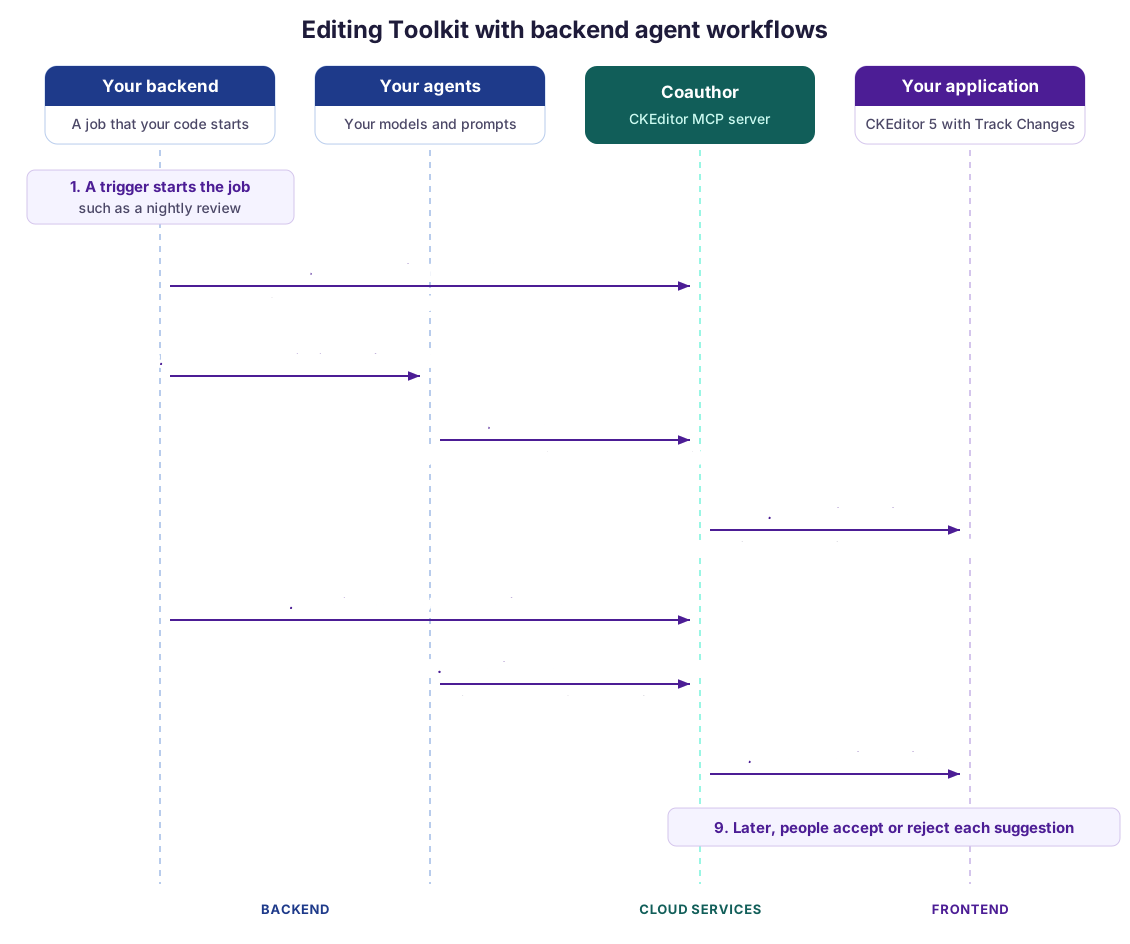
Backend agent workflows process documents on the server. For example, one agent updates a document and a second agent checks the result. With Coauthor, agents read and edit the document without anyone having it open in a browser. Their changes arrive as Track Changes suggestions that people review.
In the video, a backend job runs two agents over several documents. The second agent checks the work of the first one, and a person reviews their suggestions.
- Many documents can be drafted or processed by agents before any user opens them, for example after a new regulation or a product rename.
- Review steps can be done by agents, which leave comments on what a person should check.
- People keep editing the documents while the job runs, and they should decide on every change later.
If a job rewrites the document HTML itself, it can overwrite what a colleague typed in the meantime, drop markup that the editor needs, and leave no trace of who changed what. Coauthor checks each edit against your editor, and each suggestion can carry the name of the agent that made it.
-
A trigger starts the job in your backend, such as a change notice from your legal team.
-
For each document and each agent, your backend opens a Coauthor session on the document. It names the agent as the actor of the session and sets suggest mode, so that every edit becomes a suggestion.
-
Your backend starts the agent with a session token that works for this session only. The agent works with its own prompt, such as the change notice or the full regulation.
-
The agent reads and edits the document with Coauthor’s MCP tools. Coauthor checks each edit against your editor and explains what it refuses.
-
With
applyOn: "everyWrite", each accepted edit reaches the document at once. Coauthor applies it with Compare inside the server-side editor, and the suggestion reaches everyone who has the document open through real-time collaboration, under the agent’s name. -
When the agent is done, your backend closes its session and opens one for the next agent.
-
The next agent, such as a review agent, reads the document with the earlier suggestions in it, and fixes what the first agent missed.
-
Its suggestions reach the document in the same way.
-
Later, people open the document and accept or reject each suggestion. Tell them that suggestions wait for them, for example in your application’s inbox.
Your backend sets suggest mode. A token signed for suggest mode allows nothing else, so the agent cannot switch to direct edits.
Without real-time collaboration, your backend sends the document when it opens the session, and gets the changed document back, with the suggestions in it, to save in your system.
- Access to Coauthor, which is in early access. Your Cloud Services environment needs an editor bundle with the same plugins as your editor, including
DocumentCompareand Track Changes. See Coauthor setup. - A backend that signs tokens with an access key of your environment and runs your agents with an MCP client.
- The Track Changes integration in your editor, so that people can review the suggestions. The editor needs no
DocumentCompareorProposedChangesfor this approach. - For live documents, real-time collaboration. Without it, your own storage for the documents.
- Coauthor (CKEditor MCP) – The backend part of the toolkit, which runs your editor on the server.
- Track Changes – Review the agents’ suggestions.
- Editing Toolkit overview