
Integration with CKEditor AI On-Premises
This page covers running Collaboration Server On-Premises together with CKEditor AI On-Premises: the prerequisites, the configuration that connects the two, what changes once they are connected, and the token that authorizes both. Read it if you add CKEditor AI to a Collaboration Server you already run.
CKEditor AI On-Premises can share its data layer with Collaboration Server On-Premises. Both services then use the same SQL database and Redis instance, so you do not set up separate ones for AI.
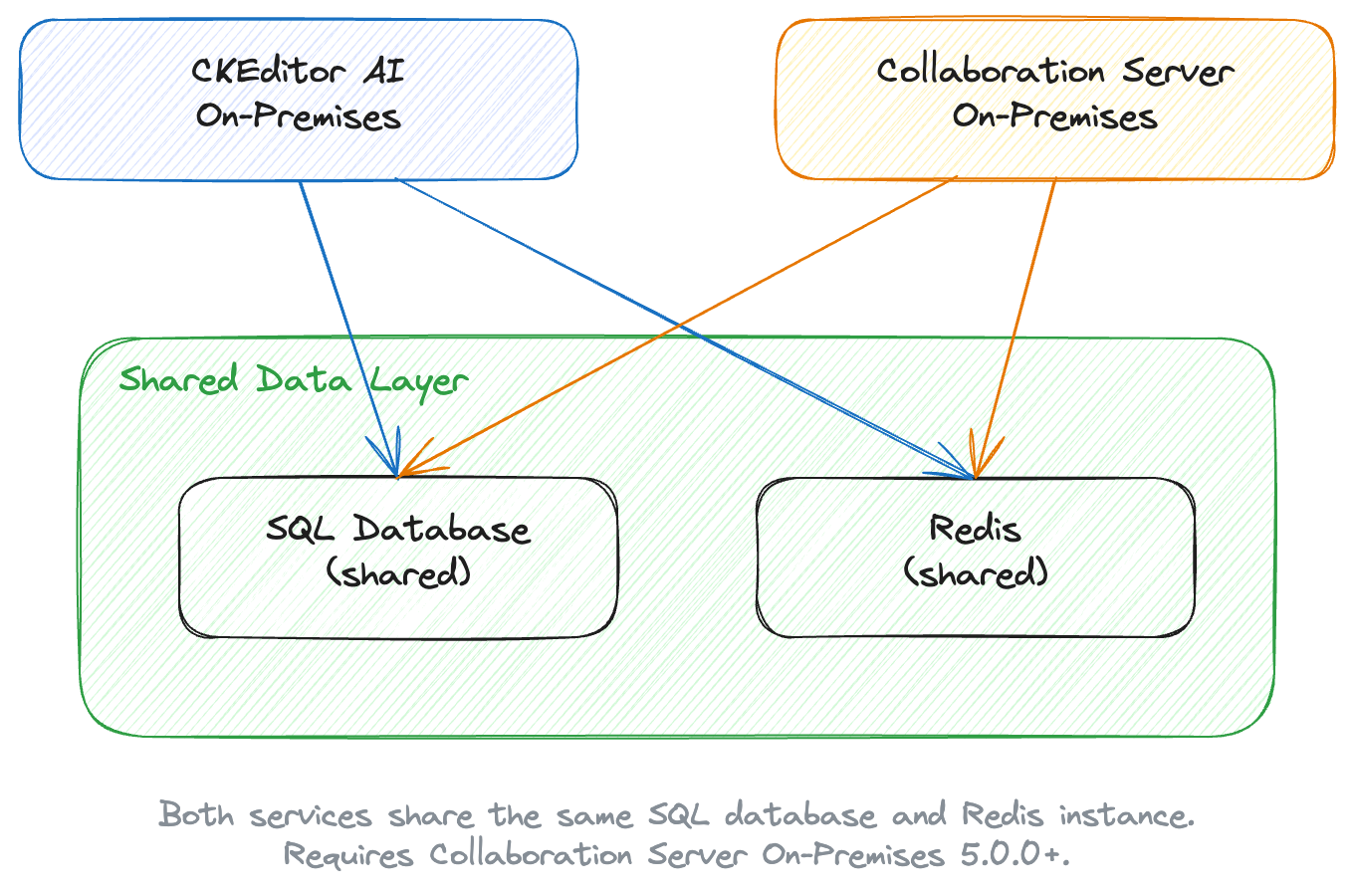
This integration requires Collaboration Server On-Premises 5.0.0 or newer.
Collaboration Server On-Premises and CKEditor AI On-Premises are released at the same time. Update them together and keep them on the same version.
Before integrating, make sure you have a working CKEditor AI On-Premises deployment. See Deployment or Collaboration Server integration for the AI-side setup.
Set AI_API_BASE_URL to the address of CKEditor AI On-Premises. Collaboration Server uses this address to reach the AI service, including from the Management Panel:
docker run --init -p 8000:8000 \
	-e LICENSE_KEY=[your license key] \
	-e DATABASE_DRIVER=[mysql|postgres] \
	-e DATABASE_HOST=[your database host] \
	-e DATABASE_USER=[your database user] \
	-e DATABASE_PASSWORD=[your database password] \
	-e DATABASE_DATABASE=[your database name] \
	-e REDIS_HOST=[your Redis host] \
	-e ENVIRONMENTS_MANAGEMENT_SECRET_KEY=[your secret] \
	-e AI_API_BASE_URL=[CKEditor AI On-Premises address, for example http://ckeditor-ai:8000] \
docker.cke-cs.com/cs:[version]The value of AI_API_BASE_URL is the scheme, host, and port of an address that Collaboration Server can reach. In Docker Compose, that is the AI service name and its container port.
For CKEditor AI On-Premises, also use the same DATABASE_* and REDIS_* values as this Collaboration Server. On a mismatch, the AI service does not find the Collaboration Server tables, and it sets up a data layer of its own. See Collaboration Server integration.
- Shared environments – the environments and access keys work for both services, whichever Management Panel you create them in.
- Two management panels – both panels let you manage environments and browse insight logs. You configure collaboration features in the Collaboration Server Management Panel and AI features in the CKEditor AI Management Panel.
- Shared data layer – both services read and write the same SQL database and Redis instance. You do not create a separate database for AI.
One token covers both services. Put the collaboration roles in auth.collaboration and the AI permissions in auth.ai.permissions in the same payload:
{
	"aud": "your-environment-id",
	"sub": "user-123",
	"auth": {
		"collaboration": {
			"*": {
				"role": "writer"
			}
		},
		"ai": {
			"permissions": [
				"ai:conversations:*",
				"ai:models:agent",
				"ai:actions:system:*",
				"ai:reviews:system:*"
			]
		}
	}
}See Example token payload for collaboration and AI on the Token endpoint page.
- Quick start – Set up Collaboration Server On-Premises on your local machine.
- Environmental variables – See the full list of Collaboration Server options, including
AI_API_BASE_URL. - Token endpoint – Build the endpoint that signs tokens for collaboration and AI.