Architecture
Use this article to plan a CKEditor AI On-Premises deployment or to scale one you already run. It gives you the instance count, the load balancer settings, the data stores to create, and the outbound destinations to allow in your firewall.
To install CKEditor AI On-Premises, see Deployment. For what the product does, see the CKEditor AI guides.
The multi-instance setup below is a recommendation. CKEditor AI On-Premises also runs as a single instance on one server.
A CKEditor AI On-Premises deployment has two layers. The application layer runs the containers, from one Docker image. The data layer hosts the SQL database, Redis, and file storage. The application layer also calls the LLM providers you configure.
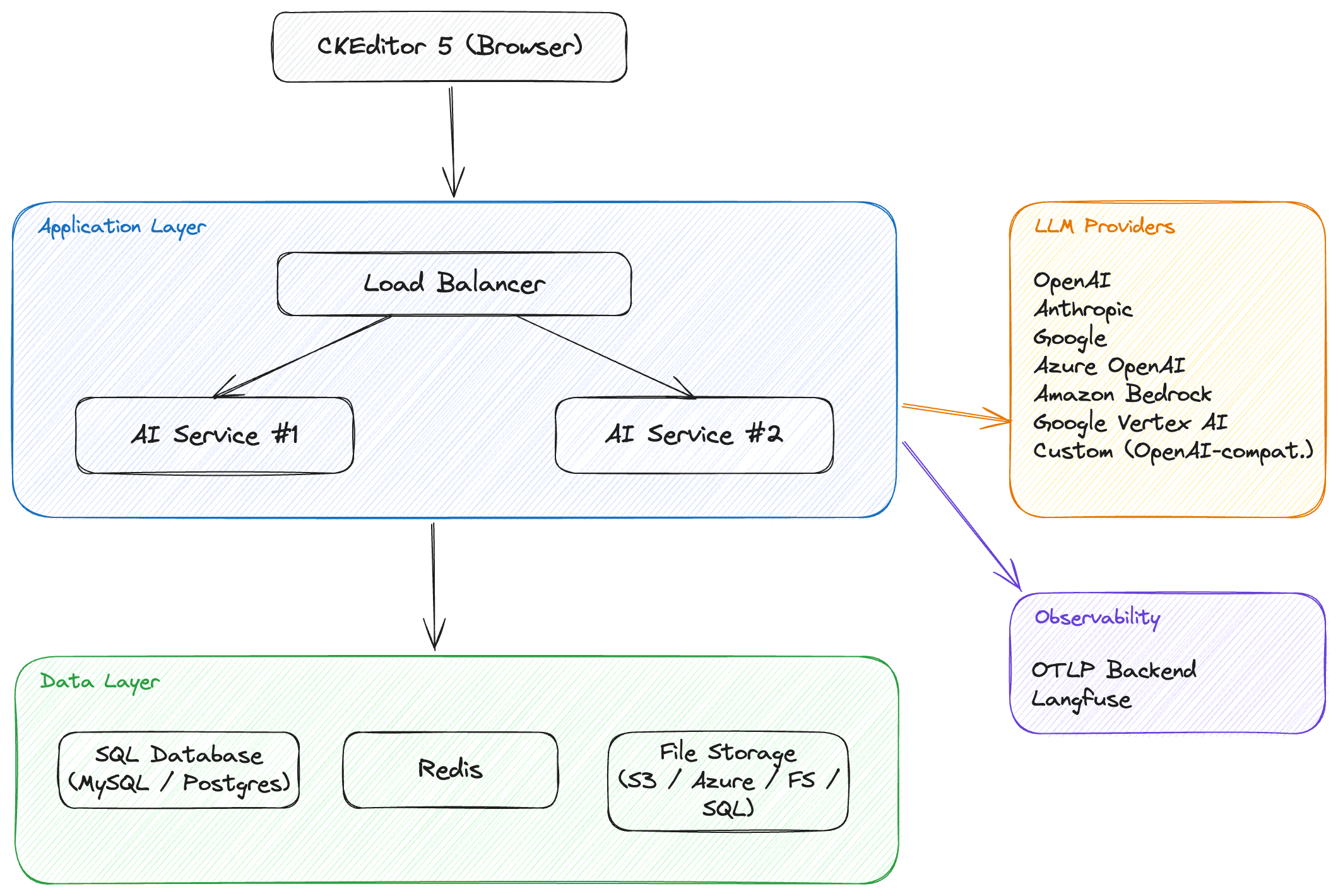
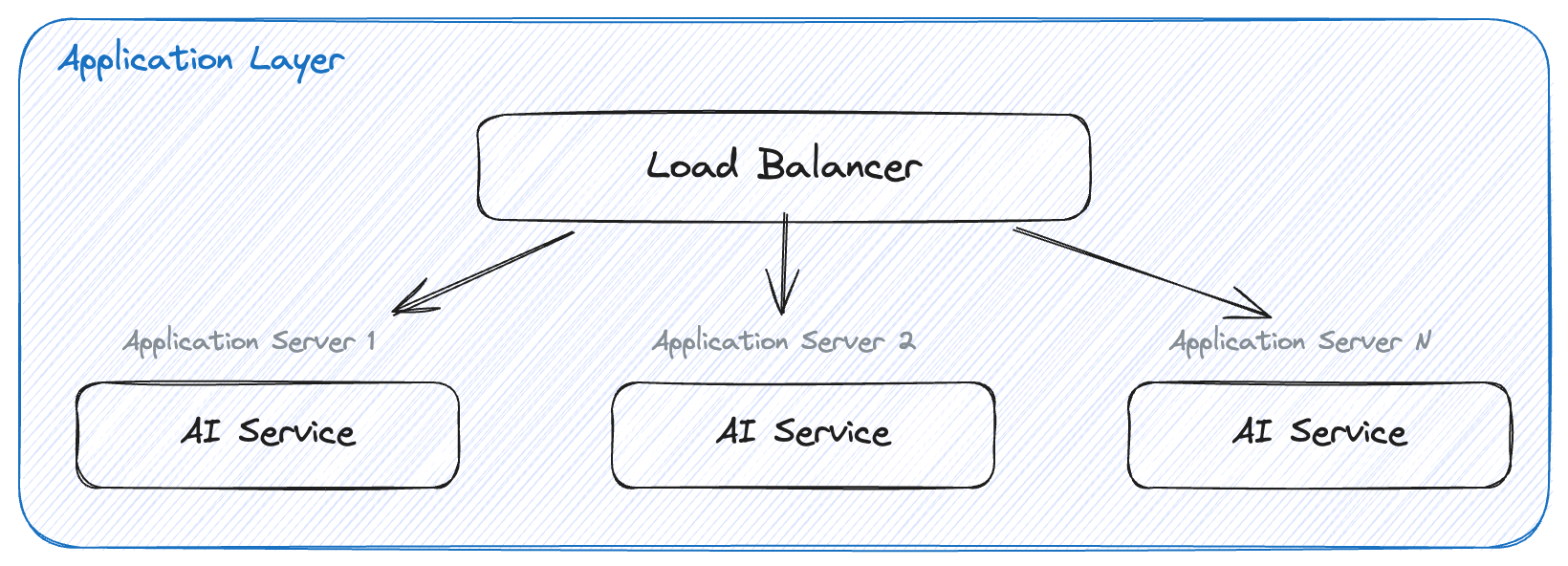
The application layer consists of one or more instances and, optionally, a load balancer.
Each instance runs the CKEditor AI On-Premises Docker image under an Open Container runtime, for example Docker, Kubernetes, Amazon Elastic Container Service, or Azure Container Instances.
When you run several instances, the load balancer spreads requests across them. NGINX, HAProxy, Amazon Elastic Load Balancing, and Azure Load Balancer all work. With more than one instance behind a load balancer, CKEditor AI On-Premises stays available when an instance stops.
Recommendations:
- Run at least 3 instances of CKEditor AI On-Premises for high availability.
- Use any load balancing strategy. The instances share no state, so you do not need session affinity.
- To terminate TLS at the load balancer, see SSL communication.
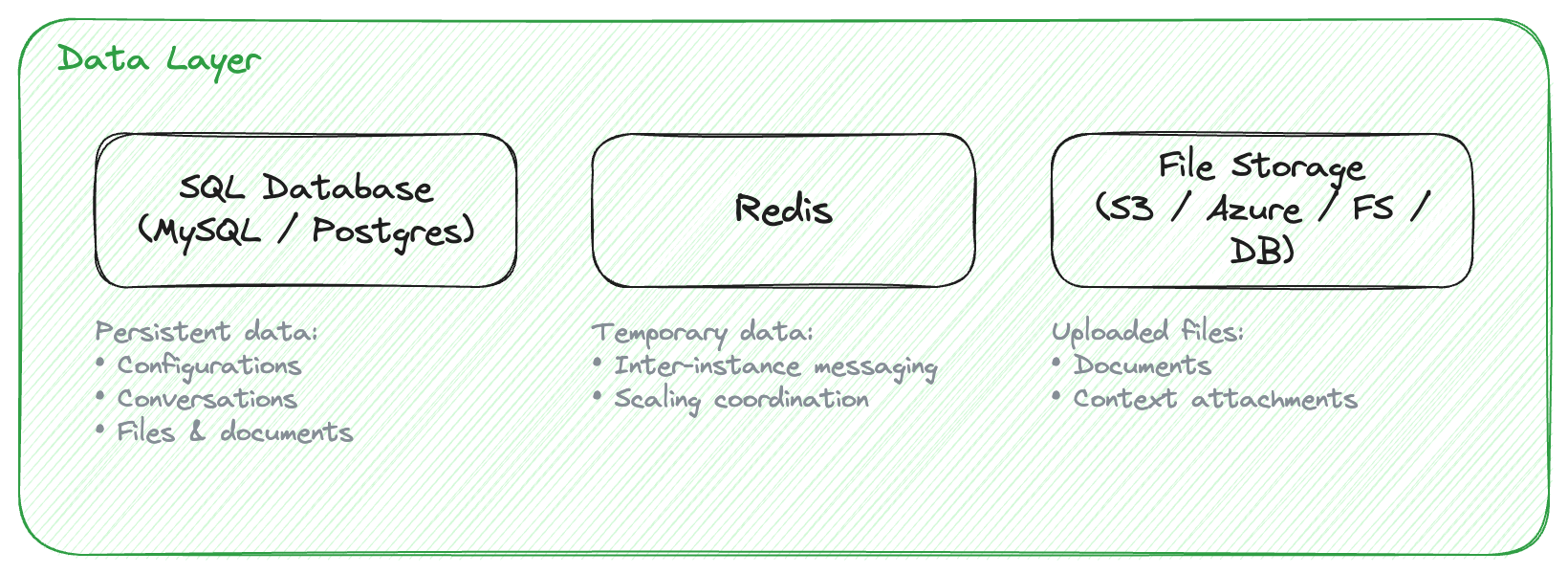
The data layer is an SQL database, an in-memory data store, and file storage.
- SQL database – stores configurations, conversations, file metadata, and documents. Create the database before you start the containers. Requirements lists the supported engines and versions, and SQL Database on the Deployment page has the creation scripts.
- In-memory data store – holds the short-lived state the instances share, such as caches and responses in progress. With several instances, a client that loses a stream can resume it from any instance. Valkey and Redis are supported, see In-memory data store.
- File storage – holds the files users upload. The backends are Amazon S3, Azure Blob Storage, the local filesystem, or the SQL database. See Storage on the Configuration page.
Two kinds of client traffic reach the deployment. Both reach an instance through your load balancer, and both carry a token that your own token endpoint issued.
- Editor traffic – the CKEditor 5 plugin in the browser calls the REST API.
- Backend traffic – your own services and scripts call the same REST API without an editor.
Responses stay open for up to 10 minutes. A conversation message, a document processing request, and an MCP tool call can each take that long. Set the idle timeout and the read timeout of the load balancer to 10 minutes or more. With shorter timeouts, the load balancer closes the connection and the request fails. SSL communication gives the values for NGINX and HAProxy.
To serve a request, an instance reads from and writes to the data layer, and it calls the LLM provider that serves the requested model. Depending on your configuration, it also calls the moderation endpoint, your MCP servers, and your web search and web resources gateways. Network requirements lists every destination.
Recommendations:
- Keep the databases off the public network. Run them in a separate subnet that only the application layer can reach.
- Set up backups for the SQL database and test them.
- Cluster mode is supported. Redis Sentinel is not. See Connecting to Redis Cluster.
The application layer sends prompts and document content to the LLM providers you configure. You need at least one. Allow that outbound traffic in your firewall. Network requirements lists the provider hosts.
For the supported providers and their options, see LLM providers.
When you enable observability, the application layer exports traces to your OTLP collector, to Langfuse, or to both. The application layer must reach those endpoints.
For the options, see Observability.
CKEditor AI On-Premises and Collaboration Server On-Premises can share one data layer: the same SQL database and the same in-memory data store. The environments and access keys work for both services, whichever Management Panel you create them in.
This integration requires Collaboration Server On-Premises 5.0.0 or newer.
CKEditor AI On-Premises and Collaboration Server On-Premises are released together. Update both at the same time, and run the same version of each.
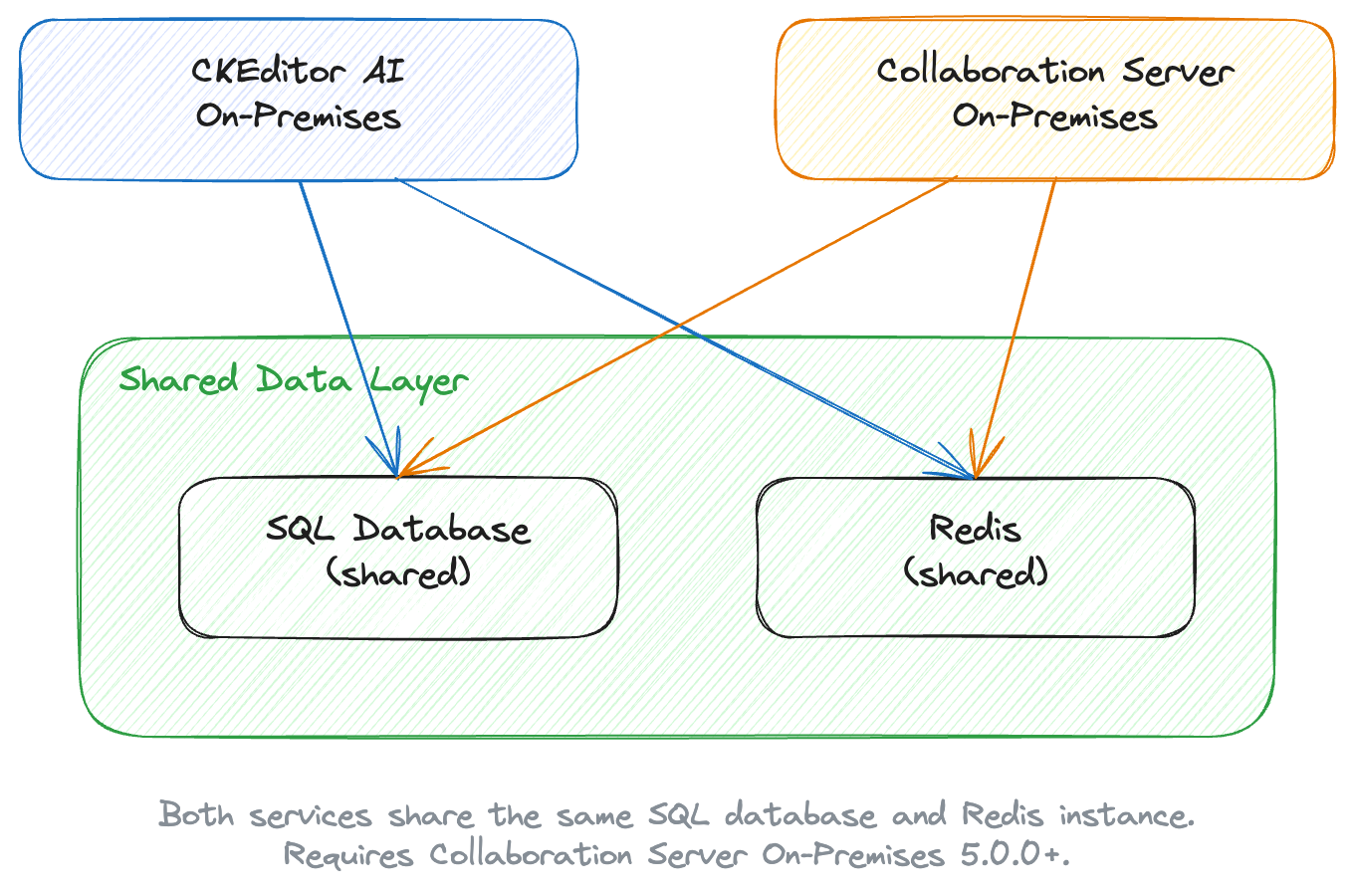
For the configuration and the shared token, see Collaboration Server integration.
- Requirements – Check the hardware, software, and network requirements.
- Deployment – Install and run CKEditor AI On-Premises.
- Collaboration Server integration – Share one data layer and one token with Collaboration Server On-Premises.
- Required configuration – Set the secret keys and the database, Redis, and storage options.
- Observability – Export traces to an OTLP backend, to Langfuse, or to both.