Integration with Collaboration Server On-Premises
This page covers running CKEditor AI On-Premises together with Collaboration Server On-Premises: the prerequisites, the configuration that connects the two, what changes once they are connected, and the token that authorizes both. Read it if your users already collaborate in CKEditor 5 with the Collaboration Server.
CKEditor AI On-Premises can share its data layer with Collaboration Server On-Premises. Both services then use the same SQL database and Redis instance, so you do not set up separate ones for AI.
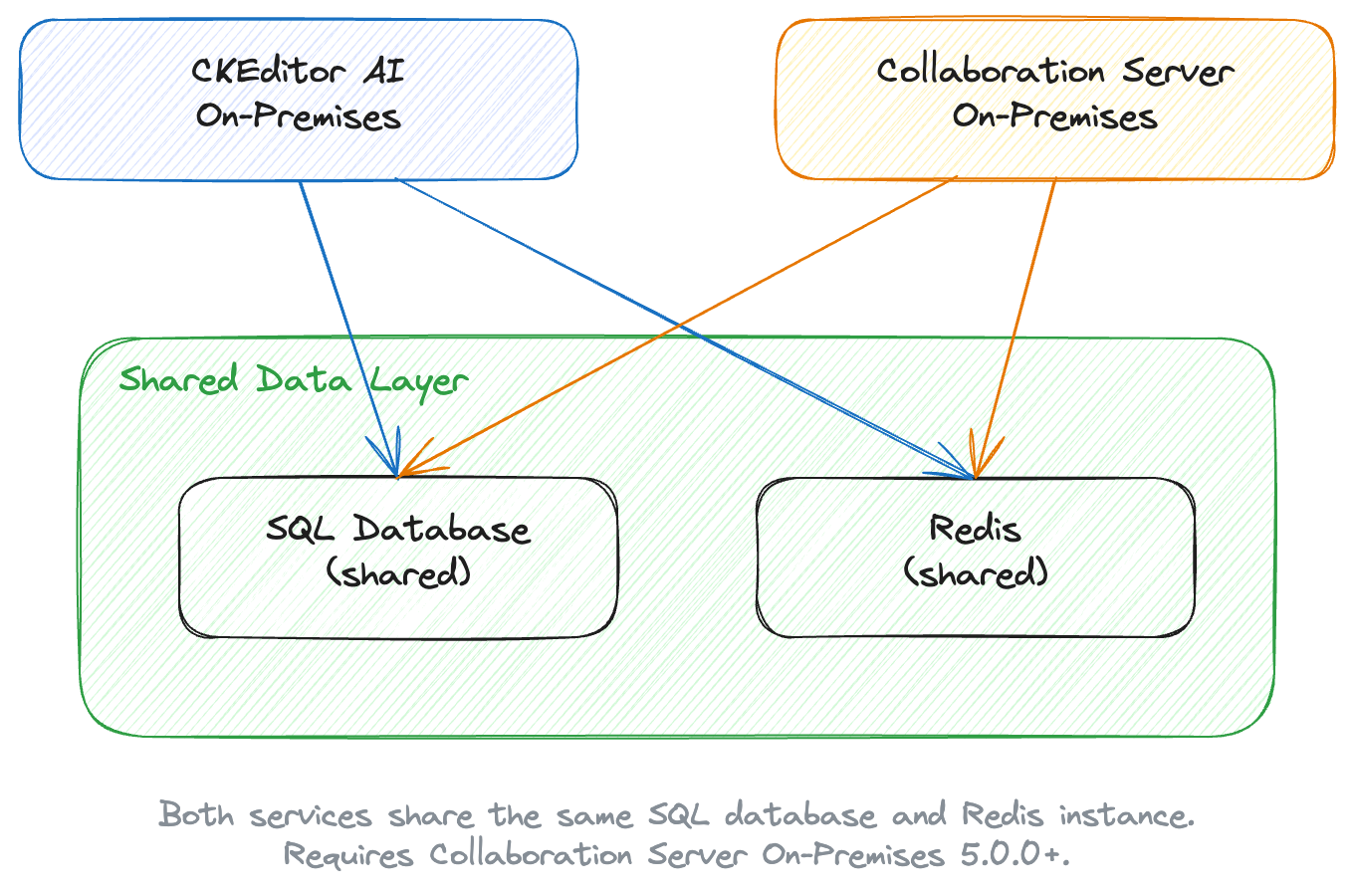
This integration requires Collaboration Server On-Premises 5.0.0 or newer.
Collaboration Server On-Premises and CKEditor AI On-Premises are released at the same time. Update them together and keep them on the same version.
Before integrating, make sure you have a working Collaboration Server On-Premises deployment. See Collaboration Server Quick Start or Collaboration Server Architecture for the setup.
Give CKEditor AI On-Premises the same DATABASE_* and REDIS_* values your Collaboration Server uses:
docker run --init -p 8000:8000 \
	-e LICENSE_KEY=[your license key] \
	-e ENVIRONMENTS_MANAGEMENT_SECRET_KEY=[your management secret] \
	-e DATABASE_DRIVER=[mysql|postgres] \
	-e DATABASE_HOST=[same host as Collaboration Server] \
	-e DATABASE_USER=[same user as Collaboration Server] \
	-e DATABASE_PASSWORD=[same password as Collaboration Server] \
	-e DATABASE_DATABASE=[same database as Collaboration Server] \
	-e REDIS_HOST=[same Redis host as Collaboration Server] \
	-e PROVIDERS='{"openai":{"type":"openai","apiKeys":["your-api-key"]}}' \
	-e STORAGE_DRIVER=[s3|azure|filesystem|database] \
docker.cke-cs.com/ai-service:[version]Compare the DATABASE_* and REDIS_* variables in both configurations before you start the container. On a mismatch, the service does not find the Collaboration Server tables, and it sets up a data layer of its own.
For Collaboration Server On-Premises, also set AI_API_BASE_URL to the address of CKEditor AI On-Premises. See CKEditor AI integration.
- Shared environments – the environments and access keys work for both services, whichever Management Panel you create them in.
- Two management panels – both panels let you manage environments and browse insight logs. You configure collaboration features in the Collaboration Server Management Panel and AI features in the CKEditor AI Management Panel.
- Shared data layer – both services read and write the same SQL database and Redis instance. You do not create a separate database for AI.
One token covers both services. Put the collaboration roles in auth.collaboration and the AI permissions in auth.ai.permissions in the same payload:
{
	"aud": "your-environment-id",
	"sub": "user-123",
	"auth": {
		"collaboration": {
			"*": {
				"role": "writer"
			}
		},
		"ai": {
			"permissions": [
				"ai:conversations:*",
				"ai:models:agent",
				"ai:actions:system:*",
				"ai:reviews:system:*"
			]
		}
	}
}See Example token payload for collaboration and AI on the Token endpoint page.
- Deployment – Pull the image and launch the container.
- Architecture – Plan the application and data layers the two services share.
- Token endpoint – Build the endpoint that signs tokens for collaboration and AI.