Check drafts against your style guide
This page shows one way to set this up. The extensions it uses fit this scenario, and other combinations work too. See Ways to use it and Choose an extension for the full list.
A scientific publisher wants authors to check medical manuscripts against the journal’s style guide before they submit. The publisher wants suggestions for spelling, grammar, and style. Specialist terminology, the meaning of scientific claims, and content such as tables and reference lists must stay unchanged.
A general-purpose review can replace a valid medical term or change “may reduce symptoms” to “reduces symptoms.” The second change makes the claim sound more certain than the author intended.
Store three things in a context: the journal’s writing rules, its terminology, and the protected content that no suggestion may change. A custom review reads the context and checks each manuscript against those instructions. In this example, authors write in CKEditor 5 and click a Style check button when a draft is ready. The button sends the document to the review.
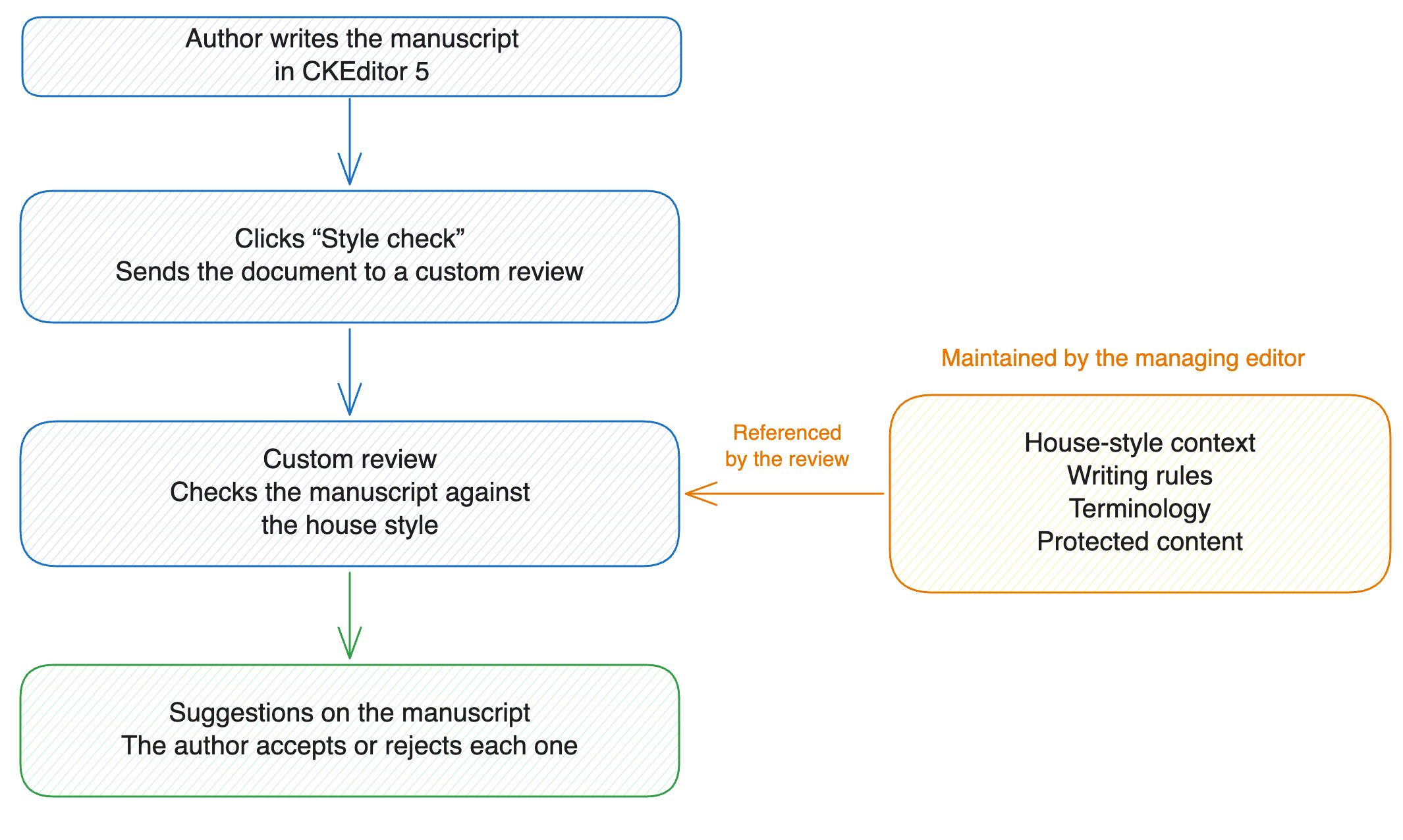
- Create a context. Add one prompt per concern: the writing rules, the terminology, and the protected content.
- Grant
ai:contexts:<contextId>in the authors’ tokens. The review needs this permission to read the context. - Create a custom review with a short prompt and a reference to the context.
- Connect the Style check button so it sends the current document to the review.
To make the chat follow the same rules, also apply the context to every conversation. The auto-applied context needs the same permission from step 2.
- Suggestions on the manuscript: the author accepts or rejects each one in CKEditor 5. Without the editor, each suggestion carries the
data-idof the element it replaces, and your code applies it to your copy of the document. See How results are anchored. - Specialist content left alone: the context tells the review which terminology, claims, and content it must not change.
- Rule changes without a deployment: the managing editor edits the instructions in place, and the next review uses the new version.
- Style guide context in Node.js has the requests, a sample manuscript, and the output.
- Context library covers creating contexts, adding prompts, and applying a context automatically.
- Reviews covers the custom review request and what comes back.