CKEditor 5 v49.1.0 Release Highlights: Editing Toolkit and CKEditor AI Customization
7min read
|Some teams have their own AI platform, their own agents, and a clear plan for how AI should work in their product. The part they would rather not spend time building and tweaking is the editor side of it: turning AI-generated content into markup the editor accepts, and bringing each change into the document as a contained edit a person can review. This release introduces the Editing Toolkit, which takes that part off their hands, through two components, Compare and Coauthor.
The same idea runs through the rest of the release. CKEditor AI can now work with the content of your own plugins and defer to the services and policies you already run, so its output and its guardrails match your setup rather than a default one. The Editing Toolkit’s Compare component reaches beyond AI as well, applying changes from a Word import or script-altered content as reviewable edits. On top of that, the refreshed theme from v49.0.0 gains wider styling control and broader Shadow DOM support, so the editor fits the application around it.
Editing ToolkitNEW
The Editing Toolkit lets your own AI agents draft and edit documents through granular changes, while you compose the workflow. One agent can write while a second one reviews the first one’s work. A job can run over a batch of documents in the background. Someone can start a task in their own agent app and pick up the result in the editor. A flow can even skip AI entirely. In every case, you decide how much review sits between the agents and the final document.
Teams that already run their own AI platform have the most to gain. They have agents and features of their own, so a finished set of editor AI capabilities would duplicate or complicate the work they have already done. What they still need from the editor is narrow and hard to build: applying AI-revised content back into the document as granular, reviewable changes, and producing markup the editor accepts.
The Editing Toolkit gives developers that layer with two components: Compare and Coauthor.
Compare
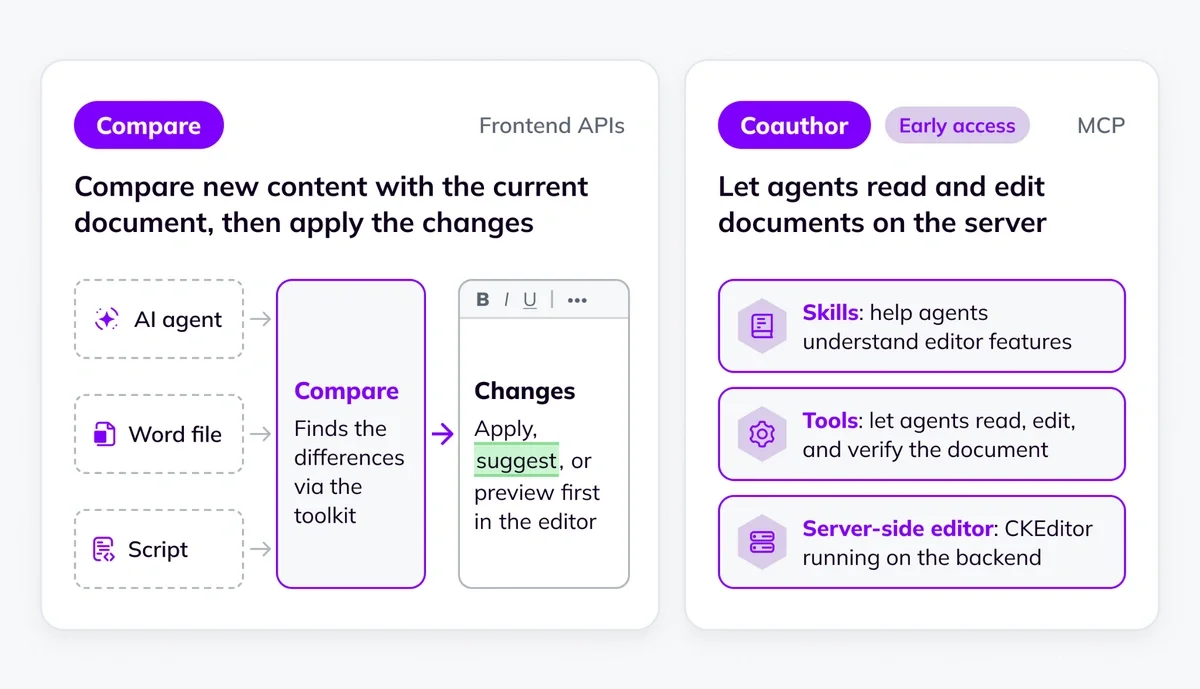
Compare has two plugins: DocumentCompare and ProposedChanges, each used through its own API. DocumentCompare takes a snapshot of the document, which takes a snapshot of the document, lets your code or service process the content, and computes a diff between the two versions as granular changes. Each change stays contained: one edited cell in a 50-row table arrives as that single change, not a rewrite of the whole table. Your integration decides how those changes land: applied directly, or recorded as Track Changes suggestions.
To put that decision in users’ hands instead of leaving it to the integration, the ProposedChanges plugin adds a review layer on top. It lists the changes in a panel, with an optional preview next to the affected content, where users can apply a change, record it as a suggestion, or reject it. This way, a person signs off on what goes in, so mistakes from an agent or a script are caught before they become part of the final document.
Compare does not require AI, so it also fits a Word import, a document comparison, or a change made by a script.
You can try both Comparing documents and Proposing changes at their live demos in the documentation.
Coauthor
Coauthor makes CKEditor itself available to AI agents over the Model Context Protocol (MCP). It runs a server-side CKEditor instance and, as an MCP server, exposes a set of tools that connected agents call to read, edit, and verify a document, so an agent can work on content with nobody holding it open in a browser. It uses Compare to apply an agent’s work as direct edits or as Track Changes suggestions. Additionally, with real-time collaboration enabled, people can keep editing while an agent works, and their own edits are not overwritten.
Coauthor is available in early access, contact us to enable it.
Coauthor knows your editor. Built-in skills teach your agents how the editor works and which features your document supports. Your agents and your model do the writing, and backend code can also call the same tools over a REST API, with no AI model involved. Either way, every change is checked against your own editor setup before it lands, so content, comments, and suggestions stay intact.
To see how Compare and Coauthor fit together, the documentation covers use cases such as agent apps, backend agent workflows, custom chat, and scripts and external versions.
Prefer an out-of-the-box solution? CKEditor AI has an agent, chat, and review built in, and it is configurable, with its own APIs. CKEditor AI and the Editing Toolkit are compatible, so you can start with CKEditor AI and bring in the Editing Toolkit later to tailor the workflow to your own agents and processes.
CKEditor AI customization and governance
This release adds two new ways to improve how CKEditor AI fits into your own setup, one for your content and one for your policies.
Skills for your custom featuresNEW
When your editor has custom features, like a widget you built or your own HTML element, a general AI model does not know the rules they follow. It can produce markup the editor does not support, which the editor then strips out, so that content is lost.
This release lets you teach CKEditor AI those rules. You describe the feature in a skill, upload it, and register your plugin. The agent then produces your custom content correctly and keeps its changes within the feature’s rules. The result is that you can use CKEditor AI across your whole editor, not only its built-in features.
The Registering custom features guide covers the setup.
Hooks for your agents and policiesNEW
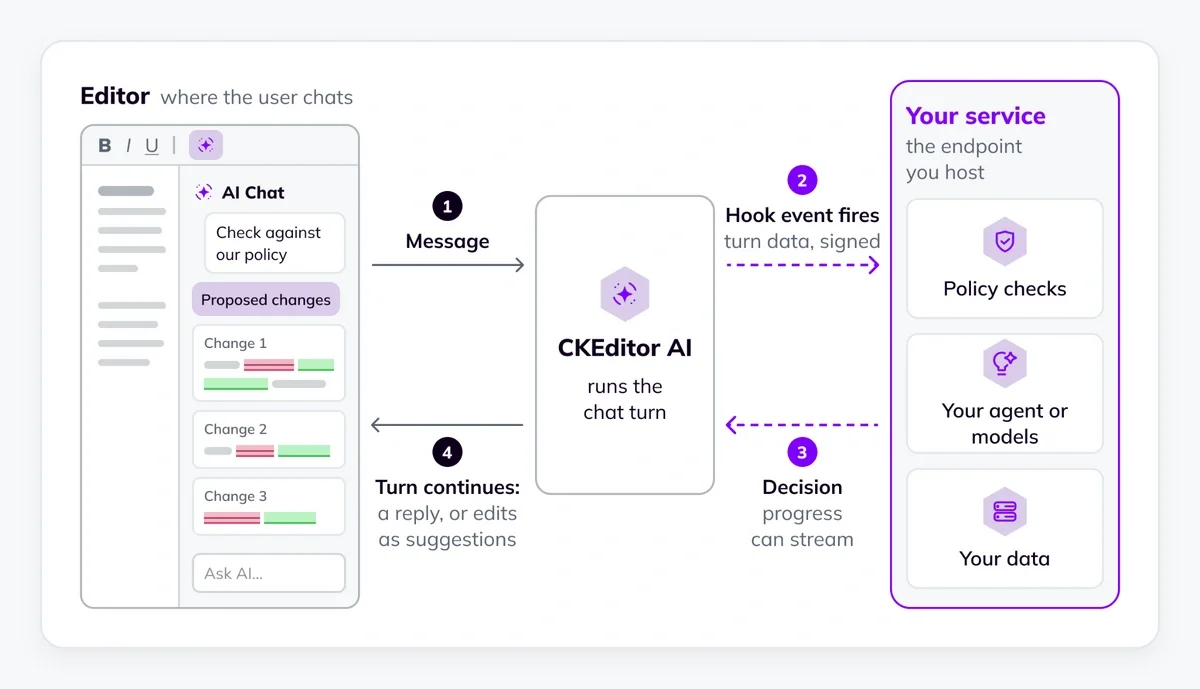
Hooks let your own service take part in a chat, so your own rules, systems, and models shape the reply. When a user sends an AI Chat message, CKEditor AI calls a service you host before its agent runs. Your service can answer the message itself, for example, to refuse one that breaks your rules, or let the turn continue and brief CKEditor AI’s agent with context and instructions. Hooks run on On-premises (Self-hosting) deployments.
See the hooks guide for setup.
Theme customization and Shadow DOM support
v49.0.0 refreshed the editor’s default look and introduced design tokens as the way to restyle it. This release extends those tokens to much more of the editor, from content styles like block quotes, code blocks, and tables, to the toolbar, the comment and suggestion UI, and the AI features. You set these as CSS custom properties in your own CSS, instead of overriding element rules. Nothing changes by default, so the editor looks the same until you set your own values. The theme customization guide lists the new properties.
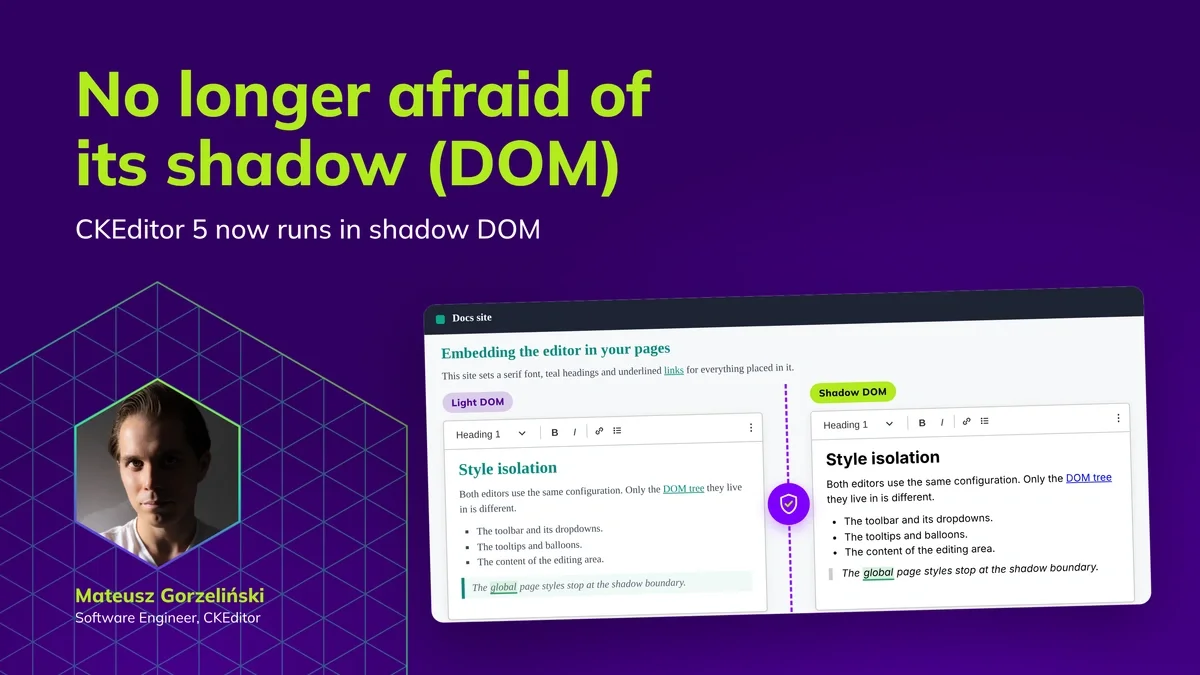
v49.0.0 also introduced Shadow DOM support, so you can render the editor inside a shadow root, for style isolation or inside a web component. This release extends it to more features. The CKBox file manager and image editor, the Edit source dialog of enhanced source editing, and footnotes now work inside a shadow root too.
Alongside the wider feature coverage, we’ve also added two new helpers that make it easier for plugin authors to build for the shadow DOM. You can find out more in the shadow DOM deep dive.
Not sure if you need shadow DOM? Check our new guide: When and How to Use Shadow DOM.
On-premises releaseNEW
On-premises deployments also get a release, version 5.6.0 of both CKEditor AI and CKEditor collaboration.
CKEditor AI on-premises adds GPT-6 Astra, GPT-6 Sol, GPT-6 Luna, and Claude Opus 5.5 as new default models. It also adds support for the custom skills and hooks covered above on self-hosted deployments. Additionally, it introduces an AI Diagnostics panel, where you can browse agent traces and turns to track down failures and export a data set for support. You can find more in the CKEditor AI On-premises changelog.
CKEditor collaboration on-premises improves the Observability Hub. Documents now stay in the list until their environment is removed, and each document’s audit history records its imports, copies, and removals. You can find more in the CKEditor Collaboration Server On-premises changelog.
v47 remains the LTS release. Teams that want fewer editor updates and longer maintenance windows can stay on the LTS track. Standard and open-source users should update to the current major version.
Quick links for CKEditor v49.1.0
Learn more about previous CKEditor 5 versions
-
CKEditor 5 v49.0.1 and LTS v47.7.6 Release Highlights: Security Fixes
-
CKEditor 5 v49.0.0 Release Highlights: Shadow DOM Support, Refreshed Theme, Trusted Types Support
-
CKEditor 5 v48.4.0 Release Highlights: AI Context Library and Image Understanding
-
CKEditor 5 v48.3.0 Release Highlights: Programmatic API for CKEditor AI
-
CKEditor 5 v48.1.0 Release Highlights: CKEditor AI Chat Improvements and AI in Multi-root Setups
-
CKEditor 5 v48.0.0 Release Highlights: Installation Methods Transition Completed
-
CKEditor 5 v47.6.0 Release Highlights: CKEditor AI On-Premises and Improved AI Customization
Tags: