IFrame Dialog
This plugin provides the dialog to insert and edit inline frames (<iframe> elements) into the editor content.
This plugin needs to be distinguished from the IFrame Dialog Field plugin which lets you embed another HTML page in the dialog for interaction.
Screenshots

This is an official plugin provided and supported by CKEditor developers.
You can submit bug reports directly to its GitHub issues tracker and discuss any integration issues on StackOverflow.
Releases
| Plugin versions | CKEditor versions | |||
|---|---|---|---|---|
| 4.25 | 4.24 | 4.23 | ||
|
Version: 4.25.1-lts |
||||
|
First minor release of CKEditor 4.25.1-lts |
||||
|
Version: 4.24.0-lts |
||||
|
First major release of CKEditor 4.24.0-lts |
||||
|
Version: 4.23.0-lts |
||||
|
First major release of CKEditor 4.23.0-lts |
||||
Image
This plugin adds the following image-related features to the editor:
- Inserting images with all properties managed through the dialog window.
- Integration with any external file manager to upload/browse images.
- Context menu option to edit existing images.
See also an alternative Enhanced Image plugin which allows for creating captioned images that can be centered in the editor content as well as dynamically resized with the “click and drag” feature.
Screenshots
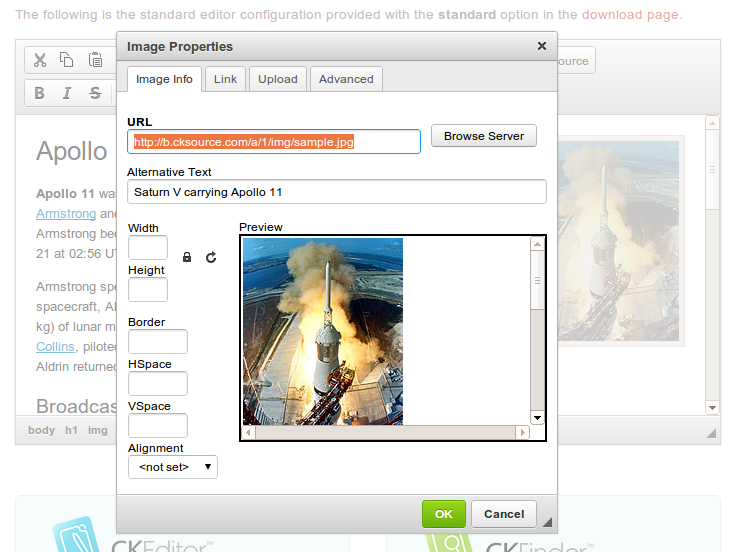
This is an official plugin provided and supported by CKEditor developers.
You can submit bug reports directly to its GitHub issues tracker and discuss any integration issues on StackOverflow.
Releases
| Plugin versions | CKEditor versions | |||
|---|---|---|---|---|
| 4.25 | 4.24 | 4.23 | ||
|
Version: 4.25.1-lts |
||||
|
First minor release of CKEditor 4.25.1-lts |
||||
|
Version: 4.24.0-lts |
||||
|
First major release of CKEditor 4.24.0-lts |
||||
|
Version: 4.23.0-lts |
||||
|
First major release of CKEditor 4.23.0-lts |
||||
Link
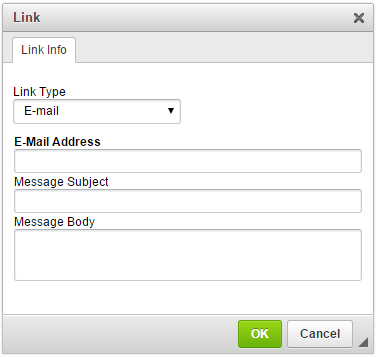
This plugin adds the following link and anchor related features:
- The dialog to insert links and anchors with some properties.
- The ability to insert a link with the URL using multiple protocols, including an external file if a file manager is integrated.
- The context menu option to edit or remove links and anchors.
Screenshots
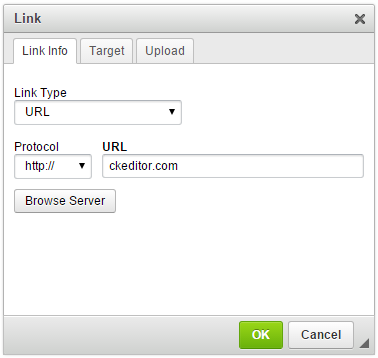
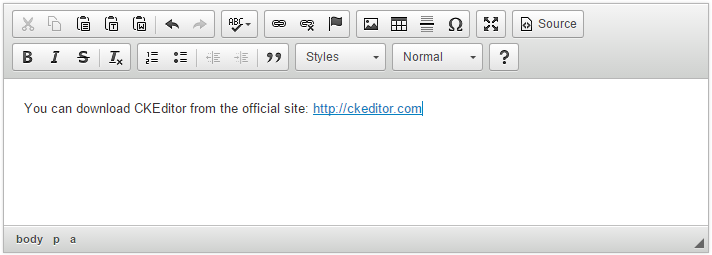
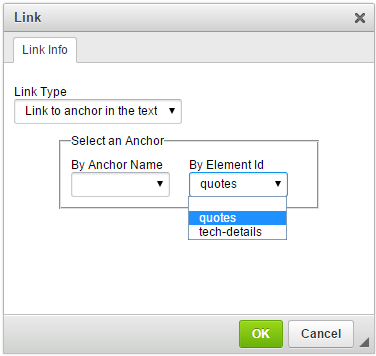

This is an official plugin provided and supported by CKEditor developers.
You can submit bug reports directly to its GitHub issues tracker and discuss any integration issues on StackOverflow.
Releases
| Plugin versions | CKEditor versions | |||
|---|---|---|---|---|
| 4.25 | 4.24 | 4.23 | ||
|
Version: 4.25.1-lts |
||||
|
First minor release of CKEditor 4.25.1-lts |
||||
|
Version: 4.24.0-lts |
||||
|
First major release of CKEditor 4.24.0-lts |
||||
|
Version: 4.23.0-lts |
||||
|
First major release of CKEditor 4.23.0-lts |
||||
New Page
This plugin adds toolbar button which clears the editing area and creates a new page.
You can configure the contents of the editor which is set by this command.
This is an official plugin provided and supported by CKEditor developers.
You can submit bug reports directly to its GitHub issues tracker and discuss any integration issues on StackOverflow.
Releases
| Plugin versions | CKEditor versions | |||
|---|---|---|---|---|
| 4.25 | 4.24 | 4.23 | ||
|
Version: 4.25.1-lts |
||||
|
First minor release of CKEditor 4.25.1-lts |
||||
|
Version: 4.24.0-lts |
||||
|
First major release of CKEditor 4.24.0-lts |
||||
|
Version: 4.23.0-lts |
||||
|
First major release of CKEditor 4.23.0-lts |
||||
Page Break
This plugin adds toolbar button which inserts horizontal page breaks. This feature is useful for setting document printing sections.
Text entered in a browser-based text editor such as CKEditor differs from word processors because it is not divided into physical pages. In effect, this plugins lets you define pages.
This is an official plugin provided and supported by CKEditor developers.
You can submit bug reports directly to its GitHub issues tracker and discuss any integration issues on StackOverflow.
Releases
| Plugin versions | CKEditor versions | |||
|---|---|---|---|---|
| 4.25 | 4.24 | 4.23 | ||
|
Version: 4.25.1-lts |
||||
|
First minor release of CKEditor 4.25.1-lts |
||||
|
Version: 4.24.0-lts |
||||
|
First major release of CKEditor 4.24.0-lts |
||||
|
Version: 4.23.0-lts |
||||
|
First major release of CKEditor 4.23.0-lts |
||||
Paste from Word
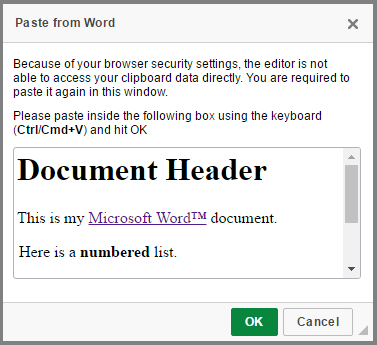
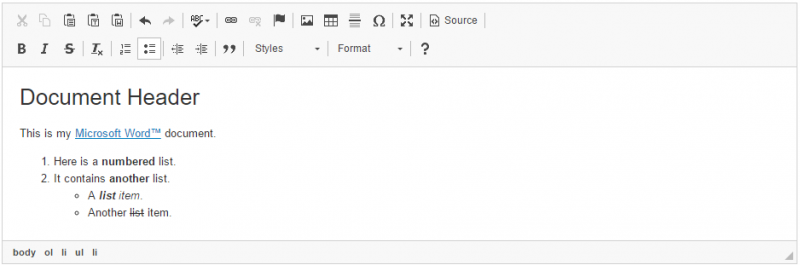
This plugin allows you to paste content from Microsoft Word and maintain original content formatting. It also adds the Paste from Word toolbar button which makes it possible to paste clipboard data this way only on demand.
Note: This feature was rewritten from scratch in CKEditor 4.6 and is now greatly improved when compared with previous versions in:
- Preservation of list numbering, styling and indentation (for example, nested lists with multiple levels, with different styling or custom list markers).
- Document structure parsing that fixes plenty of issues with distorted or missing content after paste.
- Smarter inline formatting, including preserving text or background color.
- Handling hotlinked images.
- Tight integration with Advanced Content Filter to efficiently adjust formatting coming from Word to what is allowed in a particular editor configuration.
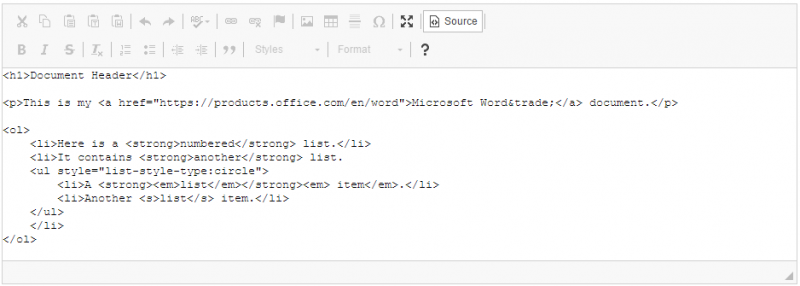
- Clean and valid HTML markup.
The following configuration options are currently provided by this plugin:
- CKEDITOR.config.pasteFromWordRemoveFontStyles (to be soon deprecated in favor of Advanced Content Filter)
- CKEDITOR.config.pasteFromWordCleanupFile
- CKEDITOR.config.pasteFromWordPromptCleanup
For CKEditor versions older than 4.6 the following options were available, too:
Screenshots
This is an official plugin provided and supported by CKEditor developers.
You can submit bug reports directly to its GitHub issues tracker and discuss any integration issues on StackOverflow.
Releases
| Plugin versions | CKEditor versions | |||
|---|---|---|---|---|
| 4.25 | 4.24 | 4.23 | ||
|
Version: 4.25.1-lts |
||||
|
First minor release of CKEditor 4.25.1-lts |
||||
|
Version: 4.24.0-lts |
||||
|
First major release of CKEditor 4.24.0-lts |
||||
|
Version: 4.23.0-lts |
||||
|
First major release of CKEditor 4.23.0-lts |
||||
Paste As Plain Text
With this plugin it is possible to have the clipboard data to be always pasted as plain text, with two options:
- Define a configuration to force the plain text paste
- Toolbar button to paste once in plain text
This is an official plugin provided and supported by CKEditor developers.
You can submit bug reports directly to its GitHub issues tracker and discuss any integration issues on StackOverflow.
Releases
| Plugin versions | CKEditor versions | |||
|---|---|---|---|---|
| 4.25 | 4.24 | 4.23 | ||
|
Version: 4.25.1-lts |
||||
|
First minor release of CKEditor 4.25.1-lts |
||||
|
Version: 4.24.0-lts |
||||
|
First major release of CKEditor 4.24.0-lts |
||||
|
Version: 4.23.0-lts |
||||
|
First major release of CKEditor 4.23.0-lts |
||||
Placeholder
This plugin lets you create and edit placeholders (non-editable text fragments). Editing the placeholder text is only possible through the Placeholder Properties dialog window that opens when you double-click an existing placeholder or use the Placeholder toolbar button.
Dependencies: Requires the following plugins to work: Widget, Line Utilities,Dialog, Clipboard.
See the Widget Installation guide for help. After you add the Placeholder plugin to your CKEditor installation package, check the Placeholder sample for more details.
Screenshots
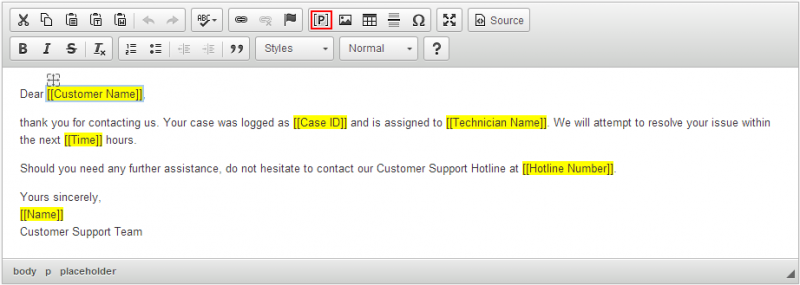
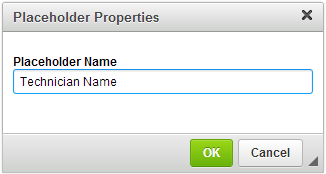
This is an official plugin provided and supported by CKEditor developers.
You can submit bug reports directly to its GitHub issues tracker and discuss any integration issues on StackOverflow.
Releases
| Plugin versions | CKEditor versions | |||
|---|---|---|---|---|
| 4.25 | 4.24 | 4.23 | ||
|
Version: 4.25.1-lts |
||||
|
First minor release of CKEditor 4.25.1-lts |
||||
|
Version: 4.24.0-lts |
||||
|
First major release of CKEditor 4.24.0-lts |
||||
|
Version: 4.23.0-lts |
||||
|
First major release of CKEditor 4.23.0-lts |
||||
Insert Smiley
This plugin provides a set of emoticons to insert into the editor via a dialog window. You can customize this plugin by setting the following configuration options:
Screenshots
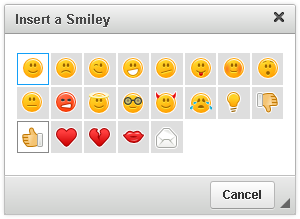
This is an official plugin provided and supported by CKEditor developers.
You can submit bug reports directly to its GitHub issues tracker and discuss any integration issues on StackOverflow.
Releases
| Plugin versions | CKEditor versions | |||
|---|---|---|---|---|
| 4.25 | 4.24 | 4.23 | ||
|
Version: 4.25.1-lts |
||||
|
First minor release of CKEditor 4.25.1-lts |
||||
|
Version: 4.24.0-lts |
||||
|
First major release of CKEditor 4.24.0-lts |
||||
|
Version: 4.23.0-lts |
||||
|
First major release of CKEditor 4.23.0-lts |
||||
Source Editing Area
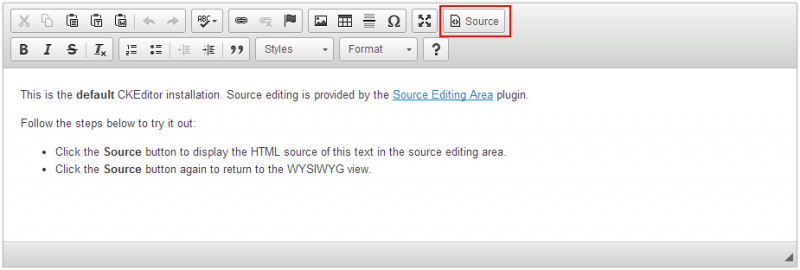
This plugin adds the source editing mode to CKEditor. It allows you to modify the editor output in the HTML format.
Note: If you want to show the editor source in inline editor, install the Source Dialog plugin. If another plugin generates editor output data format other than HTML, like e.g. the BBCode plugin, the source editing area will display that format.
Screenshots
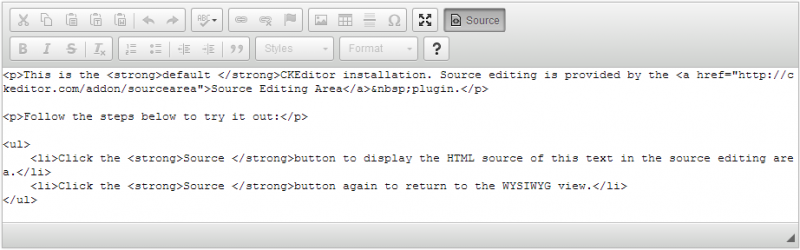
This is an official plugin provided and supported by CKEditor developers.
You can submit bug reports directly to its GitHub issues tracker and discuss any integration issues on StackOverflow.
Releases
| Plugin versions | CKEditor versions | |||
|---|---|---|---|---|
| 4.25 | 4.24 | 4.23 | ||
|
Version: 4.25.1-lts |
||||
|
First minor release of CKEditor 4.25.1-lts |
||||
|
Version: 4.24.0-lts |
||||
|
First major release of CKEditor 4.24.0-lts |
||||
|
Version: 4.23.0-lts |
||||
|
First major release of CKEditor 4.23.0-lts |
||||