Code Snippet GeSHi
This plugin lets you insert rich code snippets with syntax highlighting provided by the server-side GeSHi engine into the editor.
Please note that this plugin requires some additional server-side configuration effort and installing additional components on your side. Check the Code Snippet GeSHi guide for more information.
See the GeSHi library documentation for a list of supported languages and examples.
Screenshots
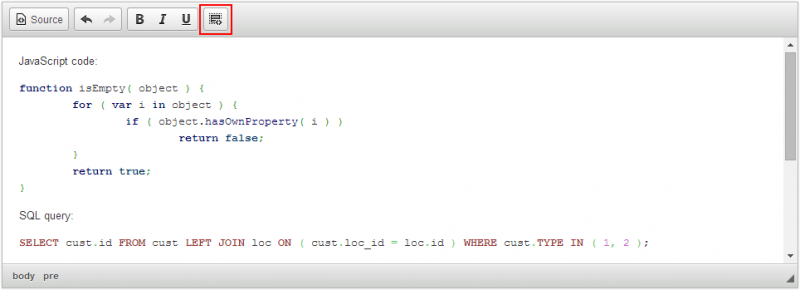
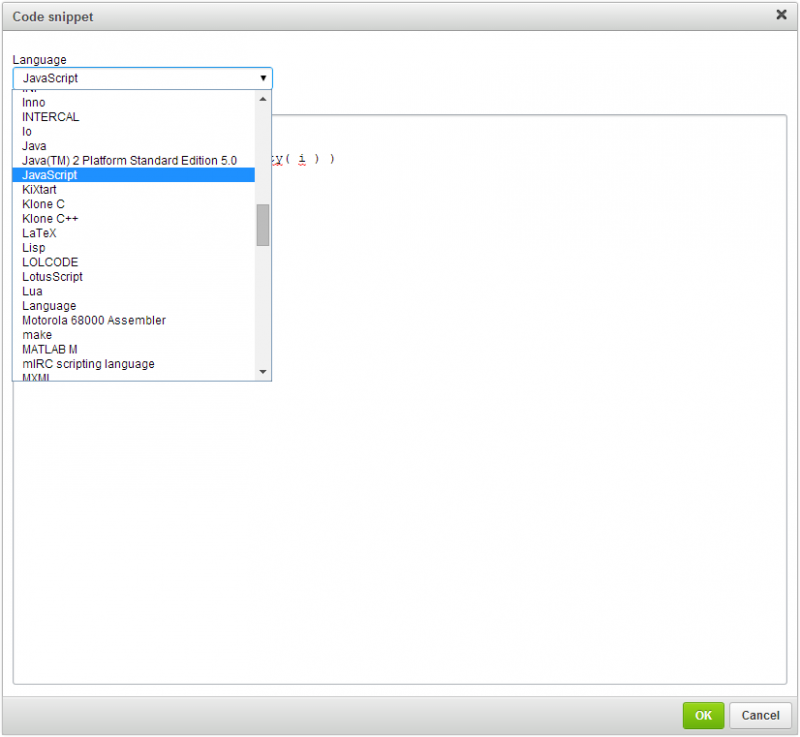
This is an official plugin provided and supported by CKEditor developers.
You can submit bug reports directly to its GitHub issues tracker and discuss any integration issues on StackOverflow.
Releases
| Plugin versions | CKEditor versions | |||
|---|---|---|---|---|
| 4.25 | 4.24 | 4.23 | ||
|
Version: 4.25.1-lts |
||||
|
First minor release of CKEditor 4.25.1-lts |
||||
|
Version: 4.24.0-lts |
||||
|
First major release of CKEditor 4.24.0-lts |
||||
|
Version: 4.23.0-lts |
||||
|
First major release of CKEditor 4.23.0-lts |
||||
Code Snippet
This plugin lets you insert rich code snippets with syntax highlighting into the editor.
The default implementation uses the integrated highlight.js library, but the plugin can be easily customized to use a different syntax highlighter, including a server-side one. An example of such implementation is the Code Snippet GeSHi plugin that is an extension of this plugin.
Additionally, the you can also use the following configuration options:
- config.codeSnippet_theme - to change the default highlighter theme.
- config.codeSnippet_languages - to change the list of supported languages.
See the Code Snippet plugin documentation for more information.
Screenshots
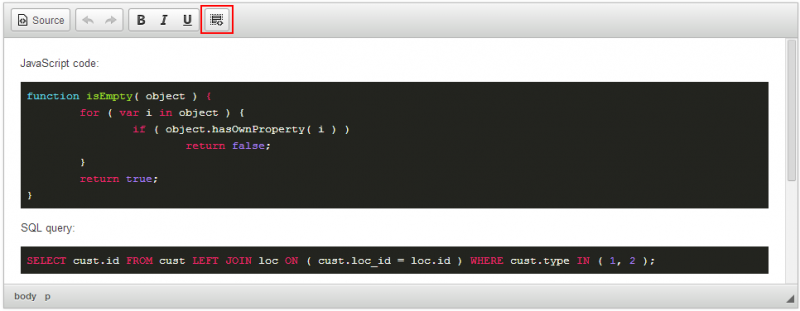
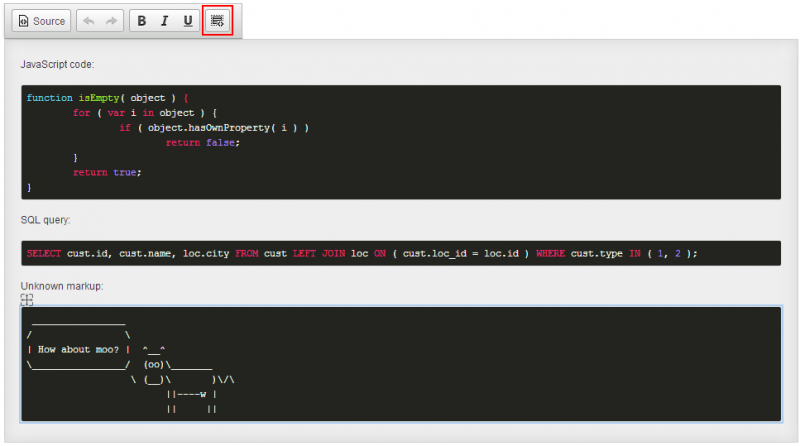


This is an official plugin provided and supported by CKEditor developers.
You can submit bug reports directly to its GitHub issues tracker and discuss any integration issues on StackOverflow.
Releases
| Plugin versions | CKEditor versions | |||
|---|---|---|---|---|
| 4.25 | 4.24 | 4.23 | ||
|
Version: 4.24.0-lts |
||||
|
First major release of CKEditor 4.24.0-lts |
||||
|
Version: 4.23.0-lts |
||||
|
First major release of CKEditor 4.23.0-lts |
||||
CoOps cursors
- Categories: Contents, Data
- Author: antti.leppa
- License: GPL
This is a plugin adds collaborator cursors visible into CoOps.
See main plugin for details: http://ckeditor.com/cke4/addon/coops
Releases
| Plugin versions | CKEditor versions | |||
|---|---|---|---|---|
| 4.25 | 4.24 | 4.23 | ||
|
Version: 0.0.7 |
||||
|
Version 0.0.7 of the CoOps Cursors CKEditor plugin |
||||
Change
- Categories: Contents, Data
- Author: antti.leppa
- License: GPL
Plugin for detecting changes in CKEditor. This plugin is part of CoOps.
See main plugin for details: http://ckeditor.com/cke4/addon/coops
Releases
| Plugin versions | CKEditor versions | |||
|---|---|---|---|---|
| 4.25 | 4.24 | 4.23 | ||
|
Version: 0.0.7 |
||||
|
Version 0.0.7 of the change CKEditor plugin |
||||
CoOps DMP
- Categories: Contents, Data
- Author: antti.leppa
- License: GPL
Diff, Match and Patch difference algorithm plugin for CoOps.
See main plugin for details: http://ckeditor.com/cke4/addon/coops
Releases
| Plugin versions | CKEditor versions | |||
|---|---|---|---|---|
| 4.25 | 4.24 | 4.23 | ||
|
Version: 0.0.7 |
||||
|
Version 0.0.7 of the CoOps DMP CKEditor plugin |
||||
CoOps Connector
- Categories: Contents, Data
- Author: antti.leppa
- License: GPL
This is a connector plugin for CoOps.
See main plugin for details: http://ckeditor.com/cke4/addon/coops
Releases
| Plugin versions | CKEditor versions | |||
|---|---|---|---|---|
| 4.25 | 4.24 | 4.23 | ||
|
Version: 0.0.7 |
||||
|
Version 0.0.7 of the CoOps Connector CKEditor plugin |
||||
CoOps
- Categories: Contents, Data
- Author: antti.leppa
- License: GPL
This is a CKEditor plugin for CoOps (https://github.com/foyt/coops-spec/).
It turns CKEditor into collaborative real-time rich-text editor that allows multiple users to edit simultaneously same text document.
coops -plugin is the core module of the system and requires following plugins to work:
- change
- coops-connector
- coops-dmp
- coops-cursors (optional)
Releases
| Plugin versions | CKEditor versions | |||
|---|---|---|---|---|
| 4.25 | 4.24 | 4.23 | ||
|
Version: 0.0.7 |
||||
|
Version 0.0.7 of the CoOps CKEditor plugin |
||||
AutoCorrect
Brings some autocorrect features from MS Word / Open Office word processors. Works as you type.
Features:
- Smart quotes
- Hyperlink autoformat
- Bulleted and numbered lists autoformat (start a paragraph with
*or1.and press Space) - Character sequences autoreplace (e.g. (c) → ©)
- Ordinal number autoformat (e.g. 1st → 1^st (superscript))
- Hyphen to dash conversion (
-→–) - Horizontal rule insertion (type
---or___and press Enter)
Different numbered lists are supported: 1., a., I.. A right parenthesis can be used instead of full stops.
The following markers are recognized as bulleted list markers: `*`, `+`, `•`.
Useful replacement character sequences:
Typed Replaced<-- and -->
← and →
<-->
↔
-+ or +-
±
~=
≈
(c), (r), (tm)
©, ®, ™
(o)
˚
...
…
<< and >>
« and »
1/2, 1/4, 3/4
½, ¼, ¾
Releases
| Plugin versions | CKEditor versions | |||
|---|---|---|---|---|
| 4.25 | 4.24 | 4.23 | ||
|
Version: 3.0 |
||||
|
- Options dialog - Various fixes |
||||
Youtube (+ search feature)
- Categories: Contents, Data, Tools
- Author: doksoft
- License: Commercial
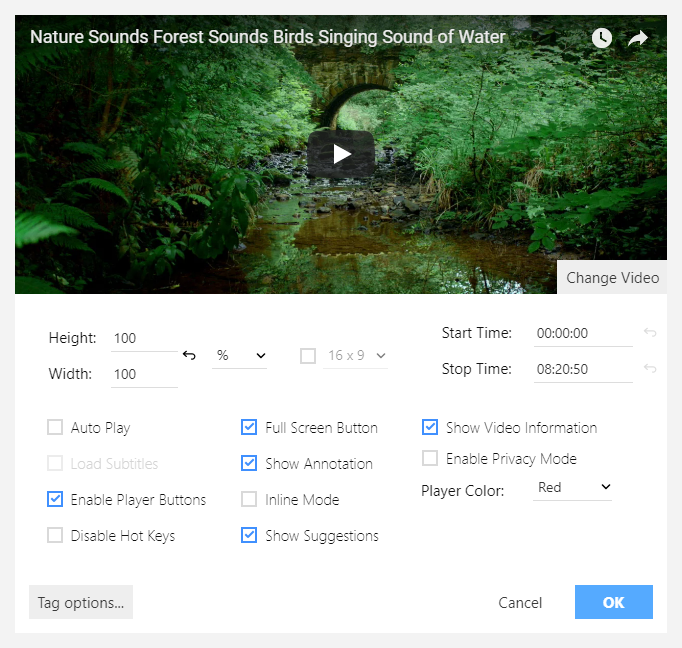
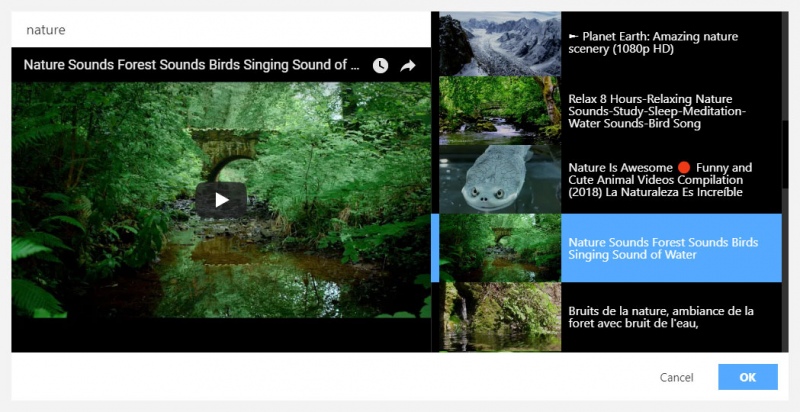
Embedding a YouTube video on a website is a common task in content management. But how to insert a video directly to the inner CKEditor area, you may ask. Well, here is the answer.
The YouTube plugin helps you embedding a video to your pages. All you need is just find the video you need using the keyword search or by its URL and press the "OK" button.
The plugin fully supports the new YouTube API v. 3. It has a video preview feature and the settings for the inserted video (e. g. video size, including custom sizes).
Screenshots
Releases
| Plugin versions | CKEditor versions | |||
|---|---|---|---|---|
| 4.25 | 4.24 | 4.23 | ||
|
Version: 1.0 |
||||
|
First release |
||||