(La)TeX2MathML
Another Math editor plugin for CKEditor.
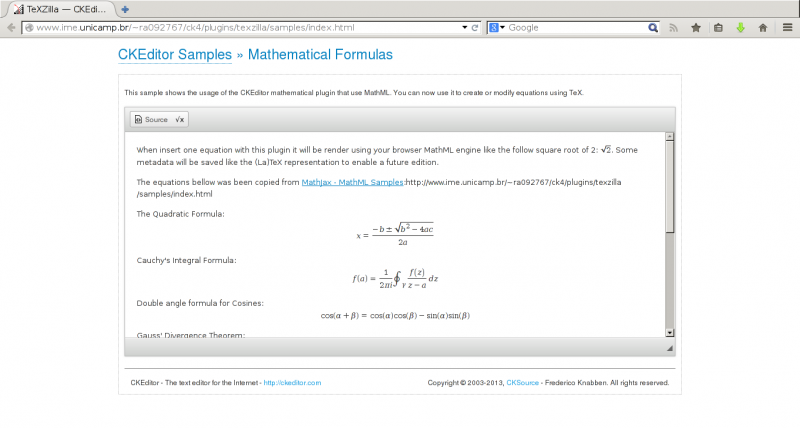
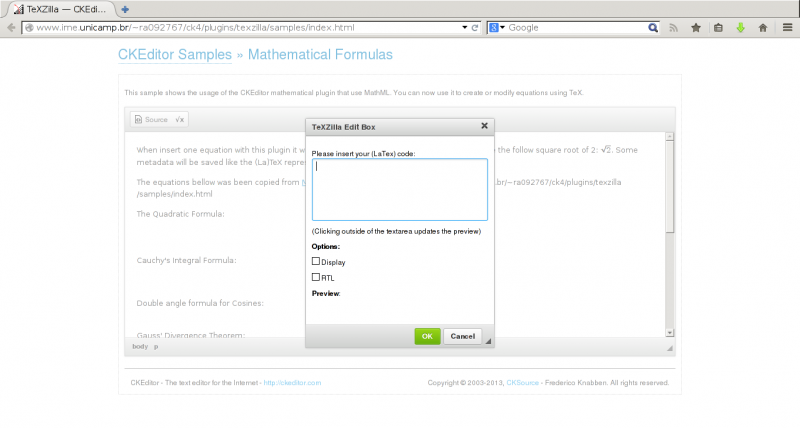
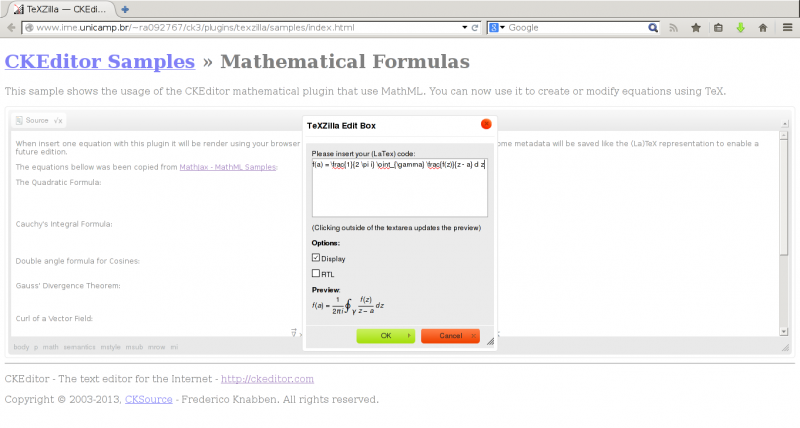
This plugin uses TeXZilla to convert user (La)TeX input to MathML. No MathJax neither bitmap images.
Screenshots

Releases
| Plugin versions | CKEditor versions | |||
|---|---|---|---|---|
| 4.25 | 4.24 | 4.23 | ||
|
Version: 1.2.1 |
||||
|
Using TeXZilla 0.9.8. |
||||
removespan
- Categories: Contents
- Author: lrapelliboni
- License: GPL, LGPL, MPL
This plugin removes selection <span>
Releases
| Plugin versions | CKEditor versions | |||
|---|---|---|---|---|
| 4.25 | 4.24 | 4.23 | ||
|
Version: 1.0.3 |
||||
|
Resolve conflicts between removeformat and removespan |
||||
Wenz Google Map Free
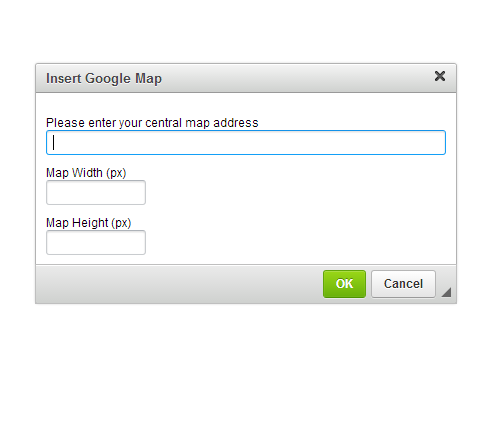
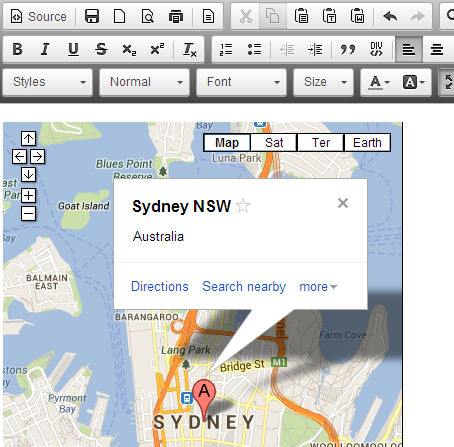
A simple Google Map plugin since I couldn't find any free one here, I made one for everyone.
Hope you guys enjoy.
******usage ****
1) unzip and paste files to your plugin folder
2) edit config.js file, add the following
config.extraPlugins = 'wenzgmap';
*******************
Cheers
Ray(Wenz)
Linkedin: http://linkd.in/L9YWPN
I hate googleplus. so let's AntiGooglePlus: http://www.antigoogleplus.org
Screenshots
Releases
| Plugin versions | CKEditor versions | |||
|---|---|---|---|---|
| 4.25 | 4.24 | 4.23 | ||
|
Version: 1.0 |
||||
|
version 1 release |
||||
Text Signature
This plugin allows you to insert a signature below or above a text.
Installation 1. Download the plugin from https://github.com/nmmf/textsignature
2. Extract (decompress) the downloaded file into the plugins folder of your
CKEditor installation.
Example: http://example.com/ckeditor/plugins/textsignature
3. Enable the plugin by using the extraPlugins configuration setting.
Example:
CKEDITOR.config.extraPlugins = "textsignature";Documentation
// Set signature:
CKEDITOR.plugins.textsignature.set(
    CKEditor Instance,
    (string) signature text or empty,
    (string) "top" or "bottom",
    (string) id for the signature node
);

// Style signature:
// Example id for the signature node is textsignature.
CKEDITOR.addCss("#textsignature { border: 1px solid black; }");
CKEDITOR.addCss("#textsignature.textsignature-empty { border: none; }");
Releases
| Plugin versions | CKEditor versions | |||
|---|---|---|---|---|
| 4.25 | 4.24 | 4.23 | ||
|
Version: 1.0 |
||||
|
First Release Tested with CKEditor 4.3 27. Jan 2014 |
||||
Image Resize
This Plugin provides a small image processor. You can limit the size of images directly on the client without upload images on your server. Big images will be resized automatically on paste.
## Installation
1. Download the plugin from http://github.com/nmmf/imageresize
2. Extract (decompress) the downloaded file into the plugins folder of your
CKEditor installation.
Example: http://example.com/ckeditor/plugins/imageresize
3. Enable the plugin by using the extraPlugins configuration setting.
Example: CKEDITOR.config.extraPlugins = "imageresize";
4. Config:
CKEDITOR.config.imageResize.maxWidth = 800;
CKEDITOR.config.imageResize.maxHeight = 800;
## Documentation
// Resize all images in a node:
CKEDITOR.plugins.imageresize.resizeAll(
CKEditor Instance,
(node) parent container,
(integer) max-width,
(integer) max-height
);
// Resize one image:
CKEDITOR.plugins.imageresize.resize(
CKEditor Instance,
(node) image,
(integer) max-width,
(integer) max-height
);
// Detect browser support:
// returns boolean true or false
CKEDITOR.plugins.imageresize.support();
Releases
| Plugin versions | CKEditor versions | |||
|---|---|---|---|---|
| 4.25 | 4.24 | 4.23 | ||
|
Version: 1.0.2 |
||||
|
Added configuration options |
||||
Base64 Image
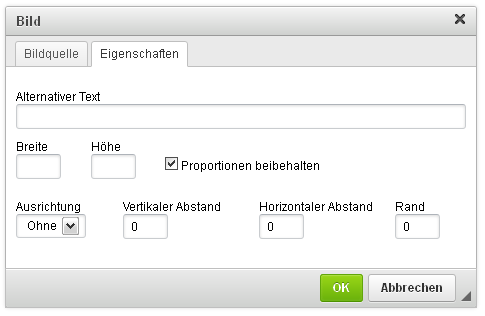
Adds images from local client as base64 string into the source without server side processing. You can also add external image urls into the source.
Installation 1. Download the plugin from http://github.com/nmmf/base64image
2. Extract (decompress) the downloaded file into the plugins folder of your
CKEditor installation.
Example: http://example.com/ckeditor/plugins/base64image
3. Enable the plugin by using the extraPlugins configuration setting.
Example: CKEDITOR.config.extraPlugins = "base64image";
Screenshots

Releases
| Plugin versions | CKEditor versions | |||
|---|---|---|---|---|
| 4.25 | 4.24 | 4.23 | ||
|
Version: 1.3 |
||||
|
fixed issue with multiple ckeditor instances |
||||
Online Website Screenshot Generator
This free plug-in when clicked will take the url page, snapshot it, edit it and download it as a file. It is provided by Page2Images Website Screenshot.
How it works:
a) The HTML code of this current page and URL will be sent to Page2Images.com;
b) Page2Images.com will generate the screenshot;
c) You can resize/crop the result online, even add text and draw some line as needed. Then, click save.
d) The image will be saved online permanently. You can share the link to your friend by email, PIntertest or download it.
Benefits:
a) Edit and save online automatically. Save time to upload and speed up your performance.
b) You can share the result on PInterest or send it to facebook, twitter or email to your friends.
Price:
a) For user who take 100 screenshots per day, it is totally free;
b) If you have more than 100 pages need to pin, please go to page2images.com for detail
Related API Document & Support:
a) Take website screenshot
b) Convert HTML to Image
Online DEMO:
a) Take website screenshot online demo
b) Convert HTML to image online demo
Releases
| Plugin versions | CKEditor versions | |||
|---|---|---|---|---|
| 4.25 | 4.24 | 4.23 | ||
|
Version: 1.0.2 |
||||
|
update some bug |
||||
Google Docs
- Categories: Contents
- Author: w3craftsman
- License: GPL, LGPL, MPL
The plugin allows you to embed the Google Docs viewer in your document.
Releases
| Plugin versions | CKEditor versions | |||
|---|---|---|---|---|
| 4.25 | 4.24 | 4.23 | ||
|
Version: 1.0 |
||||
|
First release. The plugin possibly can be run in CKEditor versions less than 4.3. |
||||
Show Protected
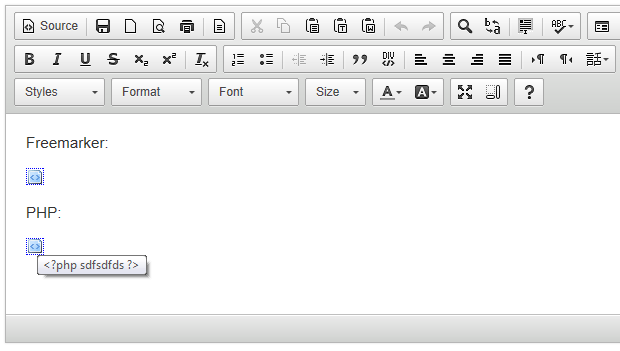
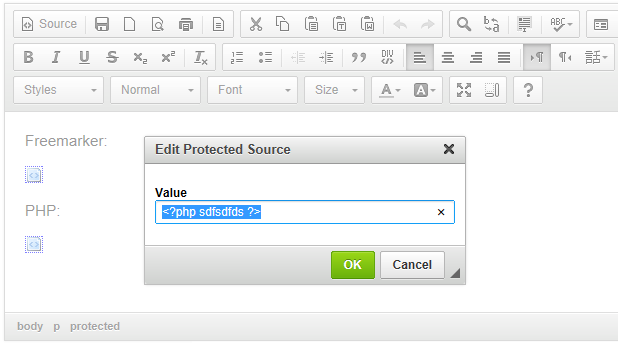
A plugin for CKEditor that makes protected source sections visible and editable. It'll show an icon in their place in the editor, which when double-clicked will bring up a dialog allowing them to be edited.
Screenshots

Releases
| Plugin versions | CKEditor versions | |||
|---|---|---|---|---|
| 4.25 | 4.24 | 4.23 | ||
|
Version: 1.0.0 |
||||
|
Initial release |
||||
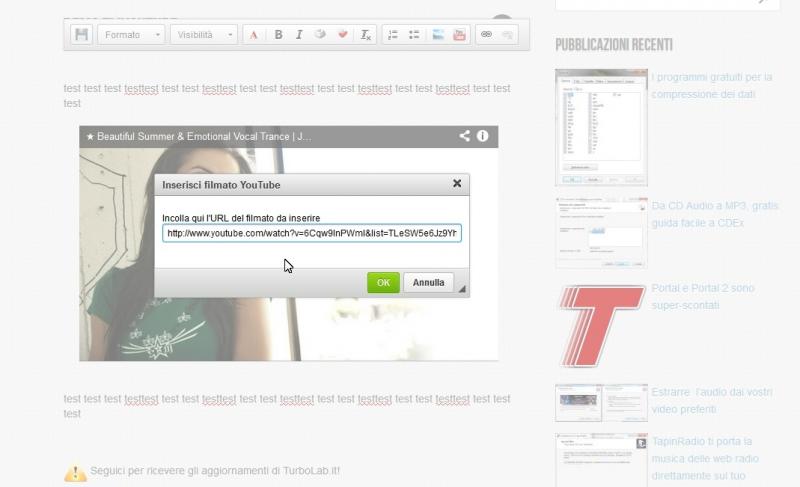
Minimal YouTube [TurboLab.it]
Insert a YouTube video with minimal friction.
Optionless by design.
Screenshots
Releases
| Plugin versions | CKEditor versions | |||
|---|---|---|---|---|
| 4.25 | 4.24 | 4.23 | ||
|
Version: 1.0 |
||||
|
First release |
||||