Enhanced Image
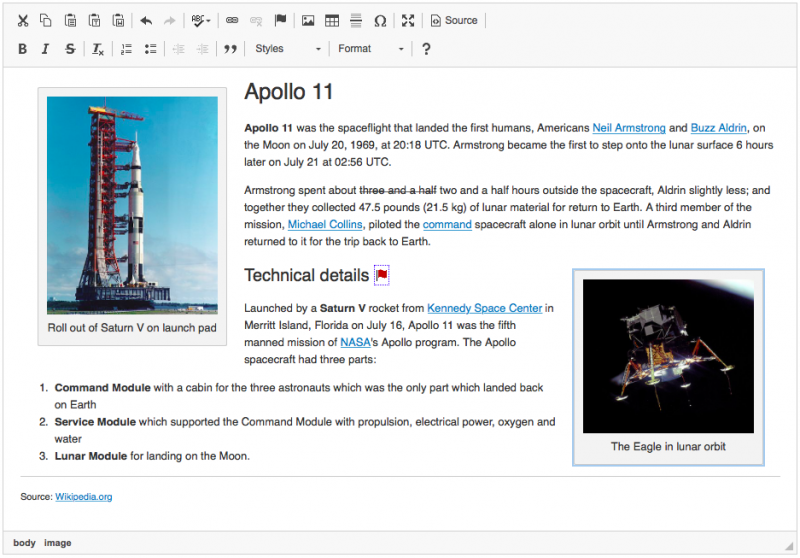
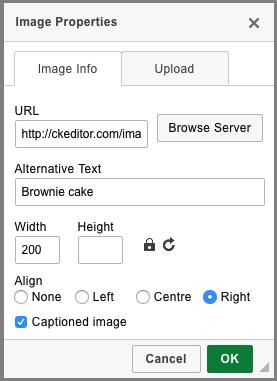
This is an enhanced version of the Image plugin that introduces the image widget. It includes the following features:
- Integrated image captions.
- An option to center images.
- Dynamic "click and drag" resizing of images.
See the Widget Installation guide for help.
Screenshots
This is an official plugin provided and supported by CKEditor developers.
You can submit bug reports directly to its GitHub issues tracker and discuss any integration issues on StackOverflow.
Releases
| Plugin versions | CKEditor versions | |||
|---|---|---|---|---|
| 4.25 | 4.24 | 4.23 | ||
|
Version: 4.25.1-lts |
||||
|
First minor release of CKEditor 4.25.1-lts |
||||
|
Version: 4.24.0-lts |
||||
|
First major release of CKEditor 4.24.0-lts |
||||
|
Version: 4.23.0-lts |
||||
|
First major release of CKEditor 4.23.0-lts |
||||
Mathematical Formulas
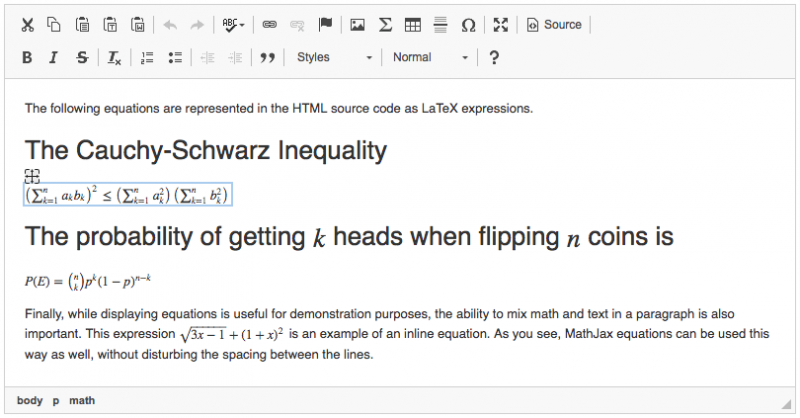
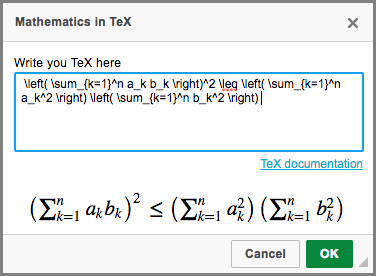
Mathematical plugin that introduces the MathJax widget. You can use it to create or modify equations using TeX.
The following configuration options are available:
- config.mathJaxClass - sets the default class for an element that will be converted into a widget.
- config.mathJaxLib - sets the path to the MathJax library.
Please note that this plugin is not compatible with Internet Explorer 8.
Dependencies: Requires the following plugins to work: Widget, Line Utilities, Dialog, Clipboard.
See the Widget Installation guide for help.
Screenshots
This is an official plugin provided and supported by CKEditor developers.
You can submit bug reports directly to its GitHub issues tracker and discuss any integration issues on StackOverflow.
Releases
| Plugin versions | CKEditor versions | |||
|---|---|---|---|---|
| 4.25 | 4.24 | 4.23 | ||
|
Version: 4.25.1-lts |
||||
|
First minor release of CKEditor 4.25.1-lts |
||||
|
Version: 4.24.0-lts |
||||
|
First major release of CKEditor 4.24.0-lts |
||||
|
Version: 4.23.0-lts |
||||
|
First major release of CKEditor 4.23.0-lts |
||||
Include CSS & JS
- Categories: Contents, Styling, UI
- Author: doksoft
- License: Commercial
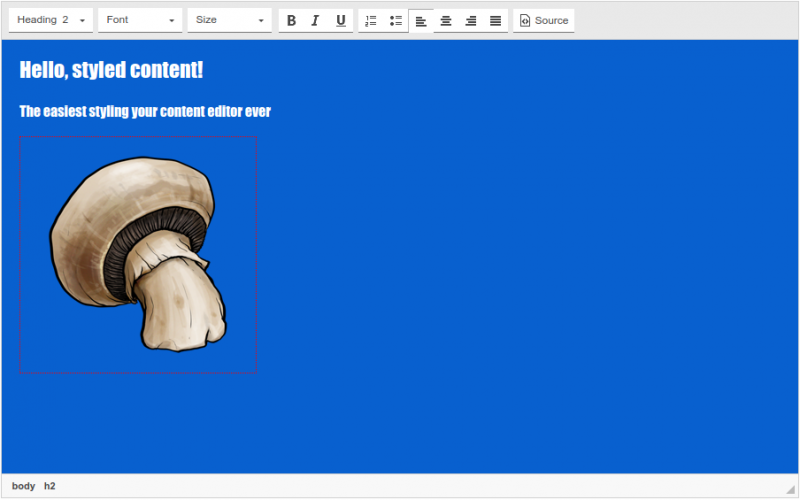
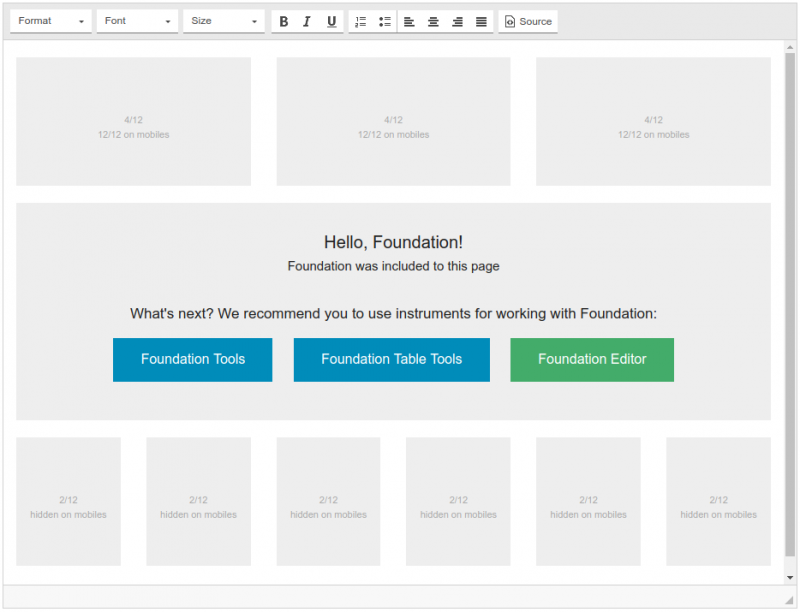
Editing pages is much easier when you see them exactly as they are published: in the same fonts, same sizes and colors as your main theme. This is the essence of WYSIWYG-editors after all. The Include CSS & JS plugin frees you from using the preview function every minute by simply attaching CSS & JS to the inner CKEditor's area.
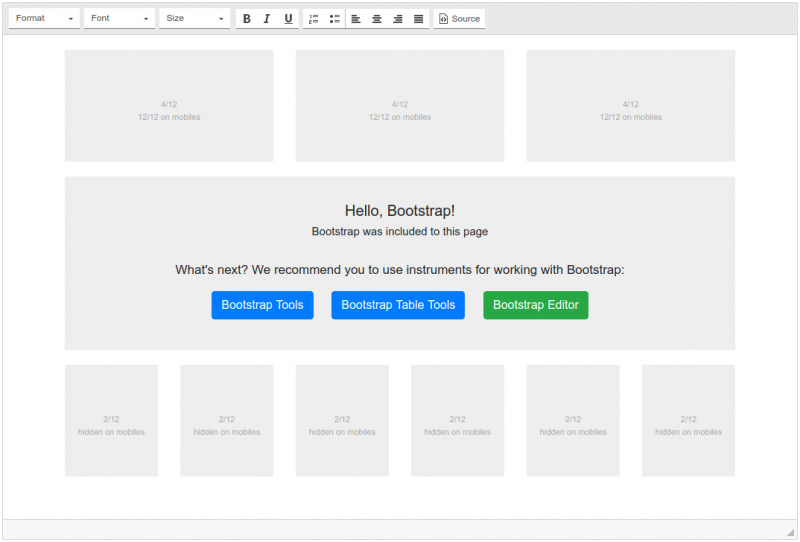
If you use Bootstrap or Foundation framework you can painlessly configure which components of Bootstrap/Foundation you want to apply. Moreover, the plugin supports downloading both from the official CDN and your local installations of the framework.
So, you can adapt the inner area of the WYSIWYG-editor to the form of your website.
Screenshots
GoogleMAP
- Categories: Contents, Layout
- Author: zmmaj
- License: Commercial
This is newer version.
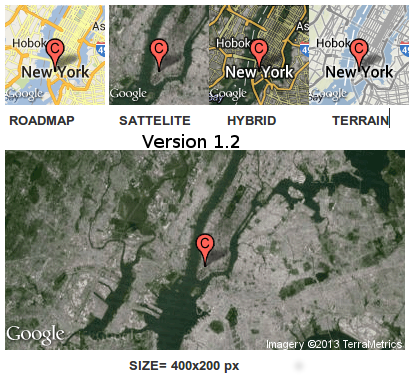
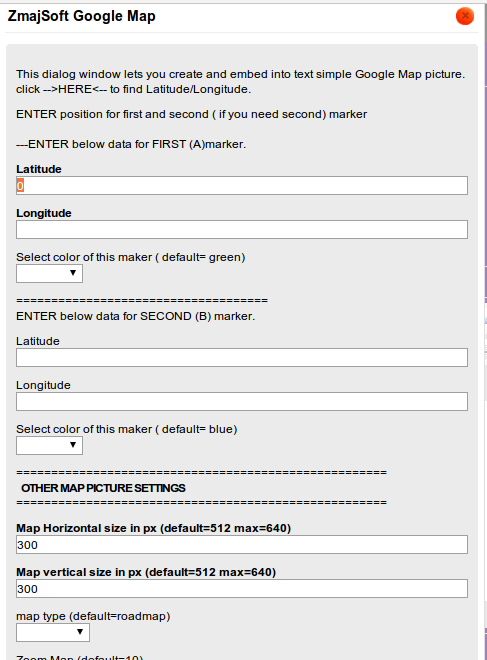
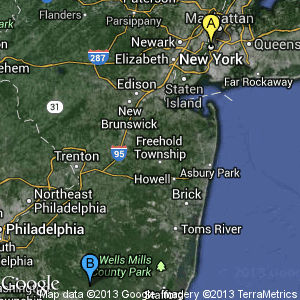
Now you can show 2 (or just one ) markers in one Map picture with different colors.
No philosophy, simple enter Latitude and longitude value, choose marker color and that is all.
Tested in latest Opera, Chrome and Firefox..
Here we use STATIC google map method, and as result you will got
static google map picture with marker on center of the picture.
After 5200 downloads for free this version is commercial.
Screenshots
Releases
| Plugin versions | CKEditor versions | |||
|---|---|---|---|---|
| 4.25 | 4.24 | 4.23 | ||
|
Version: 4.2 |
||||
|
This is same version as is 1.2. we was just confirmed compatibility and with latest 4.3 version of CKEditor chears :) |
||||
Google Maps
- Categories: Contents, Data, Tools
- Author: doksoft
- License: Commercial
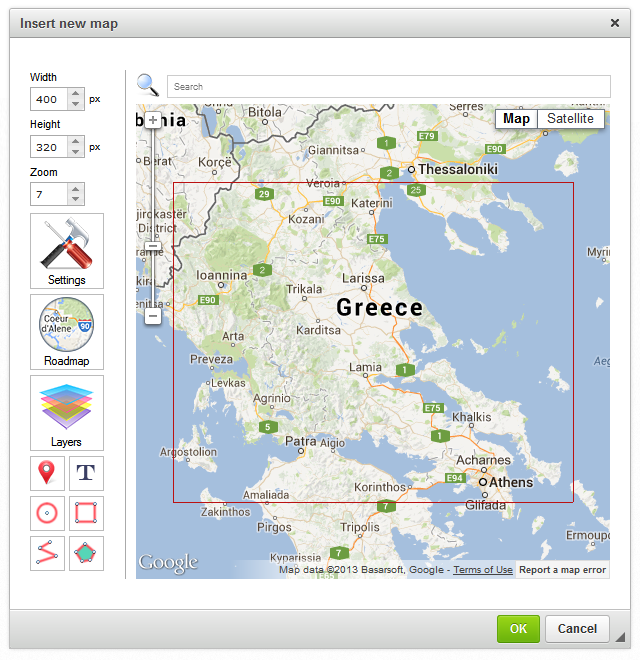
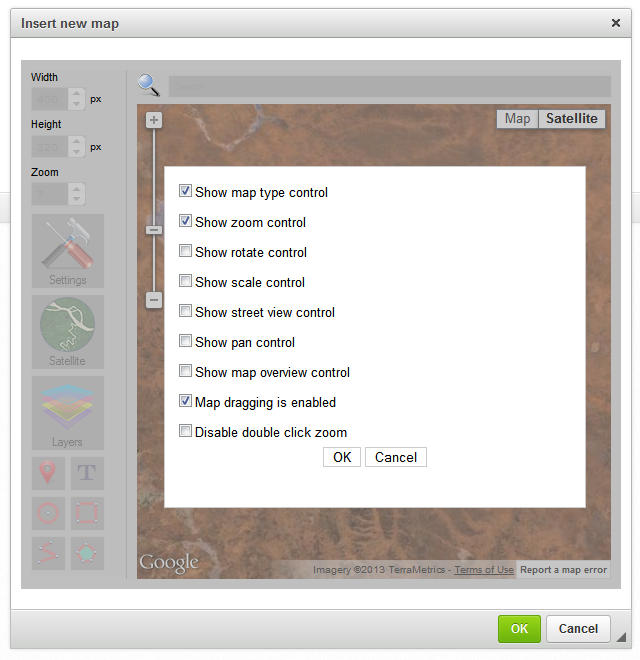
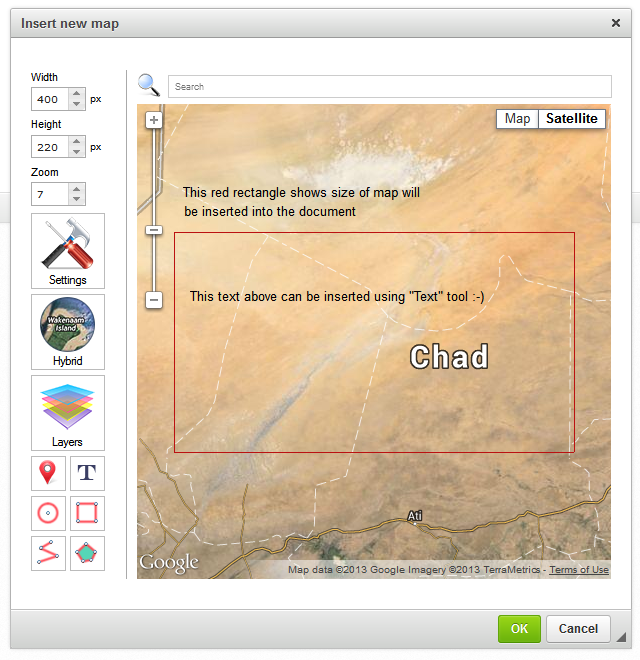
Need a map? Google Maps will help you inserting and editing a Google map into your website.
The location of your office, travel itinerary or some mark on the map are now available in one click.
With simple tools you can customize the map as you wish.
Features:
- edit any of the maps you have inserted before
- configure the view size, and zoom of the map
- configure Google Map type (Roadmap / Satellite / Hybrid / Relief)
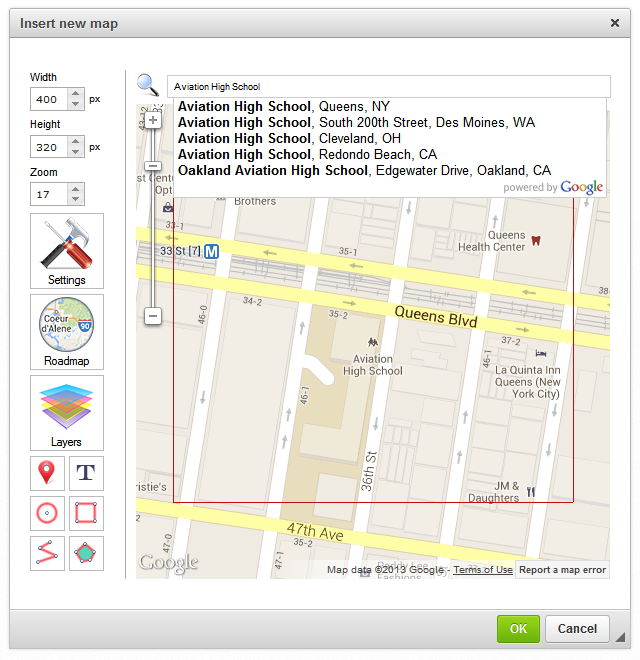
- semantic search for objects by addresses, names, etc.
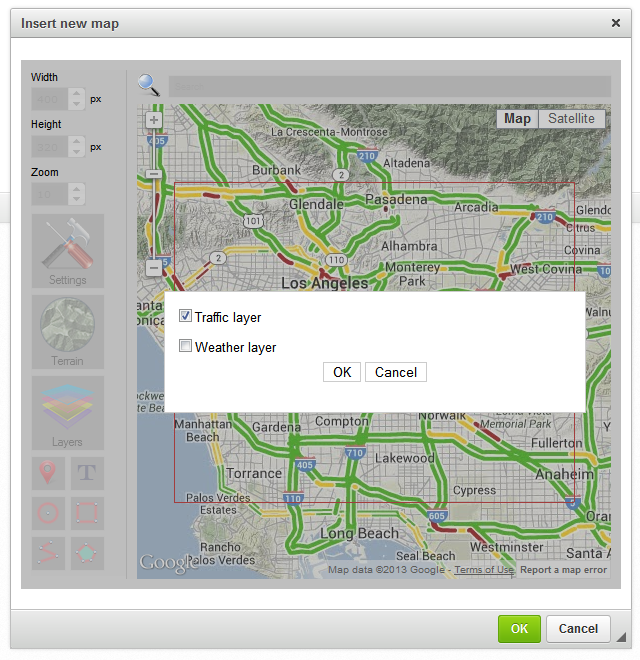
- support for map layers
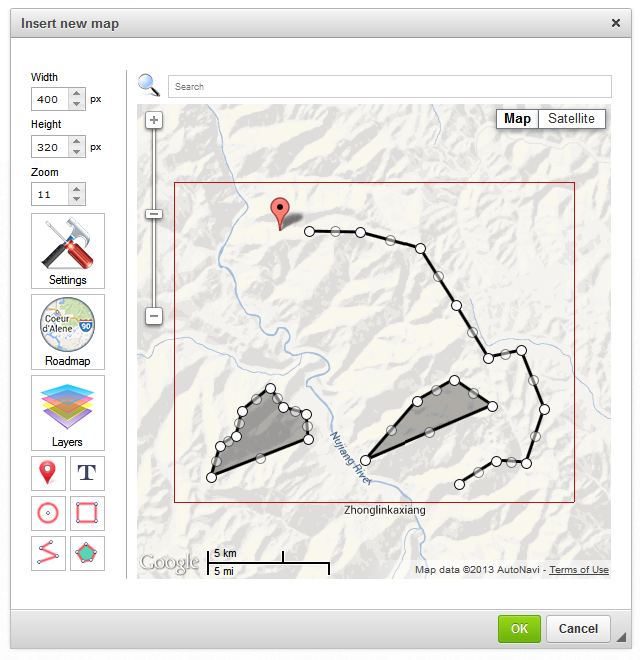
- overlay of points, routes, areas onto the map.
Screenshots
Translater
- Categories: Contents, Data, Tools
- Author: leroy
- License: Commercial
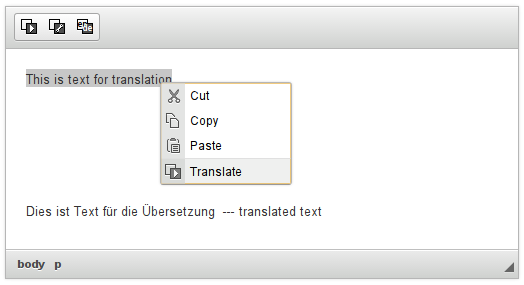
Translater - plugin for translate fragment text of one language into two
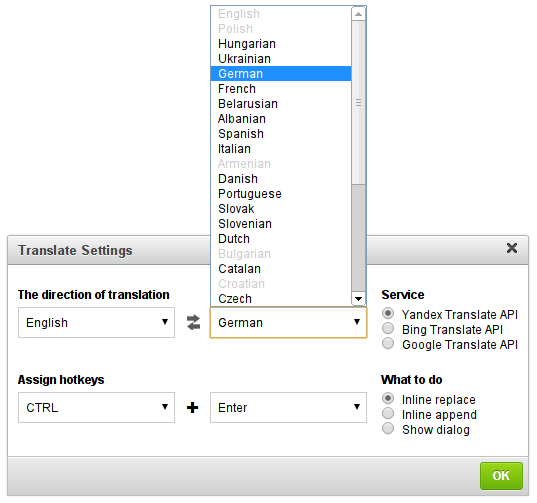
CKEditor plugin for quick translation of text, using the specialized services. If you use the service Yandex Translate API that translations are provided by a browser directly referring to the server Yandex. If you have purchased the full version of the plugin, you will be given another 2 service. Google Translate API and Bing Translate API, but for this web server must support the php.
30+ languages are supported.
Screenshots
Releases
| Plugin versions | CKEditor versions | |||
|---|---|---|---|---|
| 4.25 | 4.24 | 4.23 | ||
|
Version: 1.0.4 |
||||
|
Fixed a problem with Firefox |
||||
LoopIndex Track Changes
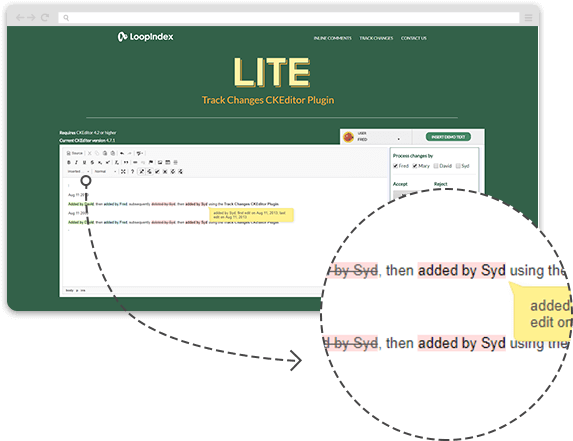
The plugin provides the option to track the changes (additions / deletions) made to your editor's text, with the support of multi user changes, meaning, changes will be colored differently for each user and will show the user information, enabeling you to see exactly who is the change owner.
Changes are marked as added or deleted.
The operations supported by the plugin are:
-
Enable / Disable Track Changes
-
Show / Hide Track Changes
-
Accept / Reject All Changes
-
Accept / Reject A Single Change
-
Displays The Changed Text Author
-
Displays The Change Timestamp
Screenshots
Releases
| Plugin versions | CKEditor versions | |||
|---|---|---|---|---|
| 4.25 | 4.24 | 4.23 | ||
|
Version: 1.2.30 |
||||
|
LITE (Track changes for CKEditor) version 1.2.30 Release notes: This is a maintenance release. Notable changes: 2. Since the rangy library supports requirejs (and AMD in general), it was not accessible on pages that loaded requirejs. We've introduced minimal support for this scenario, allowing rangy to be accessed from the global scope when requirejs is present. Enjoy! |
||||
File Uploader by Uploadcare
File Uploader by Uploadcare is all about uploading user-generated content. It dramatically affects your product or business: if an upload doesn't hit its target, it won't convert, and you lose a customer.
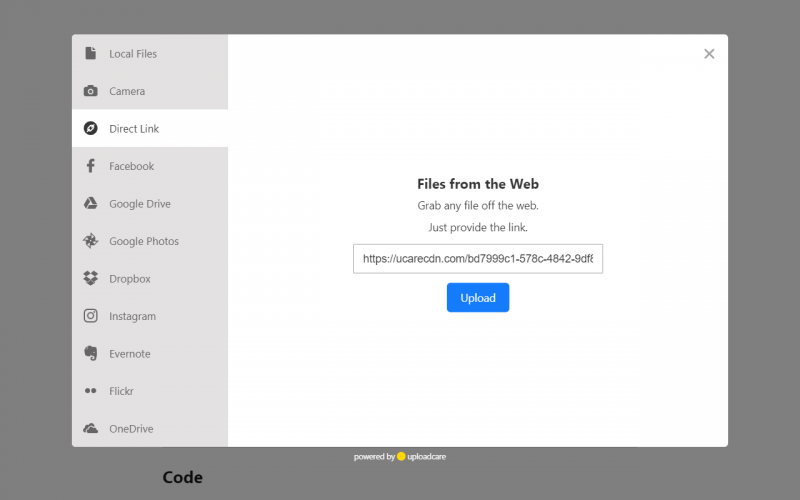
File Uploader allows your users to rapidly upload files from many sources including their device, social media, and cloud storage.
- All uploads are powered by a distributed upload network that picks a node depending on your user location and bandwidth. That's up to 4x faster than other offerings.
- Once uploaded, your content gets delivered by a smart CDN running on the best-in-class backbone that accelerates your media by up to 9x.
- File Uploader supports getting files from URLs, Facebook, Instagram, VK, Dropbox, Google Drive, OneDrive, Box, Evernote, and more.
- Any file types are supported: images, docs, videos, etc. The uploader handles files of up to 5 TB in size.
- When uploading images, those can be easily cropped in any browser right in the dialog. You can also save bandwidth by optimizing images on user devices.
- The uploader supports 20+ locales out of the box: English, Spanish, French, Latvian, Polish, Portuguese, Russian, Chinese, and many more.
Sign up for Uploadcare to get your free API keys.
Screenshots



Releases
| Plugin versions | CKEditor versions | |||
|---|---|---|---|---|
| 4.25 | 4.24 | 4.23 | ||
|
Version: 3.0.0 |
||||
|
Updated
|
||||
Stored automatically in the browser storage
- Categories: Contents, Data, UI
- Author: leroy
- License: Commercial
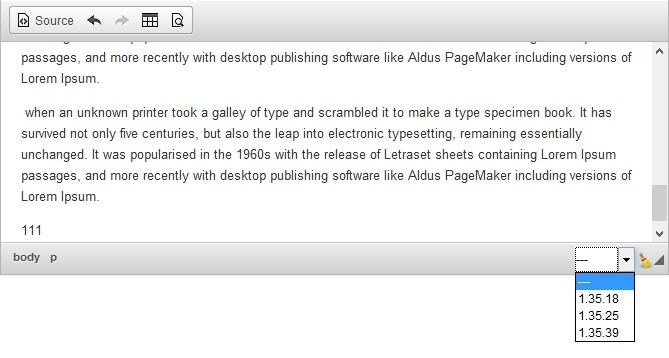
Automatically saves the data in the document is changed. The data are stored in the repository browser, so-that any failure or computer network can always restore the latest version of the document.
Plugin is FREE. And can be downloaded from doksoft.com website.
Screenshots
Releases
| Plugin versions | CKEditor versions | |||
|---|---|---|---|---|
| 4.25 | 4.24 | 4.23 | ||
|
Version: 1.4.0 |
||||
|
Support CKEditor 4.2 |
||||
CKEditor Synonymizer
- Categories: Contents, Semantics, Tools
- Author: leroy
- License: Commercial
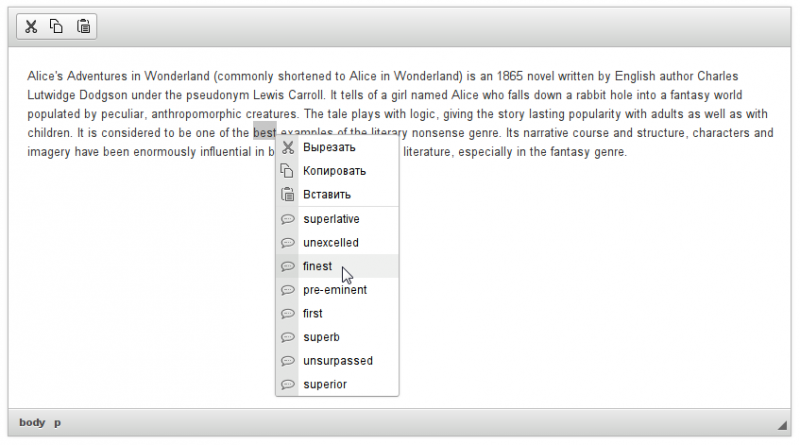
Syn plugin allows you to get synonyms for words in the text directly in the editor CKEditor. You click, right-click the word, resulting in a pop-up menu will get out all its synonyms.
Screenshots