HTML 5 Validation
- Categories: Contents, Data, Tools
- Author: awheelertws
- License: GPL
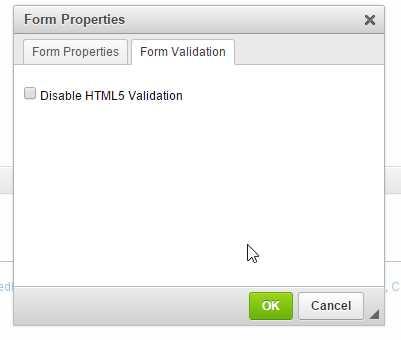
The HTML5Validation plugin for CKEditor extends the core Forms plugin adding a Form Validation tab onto several elements. This allows you to add HTML5 Form Validation attributes onto your forms inside of CKEditor.
Features Overview- Adds Form Validation tab to textfield, textarea, radio, checkbox, and select form dialogs. The Form Validation tab allows you to set the HTML5 Required & Pattern attributes
- Adds Form Validation tab to form dialog. This allows you to add a novalidate HTML5 attribute to the form tag to disable HTML5 form validation
- CKEditor version 4.4.7 or greater http://ckeditor.com/
- The Forms plugin for CKEditor (normally installed by default)
- Extract the downloaded repository
- Copy the html5validation folder to your "ckeditor/plugins/" folder
- Open the "ckeditor/config.js" file in your favorite text editor
- Add html5validation to config.extraPlugins and save your changes. If that line isn't found, add it. EX:
Credits / Tributeconfig.extraPlugins = 'html5validation';
This plugin was developed and is maintained by the https://totalwebservices.net/.
A big thanks goes out to the following people & organizations: http://www.websiterelevance.com - for supporting the development of the plugin. http://www.ckeditor.com - For providing CKEditor so we could build this plugin for it. Piotrek Reinmar Koszuliński - A developer on the CKEditor team who pointed us in the right direction with a bug we encountered during development.
LicenseLicensed under GPL Version 3.0. For additional details please see the LICENSE.md file.
Screenshots

Releases
| Plugin versions | CKEditor versions | |||
|---|---|---|---|---|
| 4.25 | 4.24 | 4.23 | ||
|
Version: 1.0.0.4 |
||||
|
Added German translation (special thanks to Stefan Berger) |
||||
MJ Carousel
- Categories: Contents, Layout, Styling
- Author: michaeljanea
- License: Commercial
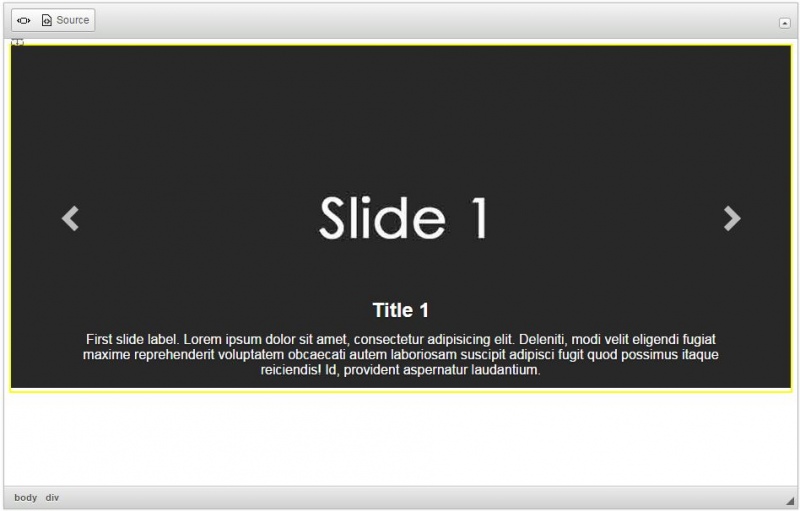
Add a carousel to your write-ups without editing the source code!
- Compatible with jQuery 1.9 and up.
- Available in 66 languages
- Compatible with CKFinder, KCFinder, Filemanager, and elFinder
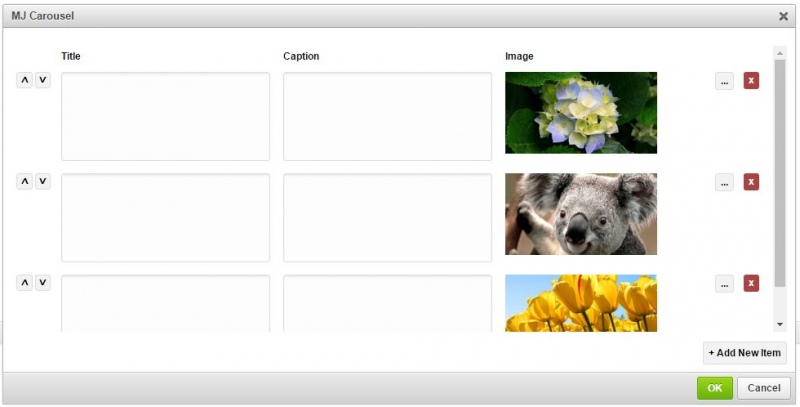
- Manage titles and captions using popup CKEditor
For Bootstrap users see: Bootstrap Carousel
DEPENDENCIES:
It requires the following plugins to work: CKFinder, Widget and Line Utilities.
NOTE: You can send your suggestions, comments, concerns, or inquiries through mj.plugins.info@gmail.com or by filling up the contact form of my website. I'm having trouble using Disqus lol.s lol.
Screenshots
MJ Tab
- Categories: Contents, Layout, Styling
- Author: michaeljanea
- License: Commercial
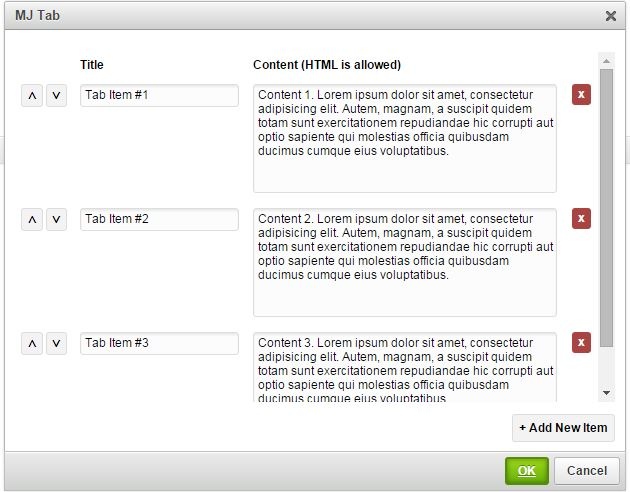
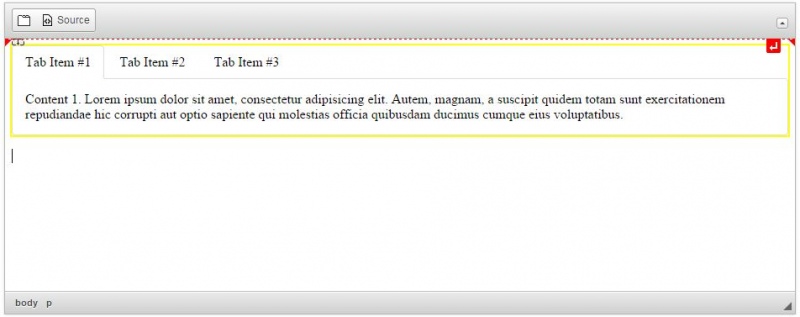
Add tab to your write-ups without editing the source code!
- Compatible with jQuery 1.9 and up.
- Available in 66 languages
- Manage titles and contents using popup CKEditor
For Bootstrap users, see: Bootstrap Tab
For Foundation users, see: Foundation Tab
DEPENDENCIES:
It requires the following plugins to work: Widget and Line Utilities.
NOTE: You can send your suggestions, comments, concerns, or inquiries through mj.plugins.info@gmail.com or by filling up the contact form of my website. I'm having trouble using Disqus lol.
Screenshots
MJ Accordion
- Categories: Contents, Layout, Styling
- Author: michaeljanea
- License: Commercial
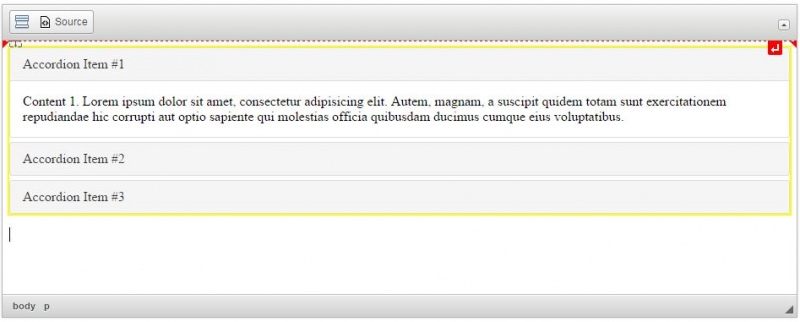
Add accordion to your write-ups without editing the source code!
- Compatible with jQuery 1.9 and up.
- Available in 66 languages
- Manage titles and contents using popup CKEditor
For Bootstrap users, see: Bootstrap Collapse
For Foundation users, see: Foundation Accordion
DEPENDENCIES:
It requires the following plugins to work: Widget and Line Utilities.
NOTE: You can send your suggestions, comments, concerns, or inquiries through mj.plugins.info@gmail.com or by filling up the contact form of my website. I'm having trouble using Disqus lol.
Screenshots

Bootstrap Carousel
- Categories: Contents, Layout, Styling
- Author: michaeljanea
- License: Commercial
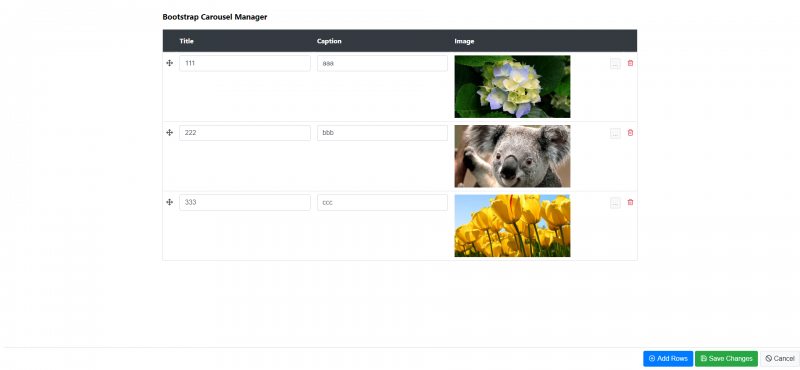
A slideshow component for cycling through elements, like a carousel. Nested carousels are not supported.
- Compatible with Bootstrap 4
- Compatible with CKFinder 3, KCFinder, and Filemanager
DEPENDENCIES:
No dependencies.
NOTE: You can send your suggestions, comments, concerns, or inquiries through mj.plugins.info@gmail.com or by filling up the contact form of my website. I'm having trouble using Disqus lol.
Screenshots
Bootstrap Buttons
- Categories: Contents, Layout, Styling
- Author: michaeljanea
- License: Commercial
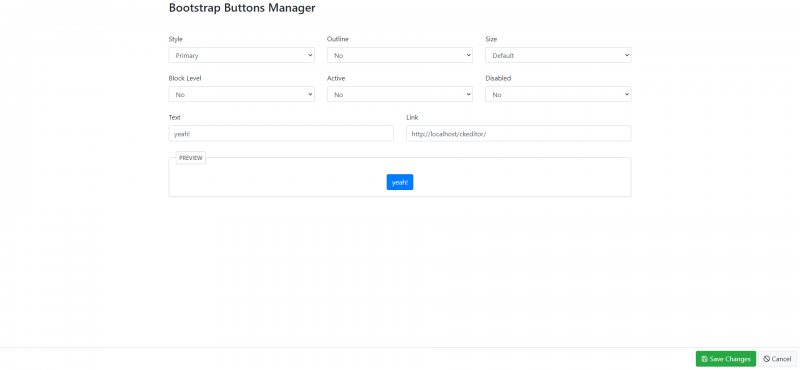
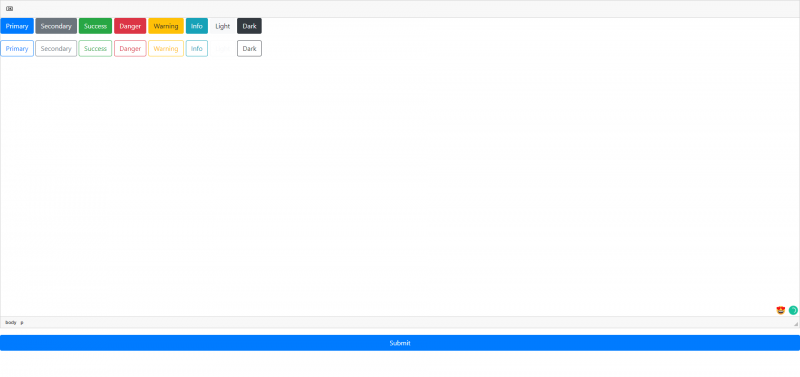
Use Bootstrap’s custom button styles for actions in forms, dialogs, and more with support for multiple sizes, states, and more.
- Compatible with Bootstrap 4
DEPENDENCIES:
No dependencies.
NOTE: You can send your suggestions, comments, concerns, or inquiries through mj.plugins.info@gmail.com or by filling up the contact form of my website. I'm having trouble using Disqus lol.
Screenshots

Media Embed
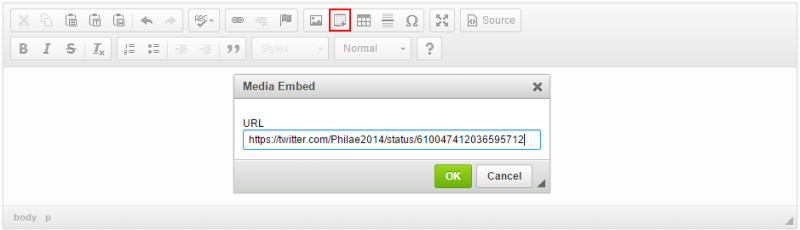
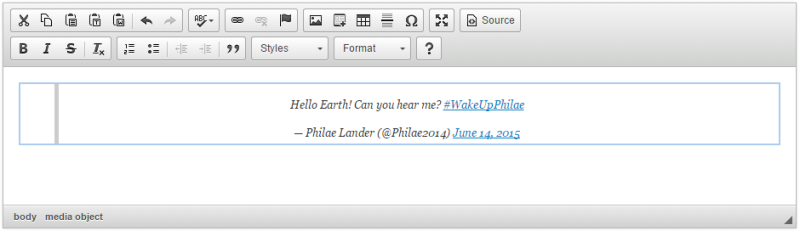
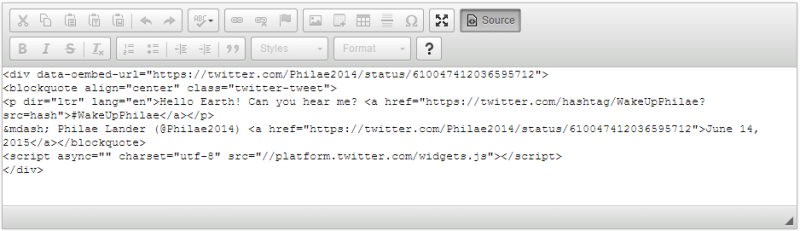
This plugin lets you embed media resources directly in the editor.
The plugin introduces a widget that allows you to embed resources (videos, images, tweets, etc.) hosted by other services (called the "content providers") in your content. By default, the plugin uses the Iframely proxy service which supports over 1715 content providers such as YouTube, Vimeo, Twitter, Instagram, Imgur, GitHub, or Google Maps.
Note: The default configuration uses the public service provided by Iframely which has some limitations. If you want to continue using Iframely, it is recommended to create your own account and use your API key. Some services (like Google Maps) require setting up your API key, too, and adding it to your Iframely configuration.
See also the Semantic Media Embed plugin that creates embedded media resources with a semantic output and the Auto Embed plugin that automatically turns a media resource URL pasted into the editing area into an embedded resource.
Screenshots
This is an official plugin provided and supported by CKEditor developers.
You can submit bug reports directly to its GitHub issues tracker and discuss any integration issues on StackOverflow.
Releases
| Plugin versions | CKEditor versions | |||
|---|---|---|---|---|
| 4.25 | 4.24 | 4.23 | ||
|
Version: 4.25.1-lts |
||||
|
First minor release of CKEditor 4.25.1-lts |
||||
|
Version: 4.24.0-lts |
||||
|
First major release of CKEditor 4.24.0-lts |
||||
|
Version: 4.23.0-lts |
||||
|
First major release of CKEditor 4.23.0-lts |
||||
Bootstrap Breadcrumbs
- Categories: Contents, Layout, UI
- Author: michaeljanea
- License: Commercial
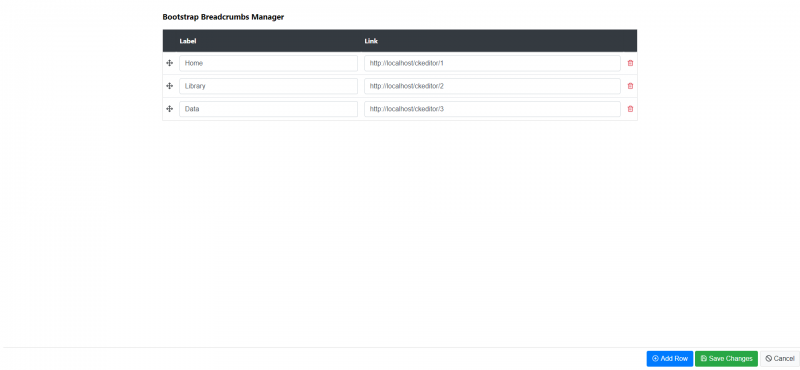
Indicate the current page’s location within a navigational hierarchy.
- Compatible with Bootstrap 4
DEPENDENCIES:
No dependencies.
NOTE: You can send your suggestions, comments, concerns, or inquiries through mj.plugins.info@gmail.com or by filling up the contact form of my website. I'm having trouble using Disqus lol.
Screenshots

inserthtml4x
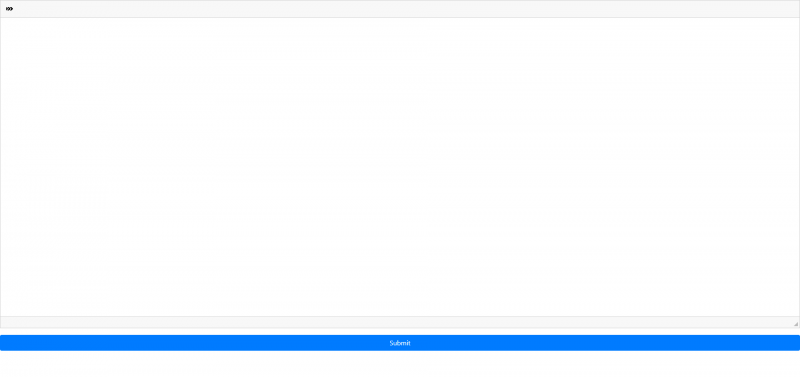
A simple dialog to insert HTML directly from the Editor mode into the source code at the point selected in the editor. Save time hunting and pecking through the source code and do it the right way, wtih insertHTML.
Releases
| Plugin versions | CKEditor versions | |||
|---|---|---|---|---|
| 4.25 | 4.24 | 4.23 | ||
|
Version: 2.0 |
||||
|
Updated the plugin for 4.x and renamed to remove plugin name clash. |
||||
Image Uploader and Browser for CKEditor
- Categories: Clipboard, Contents, Tools
- Author: fujanasolutions
- License: MIT
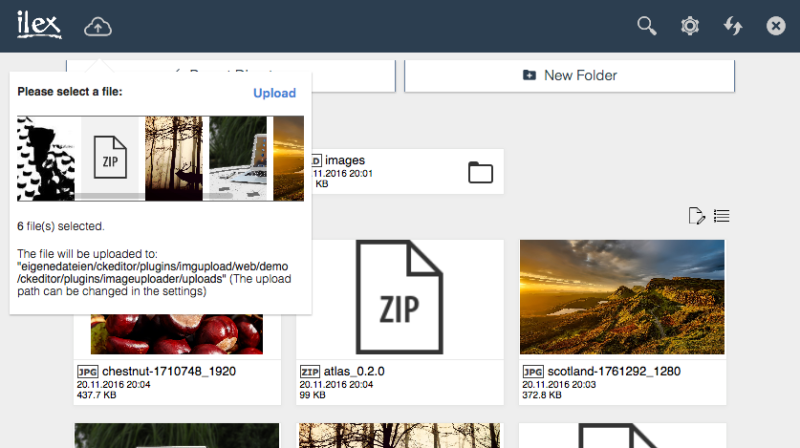
Image Uploader and Browser for CKEditor is a plugin that allows you to upload images easily to your server and add automatically to CKEditor. Since version 2.0 you can browse and manage your uploaded files online right in your browser - without using a FTP Client. The Image Browser is responsive and looks great on every device width.
DemoThe demo can be found here.
Features- Functionality: Upload, delete, download and view your PNG, JPG & GIF files.
- Secure: Only you can access the image browser by a password protection since version 4.0.
- Flexible: Do you already have your own upload folder? You can easily switch and create folders in the image browser.
- Modern UI: The Image Browser is responsive and looks great on every device width.
- Support: Regular updates and an always up to date documentation make it easy for you to install and use the browser.
First extract the downloaded file into the CKEditor’s plugins folder. Then enable the plugin by changing or adding the extraPlugins line in your configuration (config.js):
Defining Configuration In-Page
CKEDITOR.replace( 'editor1', {
  extraPlugins: 'imageuploader'
});
Using the config.js File
CKEDITOR.editorConfig = function( config ) {
  config.extraPlugins = 'imageuploader';
};
Don't forget to set CHMOD writable permission (0777) to the imageuploader folder on your server.
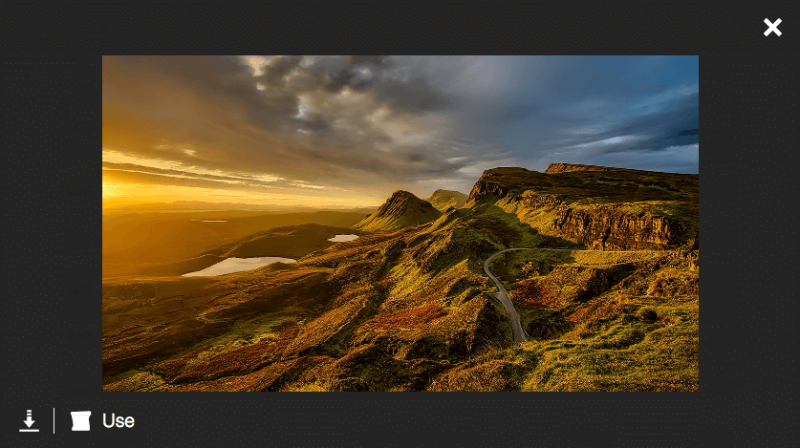
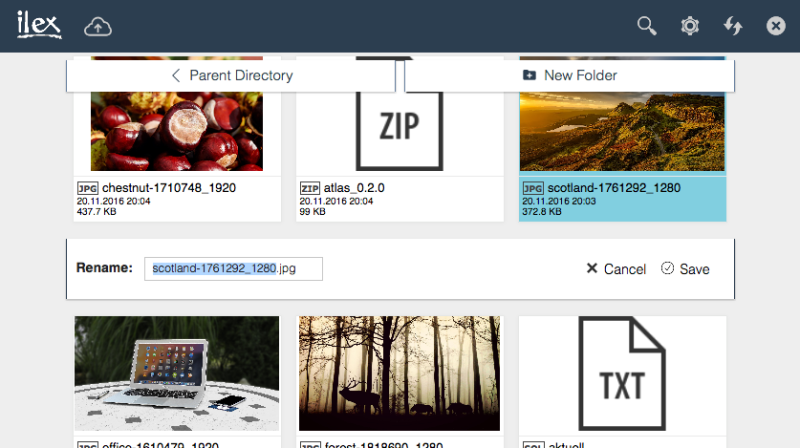
Open the Image info tab and click Browse server. A new window will open where you see all your uploaded images. Open the preview of a picture by tapping on the image. To use the file click Use. To upload a new image open the upload panel in the image browser.
Change the upload pathOpen the Image info tab and click Browse server. A new window will open where you see all your uploaded images. Open the Settings to choose another upload path.
Further questions?Please read the Plugin FAQ.
SupportThe support site can be found here. Before submitting a support ticket please read the FAQ.
Some of the features shown in the screenshots may not yet be available in the current version.
Screenshots


Releases
| Plugin versions | CKEditor versions | |||
|---|---|---|---|---|
| 4.25 | 4.24 | 4.23 | ||
|
Version: 4.1.8 |
||||
|
I was asked to add a function to hide or show the settings button, so I released this update only five hours after the last one. If you appreciate my work don't hesitate to buy me a coffee (donate). Version 4.1.8 - Release notes:
Note PHP 5.2 or higher is required. To show or hide the settings button open pluginconfig.php and modify the value of $show_settings. In case you have any questions or suggestions feel free to contact me using the Support Ticket System. |
||||