Bootstrap Dropdown Buttons
- Categories: Contents, Layout, Styling
- Author: michaeljanea
- License: Commercial
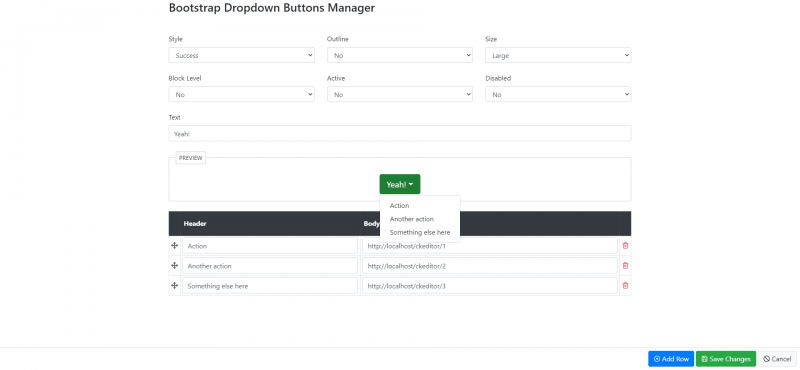
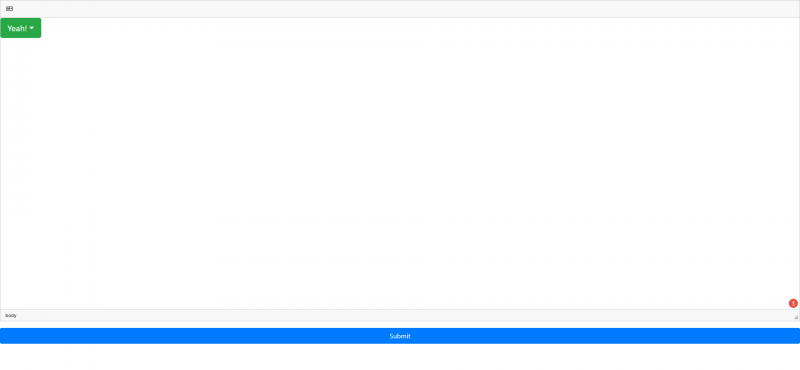
Use any button to trigger a dropdown menu by placing it within a .btn-group and providing the proper menu markup.
- Compatible with Bootstrap 4
DEPENDENCIES:
No dependencies.
NOTE: You can send your suggestions, comments, concerns, or inquiries through mj.plugins.info@gmail.com or by filling up the contact form of my website. I'm having trouble using Disqus lol.
Screenshots

Bootstrap Grid Builder (Mobile Friendly)
- Categories: Contents, Layout, UI
- Author: michaeljanea
- License: Commercial
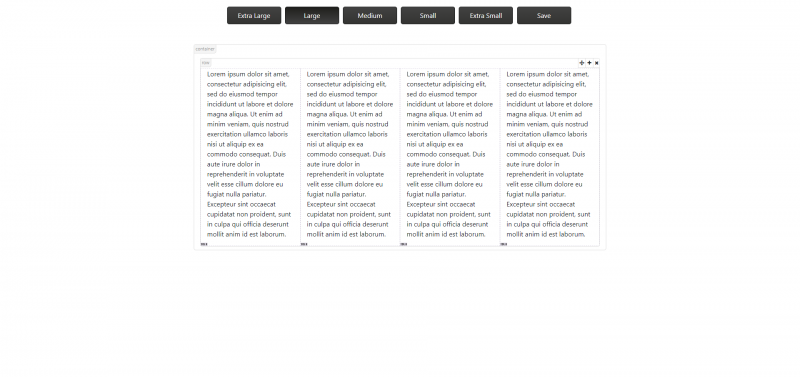
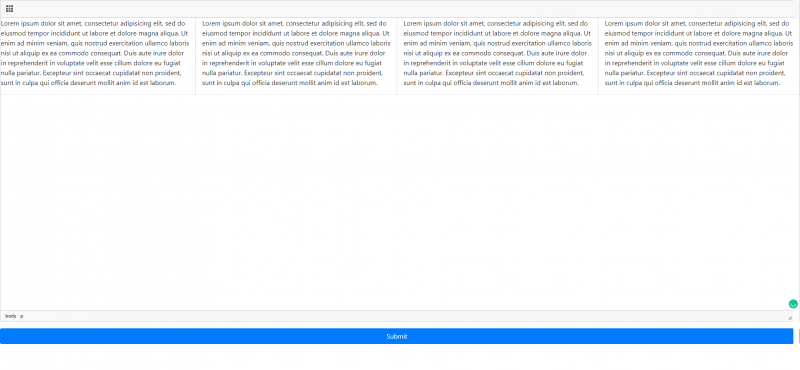
Bootstrap includes a responsive, mobile-first fluid grid system that appropriately scales up to 12 columns as the device or viewport size increases.
- Manage your grid’s layout for Large Desktop, Desktop, Tablet, and Moble
- Resizable Feature
- Compatible with Bootstrap 4
NOTE: You can send your suggestions, comments, concerns, or inquiries through mj.plugins.info@gmail.com or by filling up the contact form of my website. I'm having trouble using Disqus lol.
Screenshots
Bootstrap Accordion List
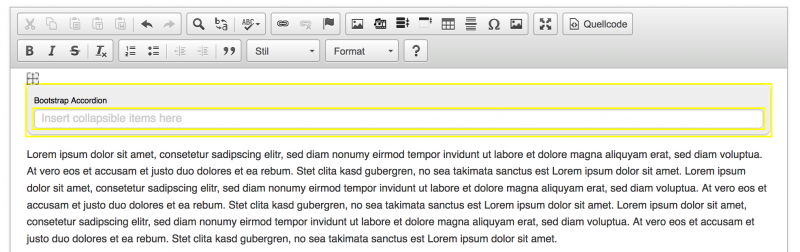
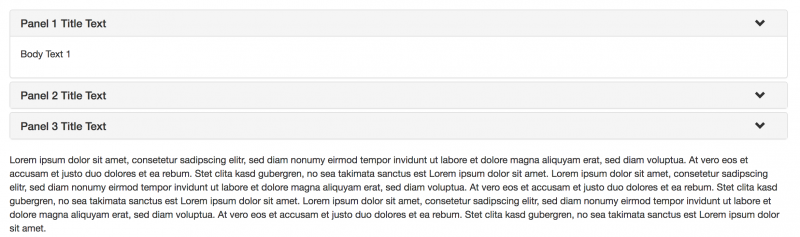
A plugin to integrate bootstraps accordion list (grouped collapsible elements: http://getbootstrap.com/javascript/#collapse-example-accordion) in ckeditor without the need to mess in the source code editor.
Supports drag and drop to change order of collapsable panels in the list.
Requires bootstrap to be installed seprately in the frontend, for usage in ckeditor bootstrap is not required.
Screenshots

Releases
| Plugin versions | CKEditor versions | |||
|---|---|---|---|---|
| 4.25 | 4.24 | 4.23 | ||
|
Version: 0.5.2 |
||||
|
merged community contributions to allow more content types in collapsible items |
||||
Bootstrap Collapsible Item
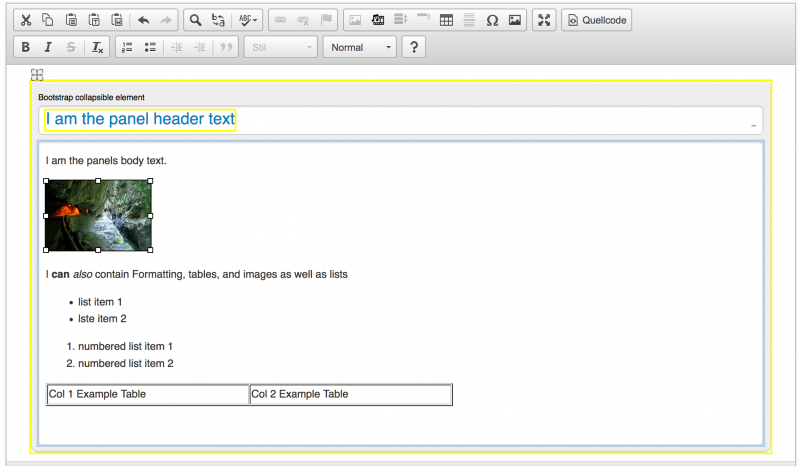
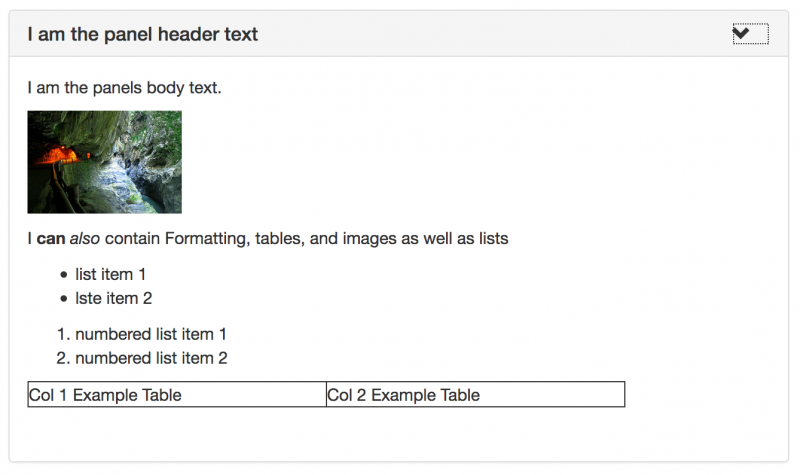
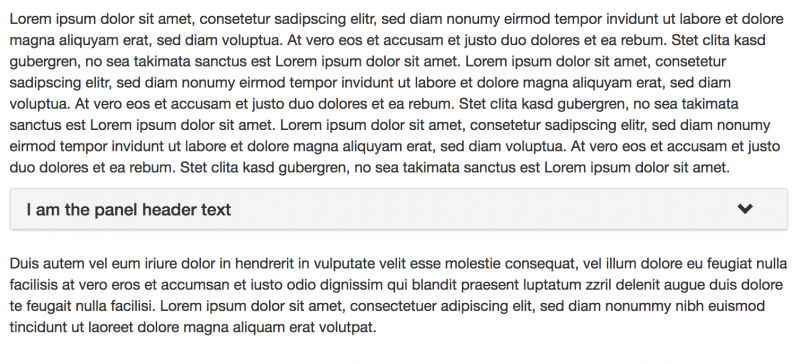
A plugin for ckeditor to allow creation of bootstrap collapsible items (panels).
This plugin allows creation collapsible elements in ckeditor, requires bootstrap (css and js) to be installed in your frontend templates to work. No Bootstrap required to work in ckeditor view.
Screenshots
Releases
| Plugin versions | CKEditor versions | |||
|---|---|---|---|---|
| 4.25 | 4.24 | 4.23 | ||
|
Version: 0.5 |
||||
|
merged community contributions to allow more content types in collapsible items |
||||
CKAwesome
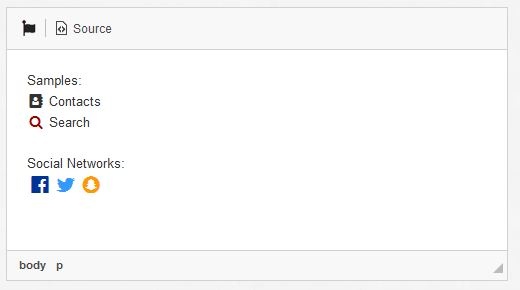
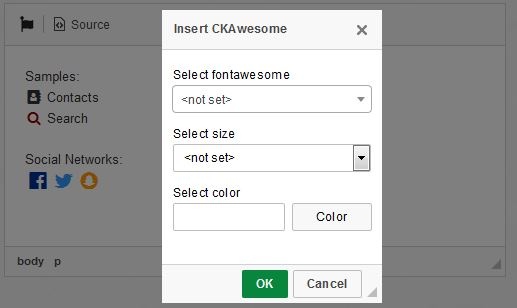
CKAwesome allows you to easily insert a Font Awesome icon into your text in CKEditor.
The dialog loads the Font Awesome css file to know the avaiable icons and shows them on a select box.
Install
- Extract the downloaded file into the CKEditor’s plugins folder.
- Enable the plugin by changing or adding the extraPlugins line in your configuration (config.js):
config.extraPlugins = 'ckawesome'; - Add the icon to the toolbar (optional):
config.toolbar = [{ name: 'CKAwesome', items: ['Image', 'ckawesome']}]; - Add the path to your Font Awesome css file (optional):
config.fontawesomePath = 'path/to/your/fontawesome/folder/font-awesome.min.css';
License
© 2018, BRStuff under GNU GPL v3.
Screenshots

Releases
| Plugin versions | CKEditor versions | |||
|---|---|---|---|---|
| 4.25 | 4.24 | 4.23 | ||
|
Version: 1.02 |
||||
|
CKAwesome 1.02 Thanks to dhaupin, ange007 and sebastiansulinski for the contribuition. |
||||
HTML5 video
- Categories: Contents, UI
- Author: bahriddin17
- License: GPL
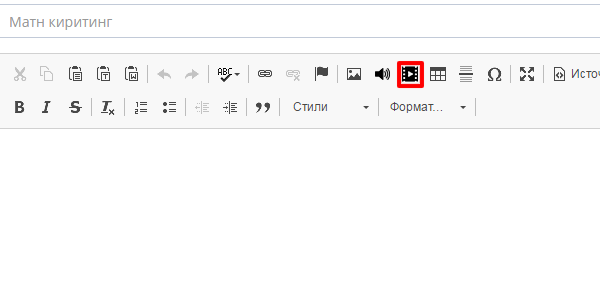
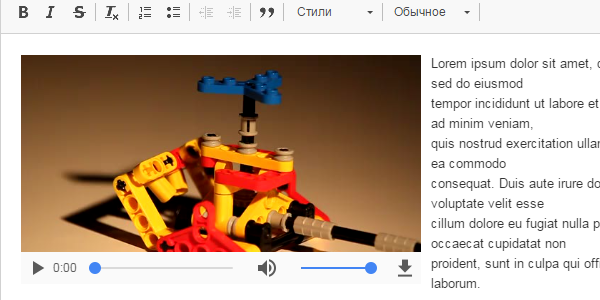
This is simple HTML5 video plugin for CKEditor that is transformed version of ckeditor-html5-audio.
Features
- Creates an HTML5 video tag for your video. You can:
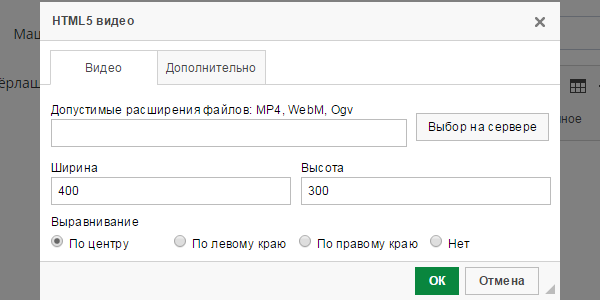
- Use a video file that is hosted on another website using its URL.
- Use a video file that is already on your server.
- Upload a video file to your server and use it.
- You can choose the alignment of the HTML5 video player. Available options:
- Center (default)
- Left
- Right
- None
- You can change player's size (width and height in pixels).
- You can choose whether to play the video automatically or not. Default is no.
- You can change the position of the HTML5 video player by dragging and dropping it.
- You can change the properties of an existing player using the context menu or double clicking on it.
- Easy to use. The user interface is similar to the enhanced image plugin.
- Available in multiple languages: Basque, English, French, German, Russian, Spanish, Ukrainian, and Uzbek.
Notes
- If you are installing this plugin in GNU/Linux make sure that its folders and files have the right permissions otherwise you might get errors.
- Enable the plugin and it's dependencies by using the extraPlugins configurations setting in the config.js file:
config.extraPlugins = 'html5video,widget,widgetselection,clipboard,lineutils'; -
By default CKEditor does not include a file browser or uploader. The "Browse server" and "Upload" tabs need server side code to work so they don't appear if there is no file browser or uploader.
To fix the problem you can install CKFinder and integrate it with CKEditor. There are how-to guides in the documentation:
- Take into account that most (all?) mobile browsers disable the autoplay option and don't play the video without user interaction.
I'd like to give special thanks to Simple HTML5 audio team to help and support me.
Screenshots

Releases
| Plugin versions | CKEditor versions | |||
|---|---|---|---|---|
| 4.25 | 4.24 | 4.23 | ||
|
Version: 1.2 |
||||
|
||||
Collapsible Snippet
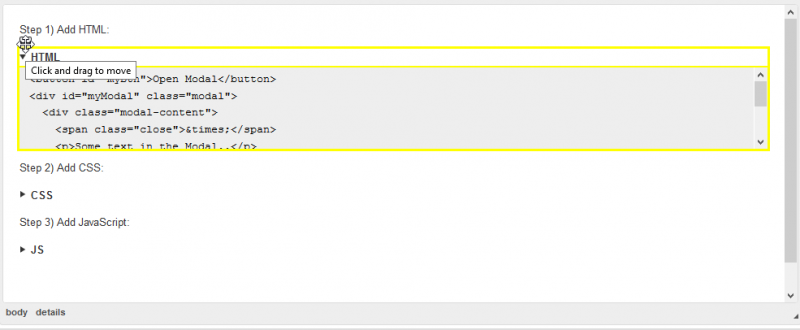
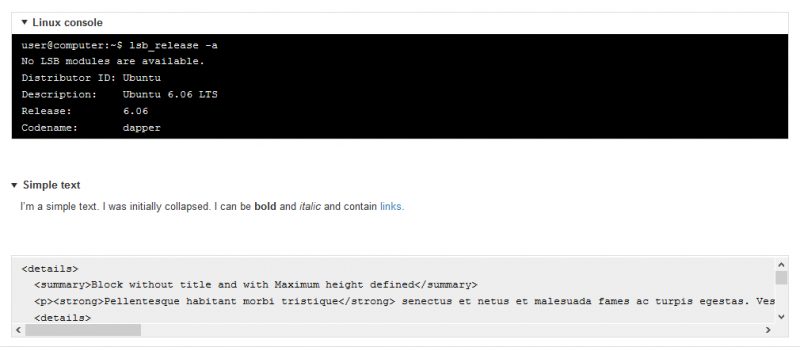
This plugin creates customizable collapsible text or code blocks using HTML5 details/summary element. Initially it was designed to handle code snippets (like <pre> element), but it can be used with any text, not just code.
Main features- Utilizes widget architecture
- Don't requires heavy external JS or CSS libraries (for highlighting and so on)
- Easily configurable by end-user (see screenshots below)
- Supports localization
- <strong>, <em> and <a> tags are supported inside text block
- Easy and straightforward installation
- Can be easily stylized by using .pre class
This plugin uses:
- HTML5 details/summary tags for implementing spoiler functionality. Current browser support state for this can be found on http://caniuse.com/#feat=details
- CKeditor built-in escaping mechanism. If you're not satisfied with it - you can write custom one
- Inline styles for the most of user-defined settings
- Data-attributes for internal storage of user-defined settings
Unfortunately, sometimes CKEditor don't preserve line breaks. I haven't found any option to make him doing this. If you have any ideas, feel free to create issues and PRs
Changing default settingsIf you don't like our default settings, you can override it by passing your own settings directly into CKeditor configuration. The following settings are supported:
- preDefaultTitle (string)
- preDefaultClass (string)
- preDefaultMonospace (boolean)
- preDefaultHidesummary (boolean)
- preDefaultCollapse (boolean)
- preDefaultWrap (boolean)
- preDefaultBordered (boolean)
Example: {preDefaultTitle: 'Open snippet', preDefaultBordered: true, ...}
You can read more about settings here: https://github.com/smartcorestudio/CKeditor-collapsible-snippet
Screenshots

Releases
| Plugin versions | CKEditor versions | |||
|---|---|---|---|---|
| 4.25 | 4.24 | 4.23 | ||
|
Version: 1.0b2 |
||||
|
Added default configuration settings |
||||
Cross Reference
Adds cross references links with optional auto-numeration for chapters, images, tables and references. Other types of references can be defined in config.
InstallationYou can use builder or install plugin manually:
-
Download the plugin.
-
Extract (decompress) the downloaded file into the plugins folder of your CKEditor installation. Example: http://example.com/ckeditor/plugins/crossreference
-
Enable the plugin by using the extraPlugins configuration setting. Example: CKEDITOR.config.extraPlugins = 'crossreference';
Screenshots

Releases
| Plugin versions | CKEditor versions | |||
|---|---|---|---|---|
| 4.25 | 4.24 | 4.23 | ||
|
Version: 1.2.0 |
||||
|
||||
Widget Selection
This plugin improves selection handling for Widget elements. Due to some browser bugs additional handling is required to allow the widget selection.
For example, the plugin makes it possible to use the Ctrl / Cmd + A keyboard shortcuts to select widgets even though they are at the beginning or end of the editor content.
This plugin also integrates with the Select All plugin.
This is an official plugin provided and supported by CKEditor developers.
You can submit bug reports directly to its GitHub issues tracker and discuss any integration issues on StackOverflow.
Releases
| Plugin versions | CKEditor versions | |||
|---|---|---|---|---|
| 4.25 | 4.24 | 4.23 | ||
|
Version: 4.25.1-lts |
||||
|
First minor release of CKEditor 4.25.1-lts |
||||
|
Version: 4.24.0-lts |
||||
|
First major release of CKEditor 4.24.0-lts |
||||
|
Version: 4.23.0-lts |
||||
|
First major release of CKEditor 4.23.0-lts |
||||
Video Embed
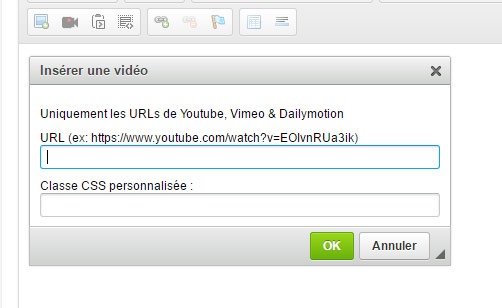
Insert easily video from Youtube, Vimeo and Dailymotion with their urls only.
Usage :
- Copy video's url from adress bar and Paste this url field in plugin dialog
- [optional] Set custom css class name
- Click "Ok"
Accepted URL :
- Youtube (full & tiny url)
- Dailymotion (full & tiny url)
- Vimeo (full only)
Dependencies: Dialog
Screenshots
Releases
| Plugin versions | CKEditor versions | |||
|---|---|---|---|---|
| 4.25 | 4.24 | 4.23 | ||
|
Version: 1.1 |
||||
|
||||