Paste from Word
This plugin allows you to paste content from Microsoft Word and maintain original content formatting. It also adds the Paste from Word toolbar button which makes it possible to paste clipboard data this way only on demand.
Note: This feature was rewritten from scratch in CKEditor 4.6 and is now greatly improved when compared with previous versions in:
- Preservation of list numbering, styling and indentation (for example, nested lists with multiple levels, with different styling or custom list markers).
- Document structure parsing that fixes plenty of issues with distorted or missing content after paste.
- Smarter inline formatting, including preserving text or background color.
- Handling hotlinked images.
- Tight integration with Advanced Content Filter to efficiently adjust formatting coming from Word to what is allowed in a particular editor configuration.
- Clean and valid HTML markup.
The following configuration options are currently provided by this plugin:
- CKEDITOR.config.pasteFromWordRemoveFontStyles (to be soon deprecated in favor of Advanced Content Filter)
- CKEDITOR.config.pasteFromWordCleanupFile
- CKEDITOR.config.pasteFromWordPromptCleanup
For CKEditor versions older than 4.6 the following options were available, too:
Screenshots
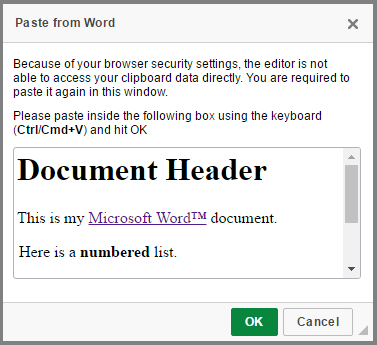
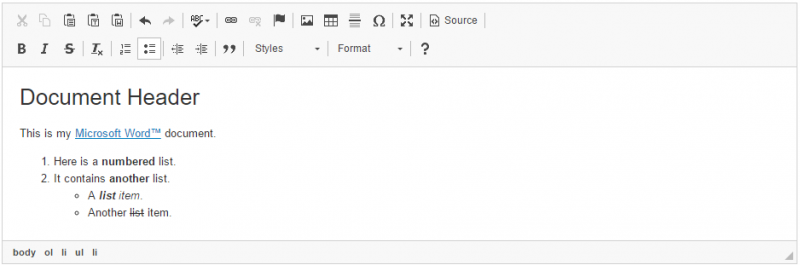
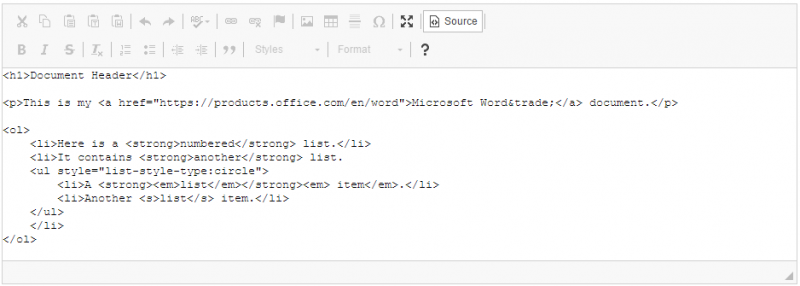
This is an official plugin provided and supported by CKEditor developers.
You can submit bug reports directly to its GitHub issues tracker and discuss any integration issues on StackOverflow.
Releases
| Plugin versions | CKEditor versions | |||
|---|---|---|---|---|
| 4.25 | 4.24 | 4.23 | ||
|
Version: 4.25.2-lts |
||||
|
Second minor release of CKEditor 4.25.2-lts |
||||
|
Version: 4.24.0-lts |
||||
|
First major release of CKEditor 4.24.0-lts |
||||
|
Version: 4.23.0-lts |
||||
|
First major release of CKEditor 4.23.0-lts |
||||
Paste As Plain Text
With this plugin it is possible to have the clipboard data to be always pasted as plain text, with two options:
- Define a configuration to force the plain text paste
- Toolbar button to paste once in plain text
This is an official plugin provided and supported by CKEditor developers.
You can submit bug reports directly to its GitHub issues tracker and discuss any integration issues on StackOverflow.
Releases
| Plugin versions | CKEditor versions | |||
|---|---|---|---|---|
| 4.25 | 4.24 | 4.23 | ||
|
Version: 4.25.2-lts |
||||
|
Second minor release of CKEditor 4.25.2-lts |
||||
|
Version: 4.24.0-lts |
||||
|
First major release of CKEditor 4.24.0-lts |
||||
|
Version: 4.23.0-lts |
||||
|
First major release of CKEditor 4.23.0-lts |
||||
Placeholder
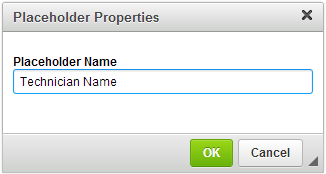
This plugin lets you create and edit placeholders (non-editable text fragments). Editing the placeholder text is only possible through the Placeholder Properties dialog window that opens when you double-click an existing placeholder or use the Placeholder toolbar button.
Dependencies: Requires the following plugins to work: Widget, Line Utilities,Dialog, Clipboard.
See the Widget Installation guide for help. After you add the Placeholder plugin to your CKEditor installation package, check the Placeholder sample for more details.
Screenshots
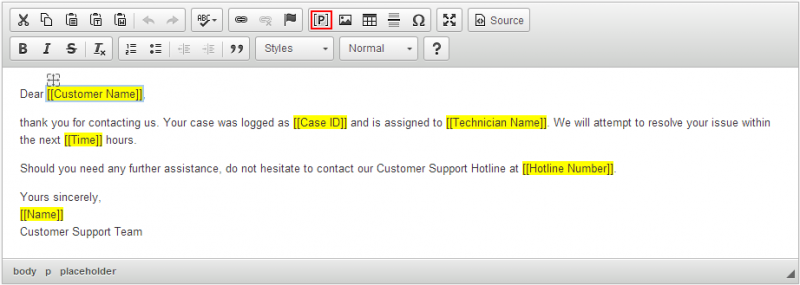
This is an official plugin provided and supported by CKEditor developers.
You can submit bug reports directly to its GitHub issues tracker and discuss any integration issues on StackOverflow.
Releases
| Plugin versions | CKEditor versions | |||
|---|---|---|---|---|
| 4.25 | 4.24 | 4.23 | ||
|
Version: 4.25.2-lts |
||||
|
Second minor release of CKEditor 4.25.2-lts |
||||
|
Version: 4.24.0-lts |
||||
|
First major release of CKEditor 4.24.0-lts |
||||
|
Version: 4.23.0-lts |
||||
|
First major release of CKEditor 4.23.0-lts |
||||
This is an official plugin provided and supported by CKEditor developers.
You can submit bug reports directly to its GitHub issues tracker and discuss any integration issues on StackOverflow.
Releases
| Plugin versions | CKEditor versions | |||
|---|---|---|---|---|
| 4.25 | 4.24 | 4.23 | ||
|
Version: 4.25.2-lts |
||||
|
Second minor release of CKEditor 4.25.2-lts |
||||
|
Version: 4.24.0-lts |
||||
|
First major release of CKEditor 4.24.0-lts |
||||
|
Version: 4.23.0-lts |
||||
|
First major release of CKEditor 4.23.0-lts |
||||
Preview
This plugin adds toolbar button which shows a preview of the document as it will be displayed to end users or printed.
This is an official plugin provided and supported by CKEditor developers.
You can submit bug reports directly to its GitHub issues tracker and discuss any integration issues on StackOverflow.
Releases
| Plugin versions | CKEditor versions | |||
|---|---|---|---|---|
| 4.25 | 4.24 | 4.23 | ||
|
Version: 4.25.2-lts |
||||
|
Second minor release of CKEditor 4.25.2-lts |
||||
|
Version: 4.24.0-lts |
||||
|
First major release of CKEditor 4.24.0-lts |
||||
|
Version: 4.23.0-lts |
||||
|
First major release of CKEditor 4.23.0-lts |
||||
This plugin activates the printing function. A standard operating system printing pop-up window will appear where you will be able to choose the printer as well as all relevant options.
This is an official plugin provided and supported by CKEditor developers.
You can submit bug reports directly to its GitHub issues tracker and discuss any integration issues on StackOverflow.
Releases
| Plugin versions | CKEditor versions | |||
|---|---|---|---|---|
| 4.25 | 4.24 | 4.23 | ||
|
Version: 4.25.2-lts |
||||
|
Second minor release of CKEditor 4.25.2-lts |
||||
|
Version: 4.24.0-lts |
||||
|
First major release of CKEditor 4.24.0-lts |
||||
|
Version: 4.23.0-lts |
||||
|
First major release of CKEditor 4.23.0-lts |
||||
Remove Format
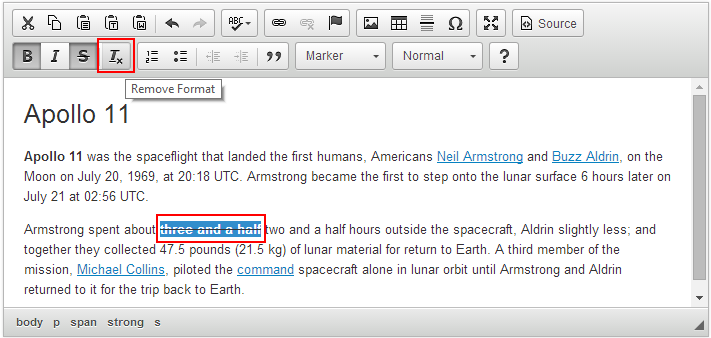
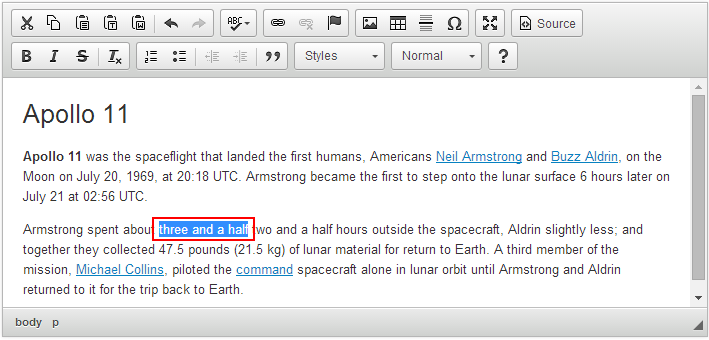
This plugin adds the Remove Format toolbar button which makes it possible to remove all text styling (bold, font color, etc.) applied to a selected part of the document.
As a result the content just includes plain text without any formatting.
Screenshots
This is an official plugin provided and supported by CKEditor developers.
You can submit bug reports directly to its GitHub issues tracker and discuss any integration issues on StackOverflow.
Releases
| Plugin versions | CKEditor versions | |||
|---|---|---|---|---|
| 4.25 | 4.24 | 4.23 | ||
|
Version: 4.25.2-lts |
||||
|
Second minor release of CKEditor 4.25.2-lts |
||||
|
Version: 4.24.0-lts |
||||
|
First major release of CKEditor 4.24.0-lts |
||||
|
Version: 4.23.0-lts |
||||
|
First major release of CKEditor 4.23.0-lts |
||||
Editor Resize
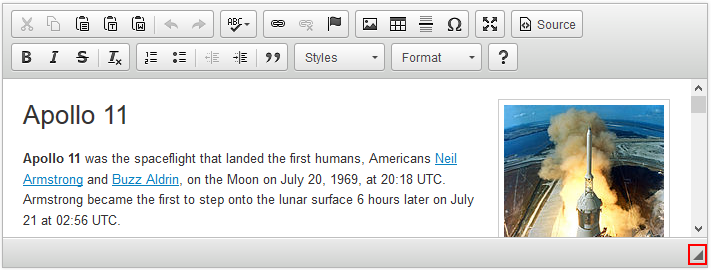
This plugin allows you to resize the classic editor instance by dragging the resize handle (◢) located in the bottom right (or bottom left in the Right-to-Left mode) corner of the editor. It can be configured to make the editor resizable only in one direction (horizontally, vertically) or in both.
Other configuration options provided by this plugin:
Screenshots
This is an official plugin provided and supported by CKEditor developers.
You can submit bug reports directly to its GitHub issues tracker and discuss any integration issues on StackOverflow.
Releases
| Plugin versions | CKEditor versions | |||
|---|---|---|---|---|
| 4.25 | 4.24 | 4.23 | ||
|
Version: 4.25.2-lts |
||||
|
Second minor release of CKEditor 4.25.2-lts |
||||
|
Version: 4.24.0-lts |
||||
|
First major release of CKEditor 4.24.0-lts |
||||
|
Version: 4.23.0-lts |
||||
|
First major release of CKEditor 4.23.0-lts |
||||
Rich Combo
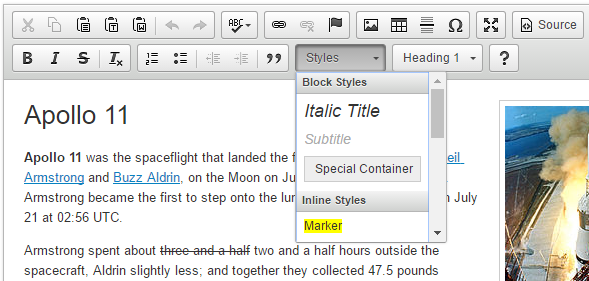
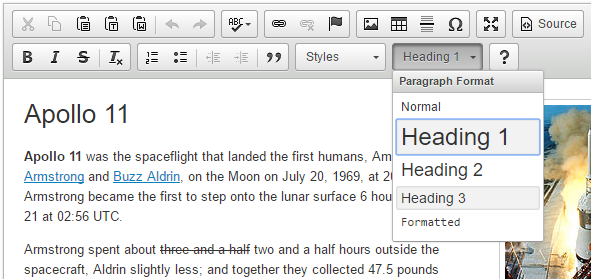
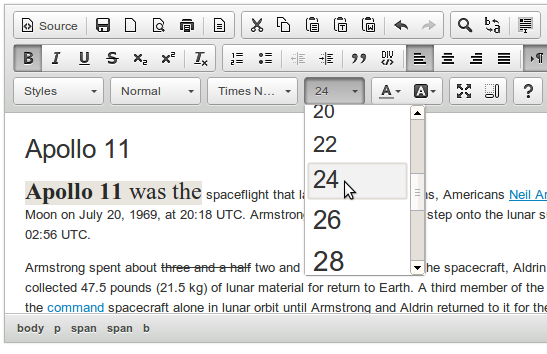
This plugin provides the main class that includes a set of methods used for constructing drop-downs like Styles, Format, Font Size and Font Family to be used in the CKEditor UI.
Screenshots
This is an official plugin provided and supported by CKEditor developers.
You can submit bug reports directly to its GitHub issues tracker and discuss any integration issues on StackOverflow.
Releases
| Plugin versions | CKEditor versions | |||
|---|---|---|---|---|
| 4.25 | 4.24 | 4.23 | ||
|
Version: 4.25.2-lts |
||||
|
Second minor release of CKEditor 4.25.2-lts |
||||
|
Version: 4.24.0-lts |
||||
|
First major release of CKEditor 4.24.0-lts |
||||
|
Version: 4.23.0-lts |
||||
|
First major release of CKEditor 4.23.0-lts |
||||
Save
When CKEditor is placed inside an HTML form, this plugin saves the editor content and submits it to the server. It also adds the Save toolbar button which submits the form that contains the editor.
Note: This functionality only works for classic editor placed inside a <form> element on the page.
Read more about saving editor content in the Getting and Saving Data in CKEditor article.
This is an official plugin provided and supported by CKEditor developers.
You can submit bug reports directly to its GitHub issues tracker and discuss any integration issues on StackOverflow.
Releases
| Plugin versions | CKEditor versions | |||
|---|---|---|---|---|
| 4.25 | 4.24 | 4.23 | ||
|
Version: 4.25.2-lts |
||||
|
Second minor release of CKEditor 4.25.2-lts |
||||
|
Version: 4.24.0-lts |
||||
|
First major release of CKEditor 4.24.0-lts |
||||
|
Version: 4.23.0-lts |
||||
|
First major release of CKEditor 4.23.0-lts |
||||