CKEditor 5 v47.6.0 Release Highlights: CKEditor AI On-Premises and Improved AI Customization
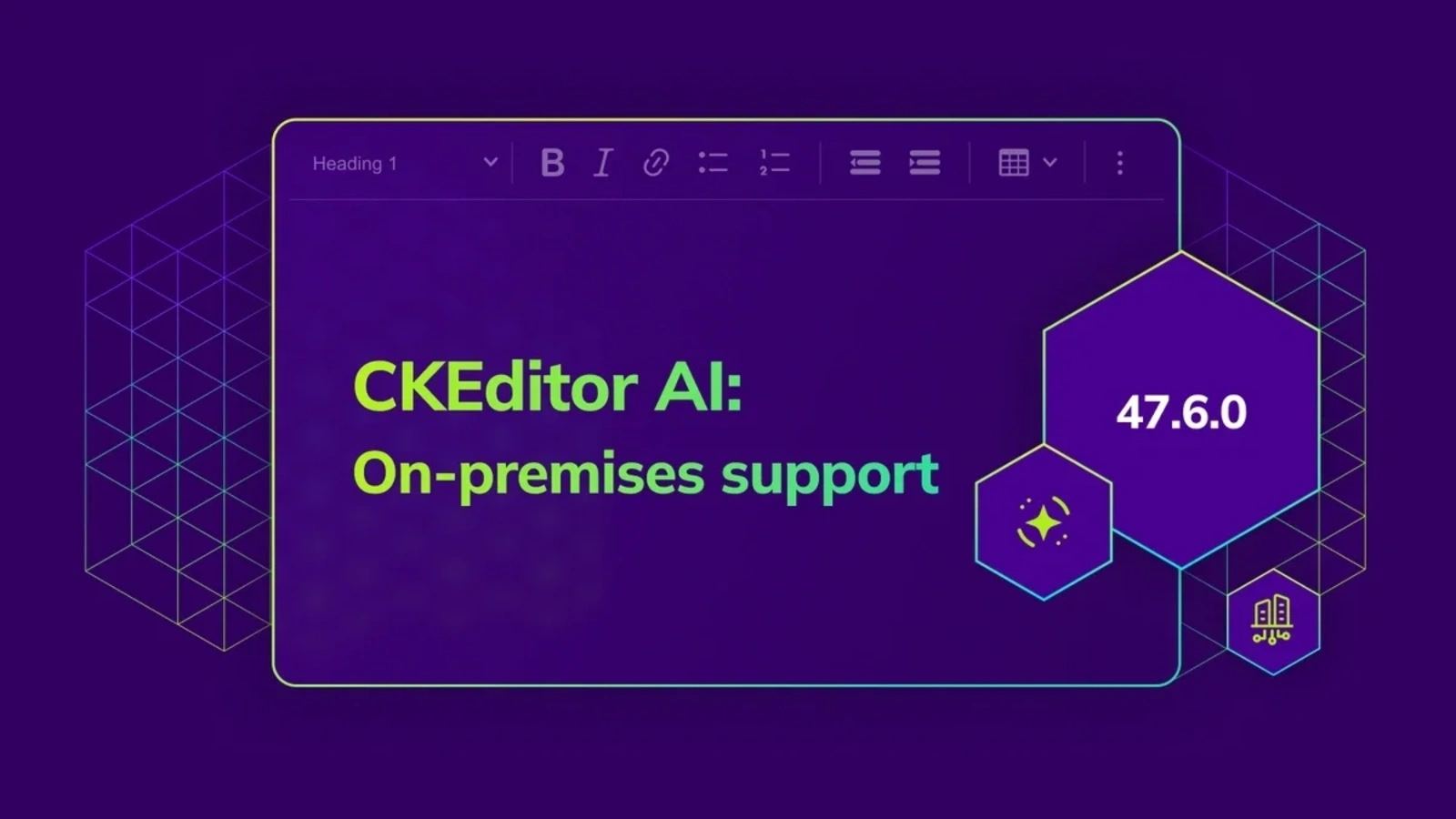
CKEditor 5 v.47.6.0 has enhanced CKEditor AI by offering on-premises deployment, MCP support, and the ability to refine its customization options. The release also improves list indentation behavior.
With the release of on-premises deployment for CKEditor AI, organizations can now run the AI service on their own infrastructure with full support for custom models and extended integrations. This release also adds more control over AI Review and AI Chat entry points. Additionally, improvements for list indentation and security fixes are included for consistency across the editor ecosystem.
NEW CKEditor AI On-Premises deployment
CKEditor AI is now available on premises!. In addition to the existing Cloud distribution, organizations can run the AI service within their own infrastructure while retaining the same in-editor experience across AI Chat, AI Review, AI Translate, and AI Quick Actions.
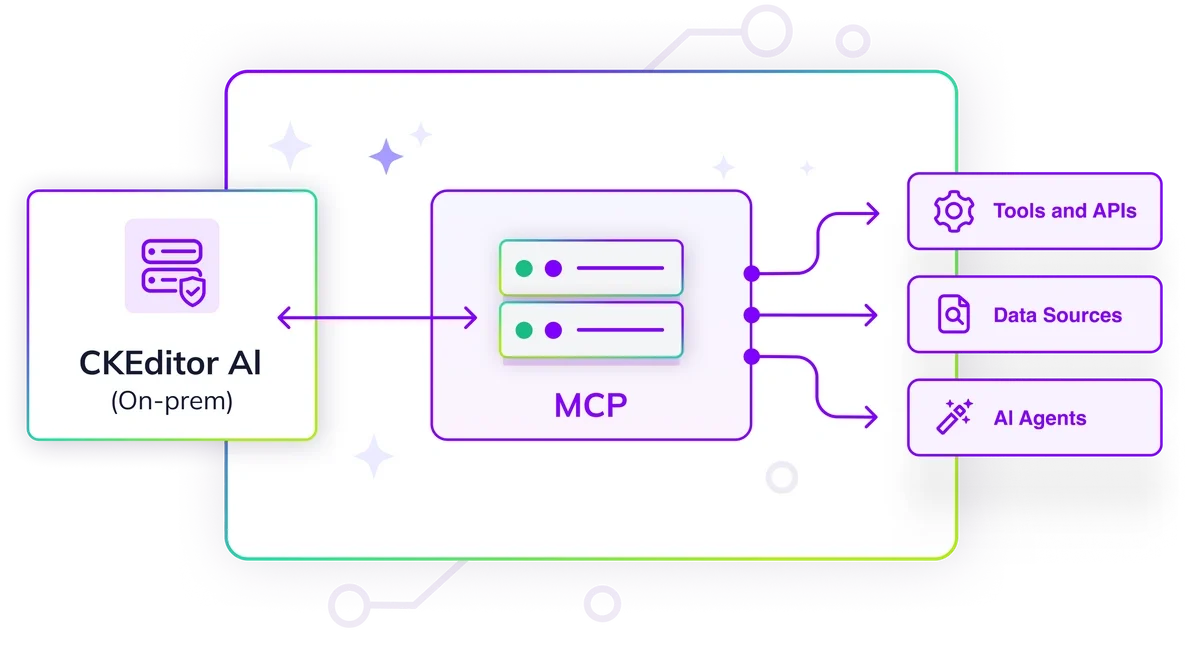
The on-premises distribution includes full feature parity with the Cloud version and extends it with crucial additional capabilities:
-
Custom AI models and providers: You can connect your own LLM models that you host yourself or access from an external LLM provider.
-
Configurable API keys: You can configure and use your own provider credentials when running CKEditor AI on-premises.
-
Model Context Protocol (MCP) support: You can connect external tools through MCP servers to enable use cases such as querying internal systems, retrieving proprietary knowledge, or interacting with company databases directly from the AI Chat interface.
On-premises gives teams greater control over data flow, compliance requirements, model selection, and system integration while ensuring AI output remains compatible with rich-text content, track changes, and advanced editor features.
You can learn more about on-premises deployment and MCP support in our documentation.
Join our upcoming live webinar on April 9, 2026 to learn about using CKEditor AI on your premises, how to connect your existing LLM, meet enterprise governance and compliance needs, and extend your AI stack by registering MCP tools. See how to introduce AI inside the editor without without giving up control.
CKEditor AI Customization
NEW Custom AI Review checks
AI Review now supports custom review commands defined by integrators. In addition to built-in checks such as proofreading, clarity, readability, and tone adjustments, the feature can now be extended with review prompts tailored to specific editorial standards, domain requirements, or brand guidelines.
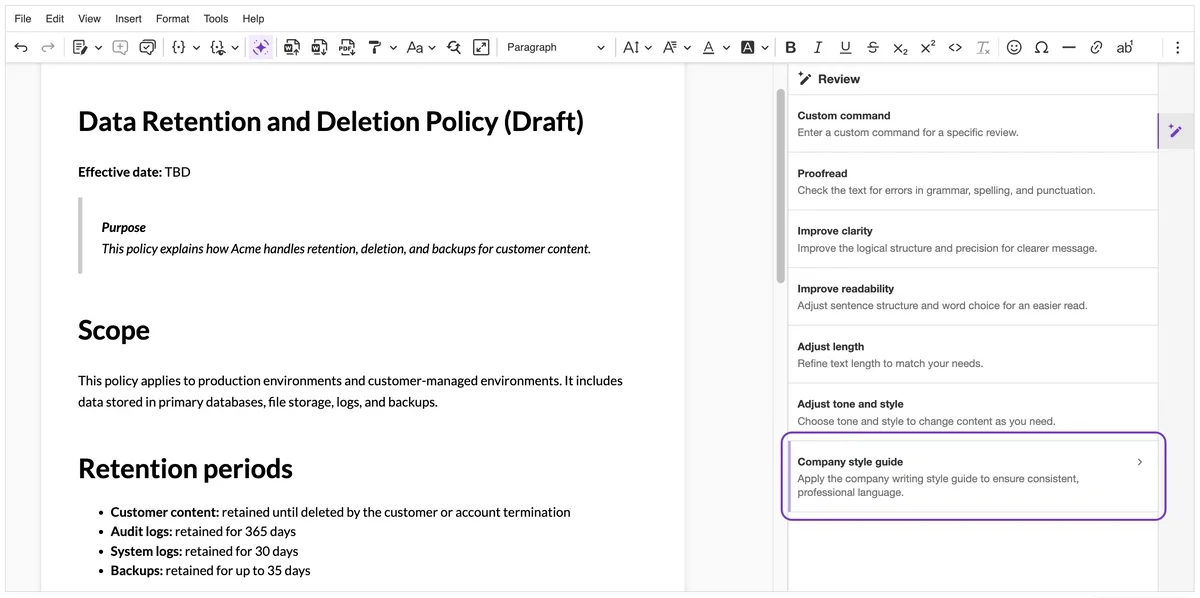
An example custom AI Review command: Company style guide.
Custom commands can be registered and edited through the editor configuration, allowing teams to control which review options appear in the UI, how they are ordered, and which built-in checks remain available.
NEW AI Chat shortcuts
This release also introduces AI Chat Shortcuts, an optional plugin that displays configurable shortcut buttons inside the AI Chat panel before a conversation begins.
Shortcuts act as predefined entry points into common AI workflows. Each shortcut can be defined with its own label, icon, and action, whether that means launching a predefined prompt, starting a review or translation flow, or navigating directly to a specific AI feature tab. Integrators can also control which capabilities (such as model selection or web search) are active for each shortcut.
Together, these updates provide more structured control over how users interact with AI features inside the editor.
List indentation
List indentation handling has been standardized and expanded. Authors can now indent entire lists or individual list items with consistent styling and without additional customization.
The updated behavior is compatible with Paste from Office, Export to Word, Export to PDF, Track Changes, and supports RTL content. This ensures consistent list structure across editing, collaboration, and document export workflows.
Security fix
A cross-site scripting (XSS) vulnerability (CVE-2026-28343) has been identified in the General HTML Support feature. Under specific configurations, it could allow execution of unauthorized JavaScript code through specially crafted markup.
This issue only affects installations where:
-
General HTML Support is enabled, and
-
The configuration allows inserting unsafe markup (see the Security section of the documentation for details).
We recommend reviewing your General HTML Support configuration to ensure it follows the documented security guidelines. For full technical details, refer to the dedicated security advisory. If you have questions, please contact our support team.
Minor breaking change
The @aws-sdk/client-bedrock-runtime dependency has been upgraded to the latest version to address a recently disclosed security vulnerability in the fast-xml-parser dependency. This dependency was used only in some specific setups, and the vulnerable code was not used on our side. However, as part of our security best practices, we are updating the dependency to the latest secure version to ensure our stack remains up to date and aligned with the latest security recommendations.
Due to the use of dynamic imports in an underlying package, some build environments (such as certain webpack configurations) may require adjustments. If you encounter the error:
Automatic publicPath is not supported in this browserconfigure your bundler to use:
module: {
  parser: {
    javascript: {
      dynamicImportMode: 'eager'
    }
  }
}
Refer to the changelog for complete migration details.
Follow-up patch release
We also released CKEditor 5 v47.6.1, a patch update that resolves three regressions discovered after the v47.6.0 release.
-
engine, undo: Fixed an issue with restoring markers during undo operations when markers spanned multiple paragraphs. Previously, comments and suggestions could be restored to incorrect ranges.
-
ai: Fixed a crash in AI Chat that occurred when opening a past conversation created using a model that is no longer available.
-
widget: Fixed a regression where the caret (
|) jumped over an empty paragraph when navigating with arrow keys near widgets.
Old installation methods sunset
With the move to the new installation methods, the old installation methods will only be supported up to CKEditor 5 v48.0.0, currently planned for release in early Q2 2026. If your project still relies on the older approach, now is the right time to either migrate to the new setup or consider CKEditor 5 Long Term Support (LTS) if a near-term migration is not feasible.
You can find a detailed timeline on the dedicated GitHub issue.
Quick links for CKEditor v47.6.0
Learn more about previous CKEditor 5 versions
-
CKEditor 5 v47.5.0 Release Highlights: AI Translate, Export to PDF v2 and more
-
CKEditor 5 v47.4.0 Release Highlights: Improvements for Tables, Email Layouts and more
-
CKEditor 5 v47.3.0 Release Highlights: CKEditor AI Improvements and Bug Fixes
-
CKEditor 5 v47.2.0 Release Highlights: Introducing CKEditor AI and Footnotes
-
CKEditor 5 v47.0.0 Release Highlights: Introducing Long-term Support Edition