WYSIWYG vs Markdown: Differences, Pros, Cons, and Which to Choose
Choosing between a WYSIWYG editor and a Markdown editor for your application can feel like a daunting task. Both approaches have passionate advocates, and the web is full of strong opinions. But here’s the reality: the right choice depends entirely on who will write content in your app, how you store and process that content, and what features your users actually need.
Table of contents
-
How the choice affects your product: collaboration, workflows, and UX
-
Use cases: when to embed WYSIWYG, Markdown, or a hybrid editor
-
How to evaluate an embeddable editor for your app (practical checklist)
-
Why CKEditor is a strong default for WYSIWYG and hybrid setups
-
Make the editor serve your workflows, not the other way around
WYSIWYG, Markdown, or both?
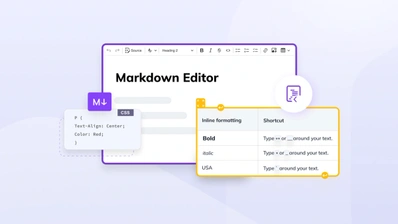
A WYSIWYG editor provides visual, real-time editing where on-screen content closely matches the final output, generating structured HTML behind the scenes. A Markdown editor relies on plain text syntax, like **bold** or #heading, that renders only on preview or export.
For most modern product teams building applications in 2026, the strongest choice is to embed a WYSIWYG editor that can also handle Markdown. This offers a hybrid approach rather than forcing a pure either/or decision.
The constraint that makes one preferable comes down to three factors: who will write (developers only versus mixed teams), how you store content (Git versus a database), and whether you need collaboration and AI-writing features baked into the editing experience.
Here’s when to favor each approach:
-
Markdown-first makes sense if your contributors are almost exclusively developers, your content lives in Git repositories alongside code, and you rarely need complex layouts, inline media, or real-time collaboration.
-
WYSIWYG-first makes sense if non-technical users (support, marketing, legal, or product teams) will create or edit content. In this case, you want commenting, track changes, or AI-assisted writing. These editors also often offer intuitive interfaces that feel like Google Docs or Notion.
-
Hybrid is ideal for mixed teams where engineers prefer Markdown for docs, but other stakeholders need visual editing. This is common in SaaS products shipping knowledge bases, help centers, or in-app content modules. Hybrid editors help you support a broader range of teams and use cases.
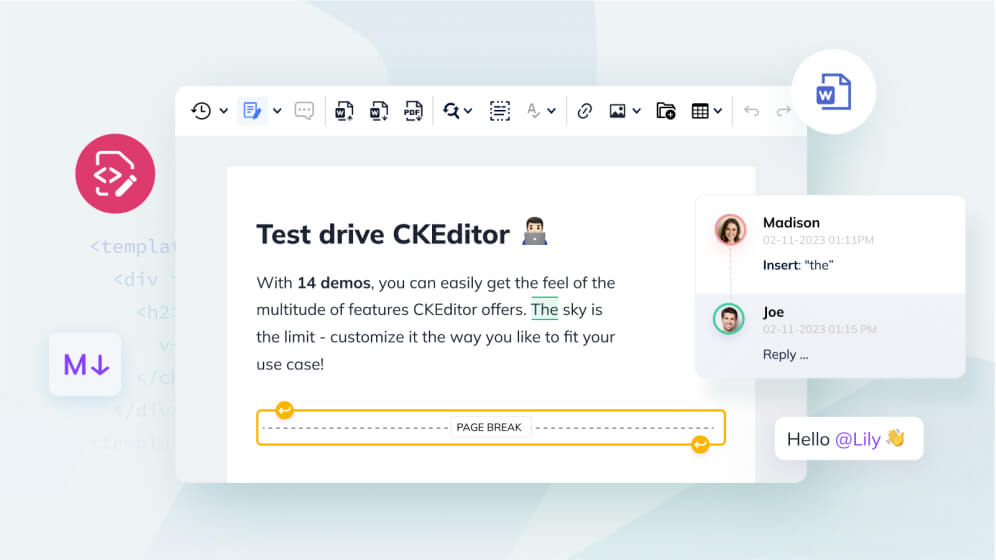
CKEditor is a concrete example of a modern, hybrid editor. It is a fully embeddable WYSIWYG editor with Markdown support, real-time and asynchronous collaboration, and AI-writing capabilities, designed specifically for teams that need flexibility without sacrificing polish.
What are WYSIWYG and Markdown editors?
Both WYSIWYG and Markdown editors ultimately produce structured formats (typically HTML or Markdown converted to HTML), but the authoring experience and ecosystem around them differ significantly.
Key facts: WYSIWYG vs Markdown at a glance
-
WYSIWYG editors use the browser’s
contenteditableAPI and output HTML or JSON. Typical gzipped bundle sizes vary, but CKEditor with all plugins enabled can exceed 500 KB. -
Markdown editors store content as portable plain text. The lightest React option,
@uiw/react-md-editor, is approximately 4.6 KB gzipped. -
Hybrid editors combine a visual editing surface with Markdown as a storage format.
-
Real-time collaboration is an important consideration for editors, whether WYSIWYG or Markdown, but it requires underlying infrastructure such as CRDT or Operational Transform. Among available options, CKEditor 5's built-in collaboration stack is one of the most mature options in 2026 and beyond.
-
Markdown is the preferred content format for LLM and AI ingestion pipelines and for version control via Git, because HTML output from WYSIWYG editors produces noisy, hard-to-review diffs. Hybrid editors like CKEditor can serialize to Markdown, making them compatible with both AI pipelines and Git-based workflows.
What is a WYSIWYG editor?
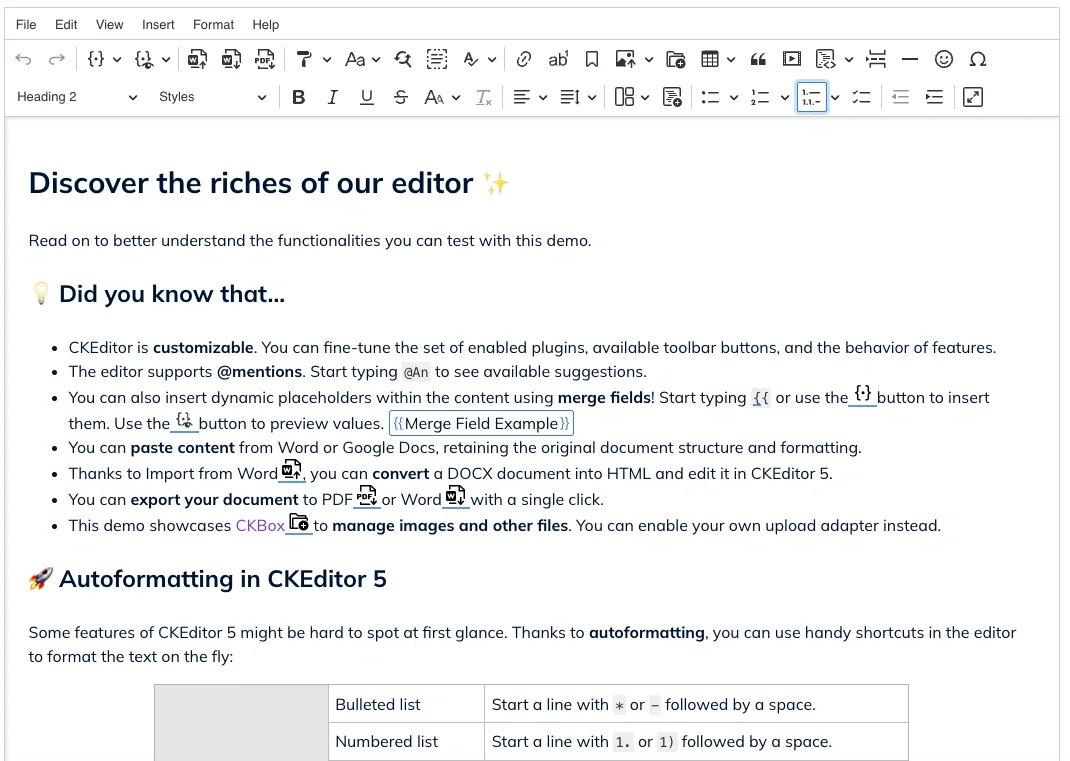
WYSIWYG stands for “What You See Is What You Get.” In practice, this means the on-screen content closely matches the final rendered output. When a user clicks a button to make text bold, that text appears bold immediately: no syntax knowledge required.
Modern web WYSIWYG editors generate semantic HTML, support images and media, and can integrate collaboration and AI features. Most embeddable WYSIWYG editors, including CKEditor 5, are JavaScript components designed to be integrated into web apps, offering many features, including:
-
Customizable toolbars and contextual menus.
-
A plugin-based architecture for adding features like comments, track changes, and restricted editing.
-
The ability to embed images, video, and other media.
-
Export to PDF, Word, and other file format options.
-
Content filtering and security controls.
When embedding a WYSIWYG editor, it’s important to consider users who are non-technical and require the ability to embed rich media.
Historical context matters here: WYSIWYG has origins in 1968 with Douglas Engelbart’s oN-Line System at Stanford, evolved through Xerox PARC’s Bravo editor, and became mainstream with commercial word processors. This lineage means users have decades of familiarity with visual editing paradigms, which in turn shapes clear expectations for how modern editors should behave and interact.
What is Markdown?
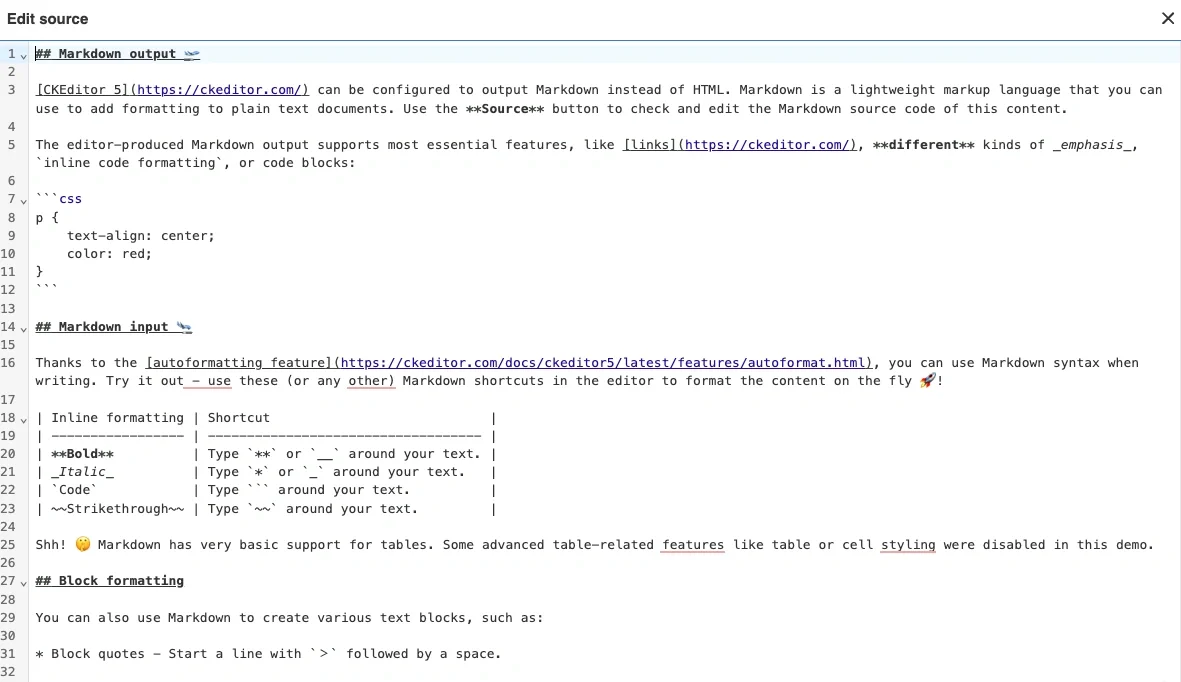
Markdown is a lightweight, plain text markup language created in 2004 by John Gruber for writing content that is human-readable as source text and easily convertible to HTML. The syntax is intentionally minimal:
-
Headings use # symbols (# Heading 1, ## Heading 2).
-
Emphasis uses asterisks or underscores (*italic* or _italic_, *bold* or _bold_).
-
Lists use dashes or numbers (- item, 1. item).
-
Links use brackets and parentheses ([link text](url)).
-
Code blocks use backticks for inline code (`code`) or triple backticks for fenced blocks (```code block```).
Markdown is popular among developers because it works seamlessly with version control systems like Git, integrates naturally into code reviews, and powers static site generators like Hugo, Jekyll, Docusaurus, and Next.js MDX for documentation. Many apps don’t expose raw Markdown to end users but still rely on it behind the scenes for storage, documentation, or API descriptions.
One thing to keep in mind: there are multiple “flavors” of Markdown. CommonMark provides a standardized specification, GitHub Flavored Markdown adds tables and autolinks, and MDX allows embedding React components. These variations can create portability challenges when moving content between tools.
How the choice affects your product: collaboration, workflows, and UX
Your editor choice influences who can contribute content, how fast teams ship changes, and how safely you can scale your knowledge base or content features. This isn’t just a technical decision: it shapes your product’s user experience and your team’s operational workflows, often depending on the level of detail and depth of features each editor provides.
Your decision should be guided by three considerations:
Audience: Are contributors developers only, or do cross-functional teams (support, marketing, legal, or product) need to create and edit content?
Storage and data flow: Is content stored and versioned in Git, or does it live in a CMS or database with API-driven publishing? This also determines whether real-time collaboration is a practical requirement.
UX expectations: Do users expect a Google Docs-like experience, or are they comfortable with a text-editor-like interface?
Product-led SaaS teams often need mixed workflows where support agents, marketers, and PMs work alongside engineers in shared content spaces. This is where a WYSIWYG-first editor with Markdown support can bridge the worlds of both developer and business teams.
Developer-focused workflows (Git, CI/CD, and code review)
Markdown-first flows are common in engineering teams. Documentation is stored as .md files in GitHub or GitLab, reviewed via pull requests, and deployed with CI/CD pipelines to static site generators. This approach offers clear advantages for developers:
-
Clean diffs that show exactly what changed (seeing **bold** added is more transparent than parsing HTML).
-
Revision history to track who wrote what and when.
-
Easy branching for parallel documentation updates.
-
Automated checks through linters, link checkers, and build validation.
-
Single-source publishing across HTML, PDF, and other formats.
By contrast, a WYSIWYG-in-database approach stores content as HTML or a JSON model in a database, exposed via an API. This is less readable in Git, and HTML diffs are harder to parse in pull requests, but are more accessible to non-technical contributors. The important point: embedding a WYSIWYG editor does not preclude Git-based workflows if the editor can serialize to and from Markdown or JSON that you commit to a repository.
Concrete examples include engineering-run docs portals, open-source project READMEs, and API references driven from OpenAPI specifications combined with Markdown explanations.
Mixed teams and non-technical contributors
Support, marketing, legal, and product teams typically prefer WYSIWYG because it removes the need to learn syntax or see raw markup. When you’re building a customer help center, knowledge base, onboarding flow, in-app announcements, or release notes, non-developers often own most of the content.
Markdown-only experiences can exclude these users or create friction, leading to bottlenecks where engineers must “translate” content into Markdown. This slows down publishing and creates unnecessary dependencies.
A WYSIWYG editor like CKEditor can be configured with a familiar toolbar or contextual ribbon, making onboarding easy for users accustomed to Word or Google Docs. CKEditor’s hybrid approach means developers can work in Markdown or access raw HTML when needed, while non-technical users work entirely in the visual editor, no syntax exposure required. Rather than restricting access, this is about presenting the right interface for each role, so every contributor can work in the mode that suits them.
Content complexity: from simple notes to document-like experiences
Content complexity changes requirements. Short status messages or changelogs have different needs than multi-section tutorials, design docs, or contracts.
Markdown excels for primarily text-based documentation with headings, lists, code blocks, and links. The syntax is learnable in 10 seconds for basics, and files remain readable even without rendering. But Markdown becomes awkward for complex tables with merged cells, nested layouts, or advanced styling.
WYSIWYG editors handle more complexity gracefully:
-
Embeddable media (images, video, or embeds from external services).
-
Complex tables with column resizing and formatting.
-
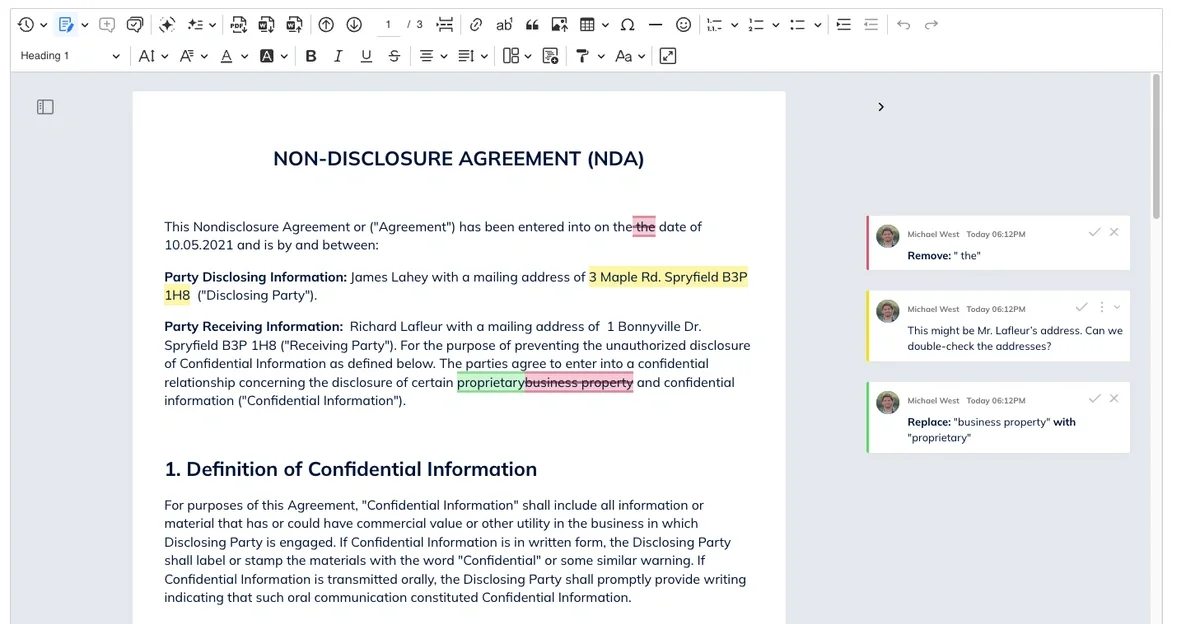
Comments in the margin for editorial review.
-
Track changes for approval workflows.
-
Structured components like callout boxes, tabs, and accordions.
CKEditor features that map to these needs include image upload and editing tools, table utilities, content templates, restricted editing for structured forms, and track changes for editorial workflows. If you want your editor to feel like Google Docs, Notion, or Confluence inside your product, you likely need a WYSIWYG editor with document-level features.
WYSIWYG vs Markdown: full comparison
The following table compares WYSIWYG editors, Markdown editors, and hybrid editors across eight dimensions that matter most when embedding an editor in a web application.
Criteria | WYSIWYG | Markdown | Hybrid (WYSIWYG with Markdown) |
|---|---|---|---|
Best for | Non-technical contributors, rich media | Developer docs, technical writing | Mixed contributors, docs plus product content |
Canonical storage | HTML or JSON/AST that renders to HTML | Markdown (CommonMark, GFM, or MDX) | Markdown/MDX or JSON/AST with Markdown export |
Portability | Medium | High | High |
Git diffs | Weak when HTML is noisy | Strong | Strong when Markdown is canonical |
Collaboration complexity | Medium to high | Low to medium | Medium to high |
Security surface | Higher because HTML output and paste are complex | Medium because Markdown renders to HTML | Medium to high |
Accessibility complexity | Medium to high | Medium | Medium to high |
Common pitfalls | Formatting creep, messy HTML, proprietary formats | Syntax learning curve, awkward tables/layouts | Conversion edge cases, feature parity gaps between modes |
CKEditor’s data model is a custom, structured representation that can output HTML or Markdown, enabling flexibility in how you persist and process documents. This hybrid capability matters when evaluating architectures.
Storage models and portability
Markdown storage uses plain .md files, which are human-readable, tool-agnostic, and easy to migrate between systems. This makes it ideal for long-lived technical documentation where you want to avoid vendor lock-in.
HTML or JSON storage (common with WYSIWYG editors) offers expressive layout capabilities, closer alignment to final rendering, and easier integration with web views or export pipelines. CKEditor can import from Word and export to Word/PDF, providing additional portability beyond just HTML or Markdown.
Hybrid components like CKEditor can combine the best of both: storing canonical Markdown in Git, but rendering via a WYSIWYG editor that understands Markdown syntax. This approach lets developers work in their preferred environment while giving non-technical users a visual interface.
Performance, bundle size, and platform support
Plain text Markdown editors can be extremely lightweight: often just a textarea plus a preview pane. Full-featured WYSIWYG editors include complex layout engines and plugin systems, resulting in larger bundles.
However, modern WYSIWYG editors like CKEditor 5 are modular. You can build custom bundles that include only the features you need, keeping bundle size manageable. For reference, a minimal Markdown parser like Marked.js runs around 11 KB, while a full CKEditor installation can exceed 500 KB. CKEditor’s modular approach lets you land somewhere in between based on your requirements.
Framework support matters for integration:
-
CKEditor offers official integrations for React, Angular, Vue, and vanilla JavaScript.
-
Most editors target modern browsers (Chrome, Firefox, Safari, and Edge).
-
Offline support requires caching assets, but WYSIWYG editors can function offline once loaded.
When evaluating, it’s worth benchmarking real-world performance (typing latency, large-document behavior) rather than assuming one approach is always faster. Test with content that matches your actual use case: a 50-word form field behaves differently than a 10,000-word document.
Security, data control, and compliance
Both WYSIWYG and Markdown output ultimately need sanitization. HTML rendering can be a vector for XSS if unsafe tags or attributes are allowed. The security service responsible for performing security verification on user input should filter HTML content to prevent malicious bots from injecting harmful code. Any successful verification response should confirm that tags have been properly sanitized.
Enterprise apps may require SOC 2 compliance, data residency options, encryption, and predictable update cycles. CKEditor offers SOC 2 Type 2 compliance, regular security releases, and both cloud and on-premises deployment options, which are critical for organizations that need to protect sensitive data.
Markdown-based pipelines often run through static site generators or build systems, shifting some security concerns to the build and hosting infrastructure. Make sure to document which transformations you apply (Markdown → HTML → PDF, etc.) for auditability and debugging. Including a log of these transformations helps when errors occur or when you need to respond to security audits. the request ID from your security service can help trace any issues back to specific requests.
Use cases: when to embed WYSIWYG, Markdown, or a hybrid editor
The real decision framework for product owners is to choose based on your primary use case, not just your personal preference. Here are concrete app scenarios with recommendations:
-
Open-source libraries and API documentation: Markdown-first, stored in GitHub alongside code.
-
SaaS knowledge bases: WYSIWYG-first for mixed contributor teams, often with collaboration features.
-
Internal tools with Notion-like experiences: Hybrid, allowing both visual editing and Markdown shortcuts.
-
LMS platforms and CRM email designers: WYSIWYG-first for non-technical content creators.
-
Developer docs platforms: Hybrid, with engineers preferring Markdown but PMs occasionally making visual edits.
CKEditor is designed specifically for WYSIWYG-first and hybrid scenarios, especially where collaboration and AI assistance are key differentiators.
When a Markdown-first editor is the better fit
Markdown-first shines in scenarios where:
-
Contributors are mostly developers comfortable with syntax.
-
Git is the single source of truth for content.
-
Content rarely requires complex layouts, legal review workflows, or inline media beyond code blocks.
-
You’re building open-source libraries, API documentation, configuration docs, or engineering handbooks tightly coupled to code.
Typical toolchains include GitHub or GitLab for storage and review, static site generators (Hugo, Jekyll, or Docusaurus) for publishing, and CI/CD pipelines for automated deployment.
For these strictly-dev use cases, consider embedding a minimal Markdown editor or leveraging existing IDE/editor workflows instead of investing heavily in rich in-app editing. You can still add a lightweight live preview or syntax helpers to make Markdown more approachable for occasional contributors.
When a WYSIWYG-first editor is the better fit
WYSIWYG-first excels when:
-
Many non-technical contributors need to create and edit content.
-
Workflows require comments, approvals, and review cycles.
-
Content frequently includes inline media, complex tables, or structured layouts.
-
Users expect a Google Docs or Notion-quality experience inside your app.
Use cases include SaaS help centers, CRM and support tools, email designers, LMS platforms, CMS-like content modules, and internal knowledge bases used company-wide.
CKEditor capabilities that matter here include:
-
Real-time and asynchronous collaboration.
-
Comments and track changes with mentions.
-
Spellcheck and grammar checking.
-
AI-assisted writing, editing, translation, and review.
-
Import from Word and export to Word/PDF.
-
Image upload, editing, and file management.
WYSIWYG-first setups typically store structured HTML or JSON in a database, render content directly in the app, and offer optional export functions. The key advantage: you can configure the editor to match your UI and UX quickly, using CKEditor’s plugin architecture and developer tooling.
How to evaluate an embeddable editor for your app (practical checklist)
You don’t want to just choose between “WYSIWYG vs Markdown” in the abstract: evaluate concrete editor SDKs against your requirements. Here’s a step-by-step selection guide for product teams and tech leads:
Clarify your users, content, and workflows.
Choose your canonical storage format and integration points.
Define must-have features and constraints.
Prototype, test, and benchmark.
Decide, roll out, and iterate.
CKEditor serves as a running example of a configurable, enterprise-ready rich text editor that can check these boxes for WYSIWYG-first and hybrid strategies.
Step 1: Clarify your users, content, and workflows
Start by listing all user groups who will edit content in your app: developers, support agents, sales teams, marketing, legal, customers, and others. Then, categorize typical content types:
-
Short-form UI copy and microcopy.
-
Long-form documentation and tutorials.
-
Emails and notifications.
-
Contracts and legal documents.
-
Knowledge-base articles.
-
Reports and exports.
After that, make sure to map the content lifecycle: who creates content, who reviews it, who approves publication, and who handles updates and archival. This exercise often reveals whether Markdown-only would exclude important non-technical stakeholders—a critical insight before you commit to a direction.
Step 2: Choose your canonical storage format and integration points
Decide whether your primary source of truth will be:
-
Git-based Markdown files (version-controlled, developer-centric).
-
Database-stored HTML or JSON (API-driven, CMS-like).
-
A hybrid approach combining both.
You’ll need to identify where the editor will live in your application architecture: a single-page admin screen, an in-product composer, or embedded across multiple microfrontends. Consider backend language and frameworks (Node.js, .NET, Java, or Python) and frontend stacks (React, Vue, Angular, or Next.js) to verify editor SDK support.
CKEditor offers official integrations for popular frameworks and can serialize content into formats suitable for APIs and search indexing, making integration with your existing architecture straightforward.
Step 3: Define must-have features and constraints
Create a prioritized list of critical features:
-
Collaboration mode (real-time, asynchronous, or both).
-
Comments and track changes.
-
AI-writing tools and assistance.
-
Media management (image upload or video embeds).
-
Spellcheck and grammar checking.
-
Export and import formats (Word, PDF, or Markdown).
Document enterprise constraints separately:
-
SOC 2 compliance requirements.
-
SSO integration needs.
-
Data residency and encryption requirements.
-
On-premises deployment options.
-
SLAs for uptime and support response.
Distinguish between “must-have on day one” and “nice-to-have later,” mapping these to the editor’s plugin or module ecosystem. CKEditor’s plugin-based architecture enables you to start small and add advanced features like CKEditor AI, collaboration, and export capabilities when needed.
Step 4: Prototype, test, and benchmark
Build a small prototype integrating the chosen editor into a realistic part of your app. Measure key performance indicators:
-
Typing latency across different browsers.
-
Initial load time and time to interactive.
-
Large-document handling (10,000+ words).
-
Memory usage during extended editing sessions.
Make sure to include real users from at least two different roles (for example, a developer and a support representative) in testing. Observe how they interact with the editor, where they struggle, and what features they request.
Test collaboration and AI features specifically: run simultaneous editing sessions, exercise comment flows, and try AI-assisted rewrites for long documents. CKEditor can typically be integrated into a prototype within hours, making these tests practical early in a project.
Step 5: Decide, roll out, and iterate
Use pilot findings to make your final selection between Markdown-first, WYSIWYG-first, or a hybrid implementation. Start with a simple configuration and gradually enable more advanced features based on user feedback.
Establish editor configuration as part of your design system or platform layer to avoid per-team divergences that create inconsistent user experiences. Document your configuration decisions so future team members understand the rationale.
The value of a vendor with long-term support and an active development roadmap cannot be overstated. CKEditor has been on the market for over 20 years, with ongoing evolution for the AI era and a strong community of developers and customers providing feedback and contributions.
Why CKEditor is a strong default for WYSIWYG and hybrid setups
For teams wrestling with the WYSIWYG vs Markdown decision, CKEditor offers a comprehensive solution designed to handle both approaches. The mission behind CKEditor is to be the best, most innovative, and flexible rich text editor that enables clients to build whatever they can imagine.
Concrete advantages include:
-
A plugin-based architecture that lets you scale features as you go.
-
Detailed APIs for both the editor and cloud services, enabling complete control over your in-app writing experience.
-
Real-time and asynchronous collaboration with comments, track changes, and mentions.
-
CKEditor AI is deeply integrated into the editing experience for brainstorming, drafting, and refining content.
-
File management and image editing tools for handling media without leaving the editor.
-
Import from Word and export to Word/PDF for content portability.
-
SOC 2 Type 2 compliance with regular security releases.
While CKEditor is WYSIWYG-first, it supports Markdown workflows via plugins and integrations. This makes it suitable for hybrid strategies where developers want Markdown compatibility, but the broader team needs visual editing.
Make the editor serve your workflows, not the other way around
The real decision is not “WYSIWYG vs Markdown” in isolation but “what editing experience best matches your team, workflows, and compliance needs.” Each approach has legitimate use cases:
-
Markdown-first is ideal for developer-only, Git-centric documentation where contributors are comfortable with syntax and complex layouts aren’t required.
-
WYSIWYG-first is ideal for cross-functional, rich, and collaborative content inside apps where non-technical users need to contribute and where review workflows matter.
-
Hybrid approaches, powered by editors like CKEditor, are often the most future-proof for products shipped in 2026+ because they accommodate diverse teams without forcing everyone into a single workflow.
Rather than picking based on preference alone, run a short evaluation project. Test with real content, include users from multiple roles, and benchmark performance against your actual requirements.
As AI-assisted writing and real-time collaboration become standard expectations, investing in a flexible, enterprise-ready WYSIWYG foundation with Markdown compatibility gives your application room to grow. The editor should serve your workflows, not the other way around.
FAQ: WYSIWYG vs Markdown editors
What is the difference between WYSIWYG and Markdown editors? A WYSIWYG editor formats content visually through toolbars and generates HTML or JSON. A Markdown editor uses plain-text syntax that a parser converts to formatted output. WYSIWYG prioritizes ease of use; Markdown prioritizes portability and version control.
Is WYSIWYG better than Markdown? Neither is universally better. WYSIWYG is better for non-technical users who expect a Google Docs-like experience. Markdown is better for developers who need Git-friendly, portable content.
Why do developers prefer Markdown over WYSIWYG? Markdown produces clean Git diffs, is portable across platforms (GitHub, Slack, and static site generators), and keeps bundles lightweight. Markdown is also easier to automate with linting and CI/CD pipelines.
Can you use a WYSIWYG editor with Markdown output? Yes. Hybrid editors like CKEditor 5 offer Markdown output as a plugin.
Which editor format is better for AI and LLM ingestion? LLMs parse plain-text Markdown more reliably than HTML or proprietary JSON because Markdown is semantic, unambiguous, and free of rendering artifacts.
What should I look for in an enterprise-ready rich text editor in 2026 and beyond?
Key factors include SOC 2 compliance, regular security releases, flexible deployment options (cloud and on-premises), SLAs for support, and a modular architecture that lets you add features like real-time collaboration and AI assistance as needs evolve. Look for vendors with long track records and active development—CKEditor’s 20+ years on the market and dedicated team of 70+ developers exemplify this stability.
To test a hybrid editor that works for both developers and business stakeholders, start a free 14-day trial of CKEditor or contact the team to discuss your requirements.