
Hi There,
I have noticed that if you do the following in the fckeditor via Chrome (v2.0.172.39):
And then attempt to right-click on the image; you don't get the "Image Properties" option. If you take off the align="right", then it works as expected (You get both the link options and "Image Properties").
I took a look at the code and it appears that Chrome uses fckeditorcode_gecko.js. The method GetSelection contains the code:
which appears to return null when the align is set?!!
Can anyone suggest a workaround/patch?
Thanks!

I have noticed that if you do the following in the fckeditor via Chrome (v2.0.172.39):
<a href="path/to/linked/doc.html"><img src="path/to/img.jpg" align="right"/></a>
And then attempt to right-click on the image; you don't get the "Image Properties" option. If you take off the align="right", then it works as expected (You get both the link options and "Image Properties").
I took a look at the code and it appears that Chrome uses fckeditorcode_gecko.js. The method GetSelection contains the code:
return FCK.EditorWindow.getSelection();
which appears to return null when the align is set?!!
Can anyone suggest a workaround/patch?
Thanks!

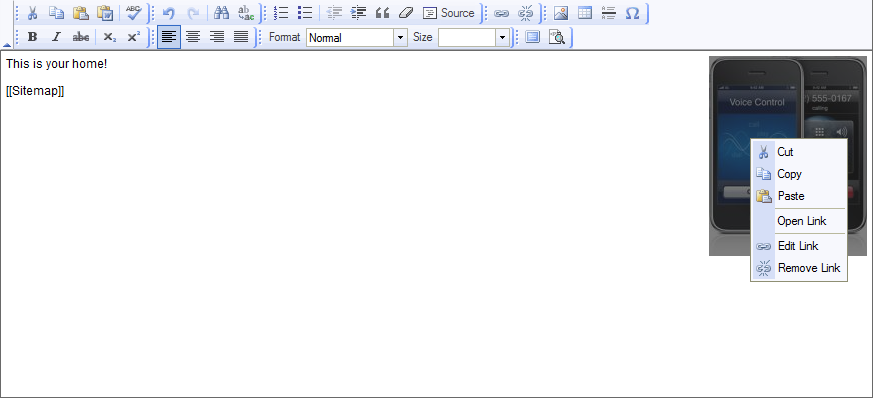
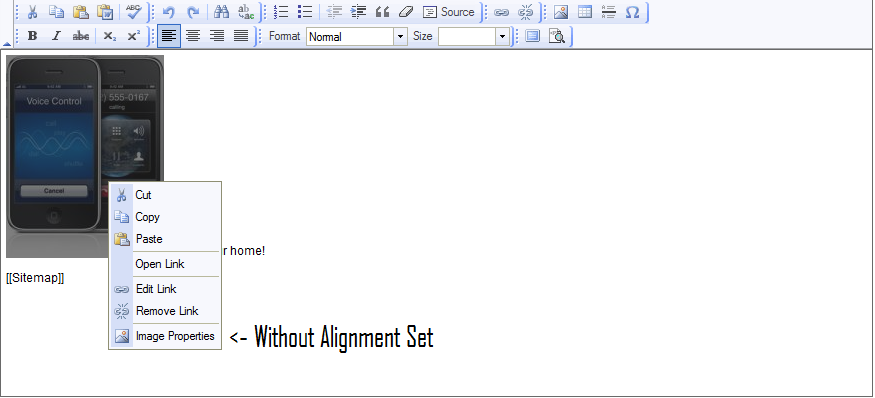
Re: Chrome and Aligned Image bug
Re: Chrome and Aligned Image bug
Re: Chrome and Aligned Image bug
There is only a test case attached as a patch file... does that mean it isn't fixed yet?
Does anyone have an idea if this will be fixed and/or when?
Re: Chrome and Aligned Image bug
Re: Chrome and Aligned Image bug
I'm upgrade to FCKeditor 2.6.10
I'm upgrade to FCKeditor 2.6.10 but have the same problem!!!
check my images!!
http://www.macminiserver.me/wiki/files/download/957feebc-f49c-454b-b562-d9775bb77739
http://www.macminiserver.me/wiki/files/download/4af5abcf-a719-4694-aaf2-4fcc5450a84c