
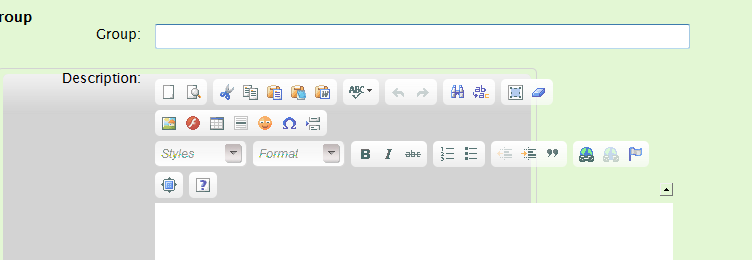
I've got my form styled using CSS with with the combined label and input field enclosed in an <li> tag. For all my other standard input fields, the label appears to the left of the input field. However, for the life of me, I can't get the CKEditor to behave. The mess I end up with looks like this.

The relevant CSS looks like:
Can anyone help with how to style this properly?
The relevant CSS looks like:
fieldset {
   margin:            1.5em 0 0 0;
   padding:            0;
}
legend {
   margin-left:      1em;
   color:            #000;
   font-weight:      bold;
}
fieldset ol {
   padding:            1em 1em 0 1em;
   list-style:         none;
}
fieldset li {
   padding-bottom:   1em;
}
fieldset.submit {
   border-style:      none;
}
label {
   float:            left;
   width:            10em;
   margin-right:      1em;
   text-align:         right;
}
Can anyone help with how to style this properly?

Re: Positioning the Editor Using CSS
Re: Positioning the Editor Using CSS
viewtopic.php?f=11&t=20808&hilit=float